Item: Canon Color ImageClass MF644Cdw
Reviewer: David 3D
Shipping and Assembly: I received this product in exchange for my unbiased opinion. Package was securely boxed. Takeout, locating cords, pieces and light assembly was an ease.
Set up: On Screen setup in front of Printer was clear. Setting Date and time was easy, though scrolling through US Time Zones was hard to find. I stumbled upon the correct Time Zone playing with Start up Screen.
To download the computer software, a disk was included. Installation was easy through the step by step progressions. The software was also online and the same easy step by step progressions were possible through the online software, also.
Connection to computer was easy with USB Cord. Hooking to network a little more of a challenge for a novice.
Printing Accessibility and Quality: To print a document from your computer was easy. Select the Canon printer from the drop down menu on your Printer Options. When wanting to print, click on the print icon, select File/ Print, or use Control P. All printing selection ways bring you to a Printer screen. The screen will say “Ready” under the Printer Selection. The paper may be printed in color or Black and White by selection.
Pages are printed quickly. The layout of the printed paper is accurate to what shows on computer screen when selected to print. The quality is good. Boldness of color and sharpness or print could be a bit more enriched. This can be enhanced by using the Screen to improve sharpness and color ratio. After the adjustments, the print quality was excellent.
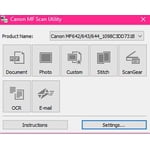
Scanning is simple! Place a paper on the copy area and press to scan to computer. This is an easy set up. To email to a few more configuration steps. After the set up screens are initialized, a power reset must happen to engage the new settings.
Emailing documents takes a bit of a set up. It is mostly making sure the network is configured correctly.
Problem: Somewhere is a settings saving button. The printer was set up, then when turning off and on to initialize, all saved settings were lost.
Overall Impression: The printer was a worthwhile addition to my computer. Setting up the System takes time. A few shut offs are needed to ensure the application was affected. At times, the customized set up was more cumbersome for beginners. It takes a number of times to get used to the Screen Menus and remembering where certain set ups and adjustments must happen. The written Operations Book could be more descriptive in the areas of configuration of network and procedural steps for using the network settings. The main function of printing and copying of the product was outstanding when compared to similar models. The quality of documents and picture printed in both color and black and white is fantastic. The copies are clear. The ink does not run. The ability to make two sided copies works with ease. The printer has never jammed. It is quieter than most printers. The multifaceted options the devise is capable of is amazing considering the somewhat small size of the Canon ImageClass, making it valuable in home offices or confined office cubicles. Overall, I was very satisfied with the printer. This printer quickly became a valuable and versatile tool for my home office. When the rest of the potential of the versatility of the printer is realized, the Canon Color ImageClass MF644Cdw will be powerful tool!