

Member photos





Verified Purchase
Great features, sharp display
Very economical TV with great features for access to all my Roku programming. This is my third TCL TV and would purchase another one in a heartbeat. Quality features with easy setup to WiFi programming and pulls in the local channels with sharp pictures.
Verified Purchase
Great TV
Great TV value and quality for my vacation rental property. The TV was deliver in great condition and was able to install it right away love the picture and a sound quality.
An excellent TV. The ultimate test!
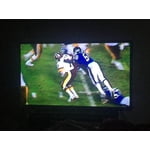
After reading reviews I decided to purchase 2 Roku TV's for my church. The WiFi capability and it being a smart TV were a must. I could have run Ethernet wire to the TV's at church but I was too lazy to do it, didn't care to be up in the attic. Setting up the TV configuration was easy. TV resolution is awesome the pics I posted don't do it justice and it has real good sound quality. Before installing these TV's at church I performed a series of tests at home. According to one reviewer this TV died after a power outage, so I disconnected the TV's from the power cord 5 times to simulate a power outage and TV's are still working. I was able to install a number of Apps on the TV's without any problems. With my home router at a distance of 45ft and 2 walls blocking the signal I tested the WiFi speed. 1st at 20mps, apps loaded fine and a 1 to 5 second buffering was observed every 5 to 30 minutes. 2nd at 60mps, apps loaded fine and 1 second buffering was observed once. 3rd at 100mps, apps loaded fine and buffering was flawless. I perform most testing using the Spectrum cable TV App. If you have multiple TV's in your home and have Spectrum cable, you can use this TV or even a Roku stick as a cable box and stop paying the monthly cable box fee.
Verified Purchase
Easy
Super easy to login and set up all your streaming services. Fits perfectly in our built-ins. Kids can navigate easily. Just what we wanted for the price.
If you need Roku on a cheap TV not a bad deal.
A bit too (Roku) centric. This TV always boots up in Home mode, aka menu listing the inputs, plus the streaming channels, from there you must select the input. This is a pain if you favor one over the other. They need to have a setup option of your preferred boot input, example, be able to set it to auto select FIOS/Cable port, or the Antenna port, or Roku streaming, at boot up, a press of the remote's Home button would take you back to the current Home page. As is, if you are like me, favor the Cable input you need two remotes, the Cable TV remote and the Roku, either remote will tun on the TV, control the sound, but you need the Roku remote to select the Cable input, this gets old real fast. It also needs a SD Overide option in the settings, to adjust how SD video will be shown. If the TV detectsn SD I want an automatic “Stretch fill the entire screen” option, as it, it seems to Center with black bars. I am not a fan of the upside down V legs, over the old podium stand. If you are placing the TV on a narrow dresser, bookshelf it's hard to angle it for viewing without the legs getting too near the edge, I also can not place the FIOS box under the TV, not enough room, with the old LG TV with podium stand I put the TV on top of it. These V legs seem to be the norm now, it's a move in the wrong direction. It's not a bad TV, it's easy to use, decently fast, at 32 inches 720P is fine, don't waste money on higher resolution at this size. I have read they update the firmware frequently, more so then others. I do wish the sound was better, but this is a problem with of most of these TVs and rear mounted speakers, sound going in the wrong direction, if placed tight against a wall it might sound better. It does have a setting to boost voice over the rest of the sound, a plus. I'm no fan of numberless remotes, channels like Pluto TV it would be nice to have numbers, also would like the buttons white to better see them in the dark. Oh, it can run off 2.4 and 5.2 GHz WiFi. The 5.2 WiFi was a surprise. For the money it's basically a decent monitor with Roku OS running on it. It's pretty mindless to setup and the interface isn't intimidating.
A few quick notes: if you go to the settings menu, go to system/power, and in there you can tell the TV to power up to the home screen, to your last used input, or any active input. Saving you that step one powering up. Additionally, you might want to check the settings on your cable box, to make sure it is not up converting the signal before sending it out. That would interfere with the TVs ability to “stretch“ a standard definition signal going into the TV. Under output on your box, you would want to find something labeled “native quote or something similar to that. Hope that helps, TCL USA support
Mediocre tv, great picture
Great picture quality, love the app platform on the home screen. However, after the first few months the TV begins to shut off in the middle of use, turns back on a few times as if it was updating then turns back to the home screen. It's been doing this for months now. Long term, would not recommend. Short term & price range, not bad for the money but I'm sure you could find a more reliable brand for around the same price.
We apologize for the problems you are experiencing with your TV. It is definitely not normal. We would like to look into this further for you. Please email us at tclusasupport@tcl.com and reference this post along with your contact information and we will get back to you right away.Thanks, TCL support
Short term yes long term no
This tv is good for the first couple of months. Recently it has started kicking me out of my channels when im in the middle 9f watch something. The main screen likes to frezze and somehow my internet is always getting disconnected from the tv. If yournlooking for.something short term then i will recommmend this tv. If your looking for something long term then your better off getting a more expensive brand.
We apologize for the problems you are experiencing with your TV. We would like to look into this further for you. Please email us at tclusasupport@tcl.com and reference this post along with your contact information and we will get back to you right away.Thanks,TCL USA Support
Extra charges to make it work
I wish someone would of told me that to use the TV I would have to spend another 59.99 to get it running due to the Roku. I thought having a smart TV in the craft room would be good for the internet and instructional videos when making things, never did I think it would cost me more $. Then I find I can get You tube free but to get a web browser it would cost another $4.99 a month. What is this all our other smart TV's did not have any hidden charges.
Sorry it looks like someone is trying to scam you. Recently, we have been made aware of websites that are not affiliated with Roku, but are offering "Roku Technical Support". This may have been what you have experienced. Please refer to this link for further details on the next actions you should take. https://support.roku.com/hc/en-us/articles/208757068-I-think-I-was-scammed-by-a-fraudulent-support-site-What-do-I-do- If you need further assistance please email us at tclusasupport@tcl.com and reference this post along with your contact information and we will escalate to Roku HQ immediatly.
Roku messed up a tv that used to be good.
I bought this last year and liked it. This month, however, Roku forced an update that took a way channel favorites unless you rent a set top box from your cable company. The "Favorites" function is apparently based on the "Smart Guide." Roku says this about the Smart Guide"- "◦Smart Guide is not available with content you see when connecting cable TV without a set-top box to the Antenna TV input." It is a shame that Roku screwed up a nice TV just to give cable companies a chance to rent more set top boxes. This is not a good tv for those looking to "cut the cord" with their cable company.
Don't Buy for WiFi
Spent 6 hours over 2 days trying to set this up on wifi,followed all instructions to the letter that came with tv and also all suggestions and tips online. Not a problem with my. Wifi, it new and working fine on several other items. Don't know about cable hook up, this is in a room with no cable connection. I wanted it just for roku access. Taking it back tomorrow!
We apologize for the problems you are experiencing with your TV. We would like to look into this further for you. Please email us at tclusasupport@tcl.com and reference this post along with your contact information and we will get back to you right away. Thank you,TCL USA Support.