Skip to Main Content
Sams Club
Sams Club
Member ratings & reviews for
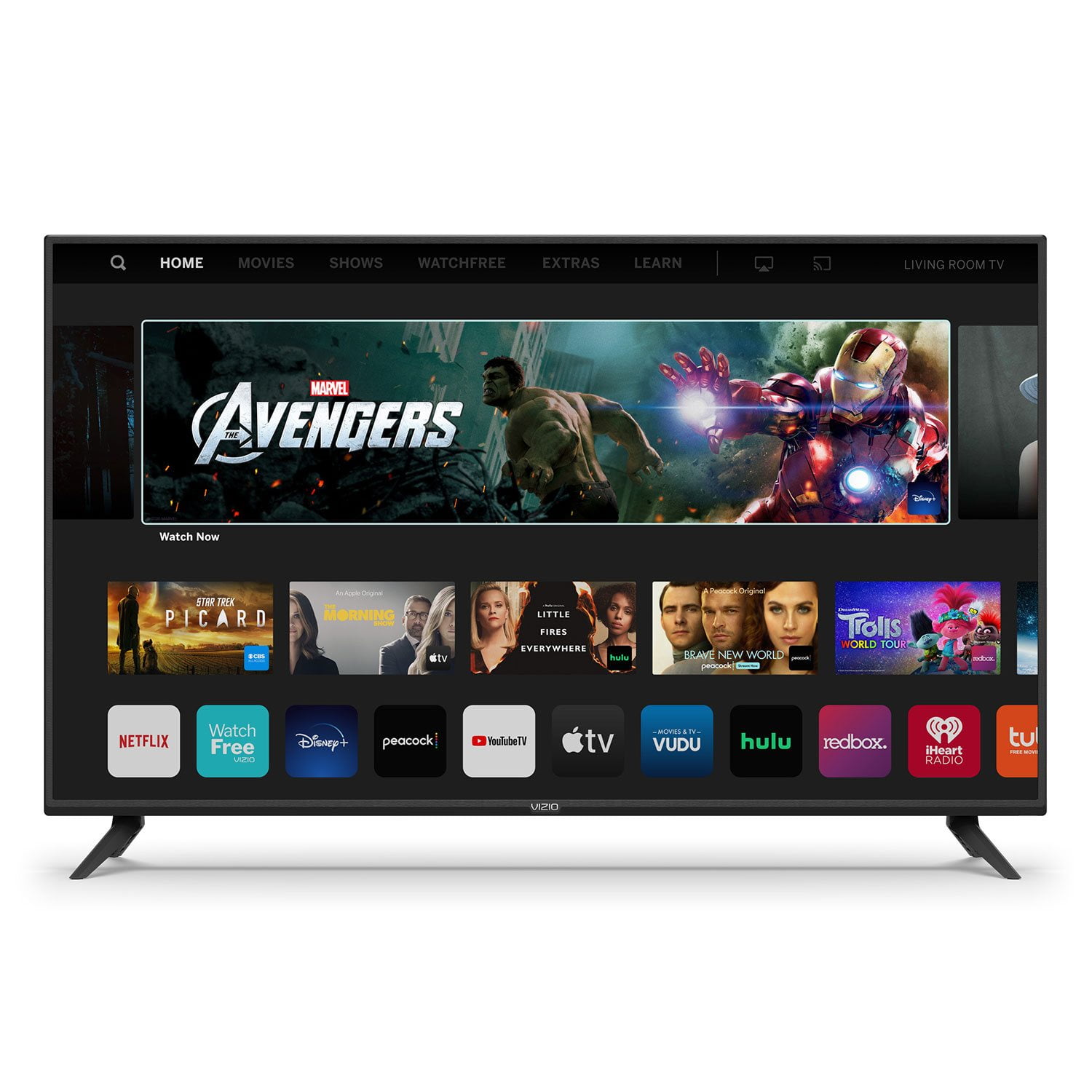
VIZIO 50" Class V-Series 4K HDR Smart TV - V505-H

Member photos

  • +35 images
Sort by |
Showing 2,291-2,300 of 34,155 reviews
Oct 25, 2022
Tippe
3 out of 5 stars review

It's okay

[This review was collected as part of a promotion.] I have problems with my tv after a while from having it. My tv freezes, it lags, i have to reset the tv multiple times in one day just to fix the tv to watch it. It's annoying dealing with this tv. The sound has problems sometimes and the updates are okay but they don't help, I think it makes it worse sometimes. I love the color and the clearness of course but software wise, it's not so good. I'm too lazy and cheap to get a new tv so I just deal with all the problems. Resetting takes a minute but it's just annoying having to do it everyday.

Review from vizio.com
Helpful?292P25TATFGG15229700618
reply from Customer Care

Hello Tippe, there could be a few things that cause lag or apps to not respond correctly, and I would like to learn more so we can assist with troubleshooting. Please visit support.VIZIO.com and click on ‘Contact Us’. We’ve got agents ready to chat, text message, or speak with you on the phone.

Jan 21, 2021
Xx7Viper7xX
5 out of 5 stars review

Great all around product

Up graded cause out old Vizeo was going out. after 9 years of heavy use. Vizeo products are great equipment for the price. This Product has great picture and the online aspect of this version is way better then the older version. Color is amazing and a crisp clear picture. The sound is very high quality for tv speakers over all would purchase again

Review from vizio.com
Helpful?292P25TATFGG15229700618
Nov 20, 2020
invent2020
4 out of 5 stars review

Good TV for limited choices in 40" size

Really wanted a 4K 40" TV, so glad Vizio makes this size. Overall a solid performer, with a few things that could be more polished. Would really like a dedicated SLEEP button on the remote. Would also like to see a programmable button for my own app choice for a Smart TV choice. Lastly would like to see the TV have an option to turn off after a set amount of time if there is no active signal (if it is supposed to do this, it doesn't seem to work). Besides these few issues, I really like the TV.

Review from vizio.com
Helpful?292P25TATFGG15229700618
Jan 8, 2020
Katie00
1 out of 5 stars review

Look good in the store

I liked the screen picture on the display at the store. Got it home and the setup took forever, it kept repeating. The menu options were confusing, only the power button worked on the remote (yes, I tried new batteries). It would freeze on certain apps like Netflix, and the only way you could get it to change was unplug it from the wall. And last but not least, it did not read digital signal from my digital antenna so I couldn't watch my local channels. So it went back in the box and back to the store.

Review from vizio.com
Helpful?292P25TATFGG15229700618
reply from Customer Service

Hello Katie00, the behavior you are describing is very odd for this television. Sorry you did not have a positive experience with this TV. If you decide to purchase a VIZIO product in the future please reach out to our customer support with any questions or concerns.

Dec 31, 2020
SadMan
1 out of 5 stars review

Worst tv I have ever owned !

Worst tv ever, When I'm watching any video and I run into poor Wi-Fi signal the screen starts to flicker until it goes back to the main tv screen mean while I can still hear the video playing in the background and when I push the back button it goes back to the video I was watching for only like 5 seconds then it starts to flicker again going back to the main screen display still hearing the video in the background not letting watch anything else cause it goes back to the main screen until I turn the tv off and back on then it works again also sometimes when I pick an app it freezes for a few minutes so I'm very disappointed !!!

Review from vizio.com
Helpful?292P25TATFGG15229700618
reply from Customer Care

Hello SadMan, can you give us some additional details about the issue you are experiencing? Does this issue seem to happen on all apps or just a certain few? This is not typical so I would like to learn more so we can assist with troubleshooting. Please visit support.VIZIO.com and click on ‘Contact Us’. We’ve got agents ready to chat, text message, or speak with you on the phone.

Dec 29, 2019
paskelboy06
5 out of 5 stars review

Awesome!

Got it the day before Thanksgiving to replace my 55 inch hisense and have been in love every since. What a big difference in picture quality and tv apps. Just absolutely love vizio TVs and gonna replace my bedroom vizio for a new 55 inch quantum color and see how much better it is than my new 70 inch 2019 4k v series.

Review from vizio.com
Helpful?292P25TATFGG15229700618
Mar 27, 2020
mazariegosr
4 out of 5 stars review

Good for the price

Purchased one month ago. The picture is not as sharp as other brands, but a good product for the price. Also, I wish there was a feature to download more apps. You are limited to the pre-installed apps and any added by Vizio updates. The user has no control over them.

Review from vizio.com
Helpful?292P25TATFGG15229700618
Jan 11, 2021
Momintheden
5 out of 5 stars review

Nice sound and beautiful picture

Santa brought us a new Vizio to replace an older model which was starting to drop sound. The picture is gorgeous from everywhere in the room, and the sound is wonderful. There is easier access to apps and on-line services than before, and the remote control is simple and effective. We love this television!

Review from vizio.com
Helpful?292P25TATFGG15229700618
Apr 7, 2020
Carol7
3 out of 5 stars review

A little disappointed

I'm a little disappointed in the tv in that: 1). I would like a power button on the actual tv. 2). When changing the channel, the display is too small. I can't see which channel I am on and there is no way to adjust this. 3). The picture is milky looking for about the first 5 or ten minutes when it's first turned on. 4). The remote is so sensitive that hardly a touch activities buttons and then I need to try to figure out how to cancel whatever was pressed. 5). I miss not having a light on the tv that shows that the power is on. 6). I don't find the remote very user friendly. All in all it is a nice tv for the price, but I may have been happier with a different brand.

Review from vizio.com
Helpful?292P25TATFGG15229700618
reply from Customer Support

Hi Carol7! Your TV does have a power button on it. The power button is located on the back of the TV by the lower right hand corner. There are also volume buttons and an input button located there. The TV also has a power light setting in the System Menu under Reset & Admin that will keep the light on when your TV is powered on. If you have any questions or would like assistance please contact our customer support team by visiting support.VIZIO.com and selecting the 'Contact Us' option.

Dec 3, 2020
Yvette
5 out of 5 stars review

Best Smart TV

I bought this tv over a year ago and I love it. I love that different streaming apps are built into the tv. Very convenient and easy to use! My most favorite feature is the chrome cast! I can cast anything to the tv from my phone, iPad or laptop! It's been a big help with assisting my son with virtual learning.

Review from vizio.com
Helpful?292P25TATFGG15229700618