Skip to Main Content
Sam's Club
Sam's Club
All Departments
All Services
Customer reviews for SAMSUNG 65” Class DU6900D Series 4K UHD Smart TV for
SAMSUNG 65” Class DU6900D Series 4K UHD Smart TV
4.4 out of 5 stars
stars
2,261 ratings2,195 reviews
  1. 5 stars69% (1,554)
  2. 4 stars16% (363)
  3. 3 stars7% (153)
  4. 2 stars3% (78)
  5. 1 star5% (113)

Member photos

  • +559 images
Sort by |
Showing 2,111-2,120 of 2,195 reviews
Aug 21, 2024
Reviewer name: Flex
4 out of 5 stars
4 out of 5 stars review

Nice TV

Beautiful picture and nice interface. The HDMI (ARC) Sound output doesn't work with any receivers so far. Only Bluetooth seems to transfer audio. So far my only complaint.

Review from Samsung US
Helpful?3ZT00GJD0QQ915202201960
reply from Samsung Advisor

Hi Flex, Thank you for your purchase. When connected to an external device via HDMI, please ensure you have these settings enabled: 1) Set Sound Output to the external speaker by going to Settings > All Settings> Sound > Sound Output. 2) Check whether Digital Output Audio Format is set to Pass-Through by going to Settings > All Settings> Sound > Expert Settings > Digital Output Audio Format > Auto. If you need further assistance, we would be happy to help! Please feel free to contact Samsung Support at 1-800-SAMSUNG, available from 8 AM to 12 AM EST, seven days a week. You can also chat with us on Samsung.com for immediate assistance. ~Samsung Advisor

Nov 18, 2024
Reviewer name: Like2tronics
3 out of 5 stars
3 out of 5 stars review

Picture quality

[This review was collected as part of a promotion.] The quality of the picture fine. It was very difficult to get the right level of brightness/ darkness on the picture. Could never get it to the right brightness

Review from Samsung US
Helpful?3ZT00GJD0QQ915202201960
reply from Samsung Brand Ambassador

Like2tronics, We appreciate you sharing your experience with the DU6900 TV. Your feedback regarding image brightness is essential to us and will be shared with our internal teams. If the image you’re seeing isn’t to your liking, there are several picture settings you may want to adjust. Go to Home > left direction button > Settings > All Settings > Picture > Picture Mode and select the mode that best fits your usage: 1. Standard: Is the default mode suitable for general viewing environments 2. Dynamic: Makes the picture brighter and clearer in bright viewing environments 3. Eco: Provided to save energy 4. Movie: Suitable for watching TV or movies in a dark room 5. Filmmaker Mode: Provides source content just as the creators intended. If the image is defined as Filmmaker Mode, it’ll automatically switch to Filmmaker Mode while watching. You can also fine-tune your picture with expert settings such as brightness, contrast, sharpness and more (All Settings > Picture > Expert Settings). For further assistance with settings adjustments, please contact Samsung Customer Support. You can call us at 1-800-SAMSUNG, 8 AM - 12 AM EST, seven days a week. Our LiveChat agents are also available by clicking on the ‘Support’ link on our website. ~ Samsung Pro

Oct 24, 2024
Reviewer name: CaVilla
5 out of 5 stars
5 out of 5 stars review

Totally amazing

[This review was collected as part of a promotion.] This is the type of TV you wanna get i love the way the software word and the quality of the image is just incredibly clean

Review from Samsung US
Helpful?3ZT00GJD0QQ915202201960
Oct 11, 2024
Reviewer name: Tiffers835
5 out of 5 stars
5 out of 5 stars review

Awesome product

[This review was collected as part of a promotion.] I do a lot of online streaming and this had bee the best picture so far. The pictures is clear and clean, the megapixels are awesome and the sound is clear and no trouble gearun UT at all

Review from Samsung US
Helpful?3ZT00GJD0QQ915202201960
Dec 1, 2024
Reviewer name: Anonymous
4 out of 5 stars
4 out of 5 stars review

This product has excellent image resolution.

[This review was collected as part of a promotion.] I use the TV for streaming, playing videogames on Xbox. I like watch movies with my family, we enjoy it.

Review from Samsung US
Helpful?3ZT00GJD0QQ915202201960
Oct 14, 2024
Reviewer name: Bueno13
5 out of 5 stars
5 out of 5 stars review

Excellent product
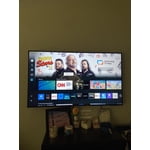
[This review was collected as part of a promotion.] Are usually buy Vizio TVs when I bought the Samsung TV who is blown away with quality of the picture The streaming and overall look of the TV

Review from Samsung US
Helpful?3ZT00GJD0QQ915202201960
Nov 7, 2024
Reviewer name: Anonymous
5 out of 5 stars
5 out of 5 stars review

Great entry level tv

[This review was collected as part of a promotion.] We have been using this tv for the past few years and have been very happy with it. Picture quality is excellent and we have zero issues

Review from Samsung US
Helpful?3ZT00GJD0QQ915202201960
Nov 18, 2024
Reviewer name: Sondrab
5 out of 5 stars
5 out of 5 stars review

Great picture

[This review was collected as part of a promotion.] Love the picture and all the apps. The only draw back is the remote. I'm glad I saved the remote from my old Samsung tv works perfect.

Review from Samsung US
Helpful?3ZT00GJD0QQ915202201960
Nov 11, 2024
Reviewer name: Pbinggg
5 out of 5 stars
5 out of 5 stars review

Amazing quality TV for all

[This review was collected as part of a promotion.] This t.v is amazing with crystal clear visuals and stellar audio! I've never seen a better t.v, ever

Review from Samsung US
Helpful?3ZT00GJD0QQ915202201960
Aug 5, 2024
Reviewer name: CALLMEBYTE
5 out of 5 stars
5 out of 5 stars review

Great tv for the price

[This review was collected as part of a promotion.] Tv is great, worth the cost. For the price you get amazing features, plus the added Samsung TV channels. Don't even need to pay for Cable TV.

Review from Samsung US
Helpful?3ZT00GJD0QQ915202201960