Skip to Main Content
Sam's Club
Sam's Club
All Departments
All Services
Customer reviews for SAMSUNG 65” Class DU6900D Series 4K UHD Smart TV for
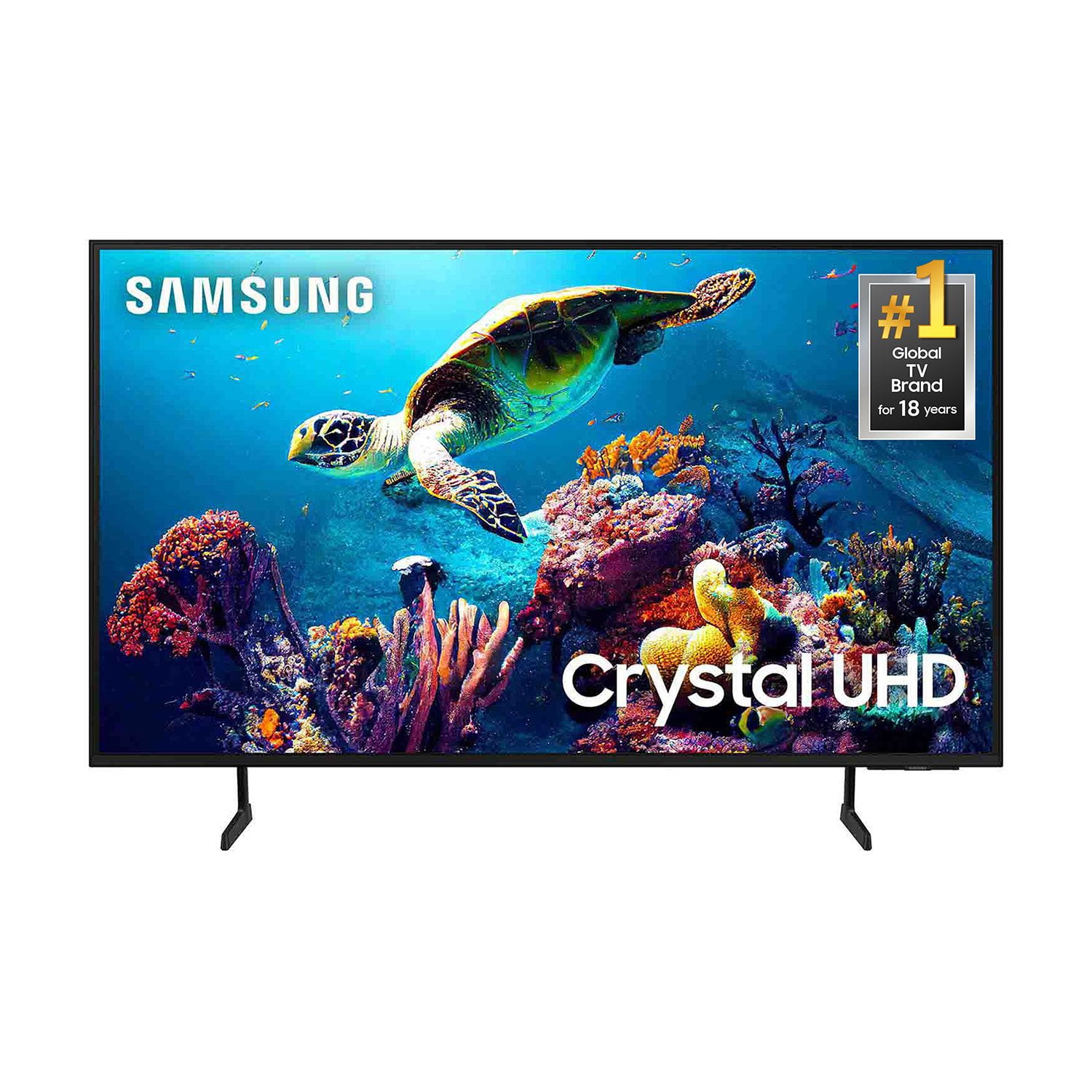
SAMSUNG 65” Class DU6900D Series 4K UHD Smart TV
4.4 out of 5 stars
stars
2,261 ratings2,195 reviews
  1. 5 stars69% (1,554)
  2. 4 stars16% (363)
  3. 3 stars7% (153)
  4. 2 stars3% (78)
  5. 1 star5% (113)

Member photos

  • +559 images
Sort by |
Showing 1,371-1,380 of 2,195 reviews
Sep 20, 2025
Reviewer name: Anonymous
3 out of 5 stars
3 out of 5 stars review

remotes

you need to supply a remote for all tv's that has numbers on keypad and bigger for us old folks

Review from Samsung US
Helpful?3ZT00GJD0QQ915202201960
reply from Samsung Brand Ambassador

dick, Thanks for sharing your thoughts. If there's anything we can do to improve your experience, please reach Samsung Support at 1-800-SAMSUNG, 8AM - 12AM EST, 7 days a week. Or visit us on the Samsung website and click on the ‘Support’ link for: • LiveChat • Manuals, Software, & Warranty Info ~ Samsung Pro

Aug 20, 2025
Reviewer name: Mags
5 out of 5 stars
5 out of 5 stars review

Samsung tv

The tv is functioning 100% and I’m very satisfied with product.

Review from Samsung US
Helpful?3ZT00GJD0QQ915202201960
Sep 7, 2025
Reviewer name: Frazeman
5 out of 5 stars
5 out of 5 stars review

Best picture I've ever had

One real nice tv excellent pictures great for sports kinda why I bought it put it in my man cave

Review from Samsung US
Helpful?3ZT00GJD0QQ915202201960
Aug 20, 2025
Reviewer name: 4umine
5 out of 5 stars
5 out of 5 stars review

Great features

Great quality Great price Great screen resolution i manly game and watch streaming apps .

Review from Samsung US
Helpful?3ZT00GJD0QQ915202201960
Aug 20, 2025
Reviewer name: Bill
3 out of 5 stars
3 out of 5 stars review

Trouble with Samsung tv

Cannot find local networks and connect hearing devices

Review from Samsung US
Helpful?3ZT00GJD0QQ915202201960
reply from Samsung Brand Ambassador

Bill, We appreciate you taking the time to let us know about your experience with your TV. So that we can better troubleshoot this issue and provide steps towards a solution, please contact Samsung Support at 1-800-SAMSUNG, 8AM - 12AM EST, 7 days a week. Or visit us on the Samsung website and click on the ‘Support’ link for: •  LiveChat •  Manuals, Software, & Warranty Info ~ Samsung Pro

Sep 20, 2025
Reviewer name: Samsung ports
5 out of 5 stars
5 out of 5 stars review

Need more ports

We love the TV but I wish there were more ports to connect accessories

Review from Samsung US
Helpful?3ZT00GJD0QQ915202201960
Aug 6, 2025
Reviewer name: Richie
5 out of 5 stars
5 out of 5 stars review

Samsung Tv

Great picture quality easy navigation and all the apps on here I no longer need my fire stick.

Review from Samsung US
Helpful?3ZT00GJD0QQ915202201960
Aug 20, 2025
Reviewer name: BIG EB
3 out of 5 stars
3 out of 5 stars review

SOUND

I FEEL LIKE THE TV SOUND IS VERY LOW OVERALL ITS A GREAT TV JUS WISH IT WAS LOUDER.

Review from Samsung US
Helpful?3ZT00GJD0QQ915202201960
reply from Samsung Brand Ambassador

BIG EB, Thank you for sharing your experience with low volume. There are several volume features you can adjust, which may improve your audio experience. 1) Auto Volume automatically adjusts the sound to a certain level when changing channels or switching to another external input. Go to Settings > All Settings> Sound > Expert Settings > Auto Volume. 2) Adaptive Sound automatically adjusts to a specific volume level while watching TV. The TV analyzes your volume usage history by time period to automatically adjust the volume when you use an app or switch to an external input source. Go to Settings> All Settings> Sound> Sound Mode> Adaptive Sound. 3) Several Sound Modes are likewise available to meet your personal preferences: Home > Settings > All Settings> Sound > Sound Mode. Also, some sources have their own volume control, which might need to be set higher. Please check the volume control of the external device (cable box or satellite box, DVD, Blu-ray, etc.) connected to your TV. Also, check the cable connection between an external device and the TV and then try the cable connection again. If you need further assistance, we would be happy to help! Please feel free to contact Samsung Support at 1-800-SAMSUNG, available from 8 AM to 12 AM EST, seven days a week. You can also chat with us on Samsung.com for immediate assistance. ~Samsung Pro

Aug 20, 2025
Reviewer name: Klc1
5 out of 5 stars
5 out of 5 stars review

Great picture

Great addition to my A/V. Sound and pictures are great

Review from Samsung US
Helpful?3ZT00GJD0QQ915202201960
Sep 5, 2025
Reviewer name: Doug
5 out of 5 stars
5 out of 5 stars review

Samsung Tv

Fantastic picture and sound...great tv and the price was excellent

Review from Samsung US
Helpful?3ZT00GJD0QQ915202201960