Skip to Main Content
Sam's Club
Sam's Club
All Departments
All Services
Customer reviews for SAMSUNG 65” Class DU6900D Series 4K UHD Smart TV for
SAMSUNG 65” Class DU6900D Series 4K UHD Smart TV
4.4 out of 5 stars
stars
2,261 ratings2,195 reviews
  1. 5 stars69% (1,554)
  2. 4 stars16% (363)
  3. 3 stars7% (153)
  4. 2 stars3% (78)
  5. 1 star5% (113)

Member photos

  • +559 images
Sort by |
Showing 1,221-1,230 of 2,195 reviews
Dec 27, 2024
Reviewer name: Thelynn
4 out of 5 stars
4 out of 5 stars review

We Love our Samsung TV, we have 3 Samsung TV's.

[This review was collected as part of a promotion.] We use our Samsung for everyday use, gaming for the kids and internet, youtube videos. What we enjoy is that we can link our tv's as well.

Review from Samsung US
Helpful?3ZT00GJD0QQ915202201960
Dec 27, 2024
Reviewer name: Nottingham
5 out of 5 stars
5 out of 5 stars review

Amazing Picture Quality

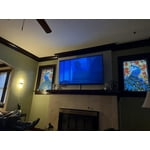
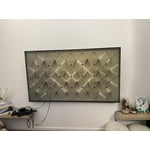
[This review was collected as part of a promotion.] The Frame TV is perfect for above our mantel. Amazing picture quality when watching and looks like a piece of art when not watching. I am very happy with our purchase!

Review from Samsung US
Helpful?3ZT00GJD0QQ915202201960
Dec 14, 2024
Reviewer name: DannyB
5 out of 5 stars
5 out of 5 stars review

Wonderful TV!!

[This review was collected as part of a promotion.] Wonderful TV. I play a lot of Xbox games and the TV auto adjusts and maintains great stream clarity throughout my game time

Review from Samsung US
Helpful?3ZT00GJD0QQ915202201960
Dec 18, 2024
Reviewer name: Jimmy
3 out of 5 stars
3 out of 5 stars review

Missing features

No optical out !!!! Cant use my headphoneshad to purchase HDMI OPTICALE converter, that did not work, why is there no optical or analog audio outs ?????

Review from Samsung US
Helpful?3ZT00GJD0QQ915202201960
reply from Samsung Brand Ambassador

Jimmy, Thank you for choosing the Samsung DU6900 TV and for taking the time to provide us with detailed feedback on your experience. Your opinion is important to us and will be shared with our internal product teams. The DU6900 TV offers 2 HDMI ports and is Bluetooth and Wi-Fi capable, allowing a seamless connection across multiple devices at a time. If your external device requires an Optical port, we recommend utilizing an HDMI to Optical Converter. These can be found at your local electronics store. Please also keep in mind that an Optical port can be found on our DU8000F Series and above. If you have any questions, please reach out to us at 1-800-SAMSUNG, 8 AM - 12 AM EST, seven days a week. Our LiveChat agents are also available by clicking on the ‘Support’ link on our website. ~ Samsung Pro

Jan 5, 2025
Reviewer name: Jennifer in Texas
4 out of 5 stars
4 out of 5 stars review

Great TV for a great price
I bought this 2 weeks ago (ish) and I love it. The picture is crisp and the graphics are perfect for gaming. I had no idea how out of focus my old tv was.

Review from Samsung US
Helpful?3ZT00GJD0QQ915202201960
Dec 30, 2024
Reviewer name: couchpotato II
1 out of 5 stars
1 out of 5 stars review

Would not buy another like this.

Received as a Christmas gift. Not near as nice picture and color or sound as our other 55" TV. I think we will be using our other TV and letting this just collect dust. Not at all happy with the new TV.

Review from Samsung US
Helpful?3ZT00GJD0QQ915202201960
reply from Samsung Brand Ambassador

couchpotato II, Thank you for taking the time to provide feedback on your DU6900 TV. Please know that your feedback will be shared with our internal product teams. We take pride in our products and are sorry to hear that your experience was not up to our high standards. There are several picture and sound settings that you can adjust to best fit what you are watching. Go to Home > Settings > All Settings > Picture > Picture Mode and select the mode that best fits your usage: 1) Standard: Default mode suitable for general viewing environments. 2) Natural: Reduces eye strain for a comfortable viewing experience. 3) Movie: Most suitable for watching TV or movies in a dark room. 4) Dynamic: Makes the picture brighter and clearer in bright viewing environments. You can also go to Settings > All Settings> Picture > Expert Settings > to manually fine-tune your image. For sound adjustments, go to Settings> All Settings> Sound. If you need further assistance, we would be happy to help! Please feel free to contact Samsung Support at 1-800-SAMSUNG, available from 8 AM to 12 AM EST, seven days a week. You can also chat with us on Samsung.com for immediate assistance. ~Samsung Pro

Dec 27, 2024
Reviewer name: Review
5 out of 5 stars
5 out of 5 stars review

Samsung TV - great TV Brand
[This review was collected as part of a promotion.] Clear & sharp picture. I have another Samsung TV in the house and have had good reliability with this brand and that’s why I chose to buy again.

Review from Samsung US
Helpful?3ZT00GJD0QQ915202201960
Dec 30, 2024
Reviewer name: Stigs57
4 out of 5 stars
4 out of 5 stars review

Great picture!

[This review was collected as part of a promotion.] We love the picture on our new tv. Not being tech savvy we figured out how to set it up all by ourselves and were quite proud. We only use it for tv and streaming, but it works like a charm.

Review from Samsung US
Helpful?3ZT00GJD0QQ915202201960
Dec 29, 2024
Reviewer name: Ironweed
5 out of 5 stars
5 out of 5 stars review

Bright and clear

[This review was collected as part of a promotion.] This is my Second Samsung TV and they have both been great. Very clear picture, great sound and awesome features. Bright and fast no issues keeping with TV, Video, streaming and games.

Review from Samsung US
Helpful?3ZT00GJD0QQ915202201960
Dec 19, 2024
Reviewer name: 65UHDggg
5 out of 5 stars
5 out of 5 stars review

Fantastic TV!

[This review was collected as part of a promotion.] Great TV. Compatibility with other Samsung products makes for a seamless process and functionality.

Review from Samsung US
Helpful?3ZT00GJD0QQ915202201960