Skip to Main Content
Sams Club
Sams Club
Customer reviews for JBL Reflect Aero Wireless Noise Cancelling Earbuds for
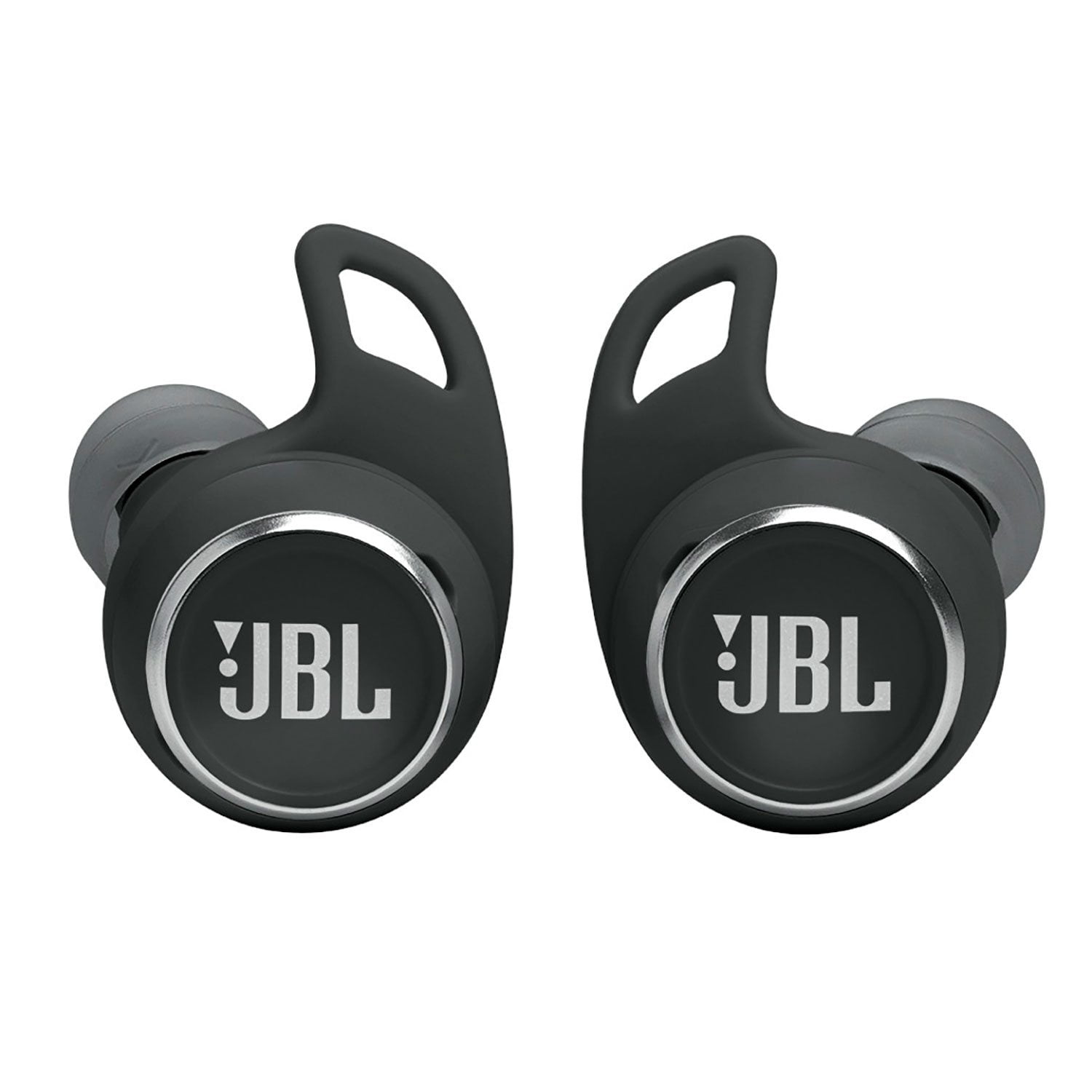
JBL Reflect Aero Wireless Noise Cancelling Earbuds

Member photos

  • +90 images
Sort by |
Showing 31-40 of 301 reviews
Jun 3, 2024
Lotfollah
1 out of 5 stars review

Verified Purchase

faulty

after a while it the case turned off. I used diffrent cord and charger, but it didn't turn on again. I put it aside for about a week then i tried again. it worked. recently this moody eabuds starting wired again. When I unplug the cord, it's light still blinking as if it's charging! and when I put the buds in it, they aren't disconnected! and don't turn off until the battery drained.

Review from walmart.com
Helpful?3IUOBP8S3QAO13973105098
reply from JBL Support

We're here to help with your JBL Reflect Aero. When you open the lid of the charging case, the earbuds will turn on and then connect to the previous device it was connected to. To turn them off completely, put the earbuds inside the case and close the lid. If the charging case is not charging, please try using a different power cord. For further assistance, please contact JBL Customer Support.

Sep 15, 2024
USAshopper
1 out of 5 stars review

Verified Purchase

Terrible for running g

These are too big %26 heavy to stay put in your ear while you are running. I tried different variations of the part that goes in your ear and the wing. Also, minimal different between ambient noise %26 noise cancelling. These are not a true noise canceling earbud.

Review from walmart.com
Helpful?3IUOBP8S3QAO13973105098
reply from JBL Support

Thanks for your feedback with our JBL Reflect Aero. You may have enabled the Ambient Aware or TalkThru feature, this feature sharpen the surrounding sounds or voices. Please check the features on the JBL Headphones App. If you need more help, please contact our customer support.

Mar 11, 2024
LYT
1 out of 5 stars review

Verified Purchase

Don't buy these earbuds.

These worked great when we first got them but they only worked for two months. Tried getting in contact with the company that provided them to Walmart and guess what- they won't answer me. Walmart says they have their own policy that is only good for 60 days- wow that's just how long they worked.

Review from walmart.com
Helpful?3IUOBP8S3QAO13973105098
reply from JBL Support

Thanks for your feedback. We're here to help you with your JBL Reflect Aero. Please be informed that all our products come with a one-year warranty. To file a claim and assist you with the replacement, please contact our customer support at (877) 871-6755 / Mon - Fri: 9:00 am - 11:00 pm (ET) Sat-Sun: 9:00 am - 5:00 pm (ET).

Jan 7, 2025
Callie
2 out of 5 stars review

Verified Purchase

Wish I would have known the sound quality wasn't the best

Review from walmart.com
Helpful?3IUOBP8S3QAO13973105098
reply from JBL Support

Thanks for your feedback. We're always looking for ways to improve. For our JBL Reflect Aero, source devices (phones, tablets, etc.) all behave a bit differently. Some have very loud outputs, and some can be quite a bit lower, even at maximum volumes. You may try to use an equalizer like JBL App on your music application to adjust the volume to your preference. If you need more help, please contact our customer support.

Dec 11, 2024
KEVIN
1 out of 5 stars review

Verified Purchase

This pair doesn't work at all and doesn't charge.

Everything wrong with them: They don't charge and no charge light, right out of the box.

Review from walmart.com
Helpful?3IUOBP8S3QAO13973105098
reply from JBL Support

Thanks for your feedback, we're here to help with your JBL Reflect Aero. If it's not charging please try different charging cable and charging adapter to see if this resolve the issue, we also recommend cleaning the contact pins on the case and earbuds using a cotton swab with alcohol. Charging issues are frequently caused by foreign matter on the metal charging contacts. This can include sweat, grease, ear wax, etc. Please ensure the pins are dried before placing them back on the case. If you need more help, we'd like to work with you directly. Please contact our customer support for assistance.

Jan 4, 2025
M
1 out of 5 stars review

Verified Purchase

I want a return of this product.. it doesn't hold charge.. please let me know how to return it?

Review from walmart.com
Helpful?3IUOBP8S3QAO13973105098
Jan 23, 2025
Josh
1 out of 5 stars review

Verified Purchase

stopped working properly after 3 months

Review from walmart.com
Helpful?3IUOBP8S3QAO13973105098
reply from JBL Support

Thanks for your feedback. We're always looking for ways to improve. For our JBL Reflect Aero, we recommend cleaning the contact pins on the case and earbuds using a cotton swab with alcohol. These pins are sensitive to dust. Please ensure the pins are dried before placing them back on the case. If the issue still persists, please contact our customer support.

Nov 29, 2024
Rahul
5 out of 5 stars review

Verified Purchase

JBL is JBL , just another reason to love JBL

Review from walmart.com
Helpful?3IUOBP8S3QAO13973105098
Nov 16, 2024
WILSON
5 out of 5 stars review

Verified Purchase

Perfect fit . Sounds great.

Review from walmart.com
Helpful?3IUOBP8S3QAO13973105098
Dec 14, 2024
Dwayne
5 out of 5 stars review

Verified Purchase

They They're great love the sound

Review from walmart.com
Helpful?3IUOBP8S3QAO13973105098