Skip to Main Content
Sams Club
Sams Club
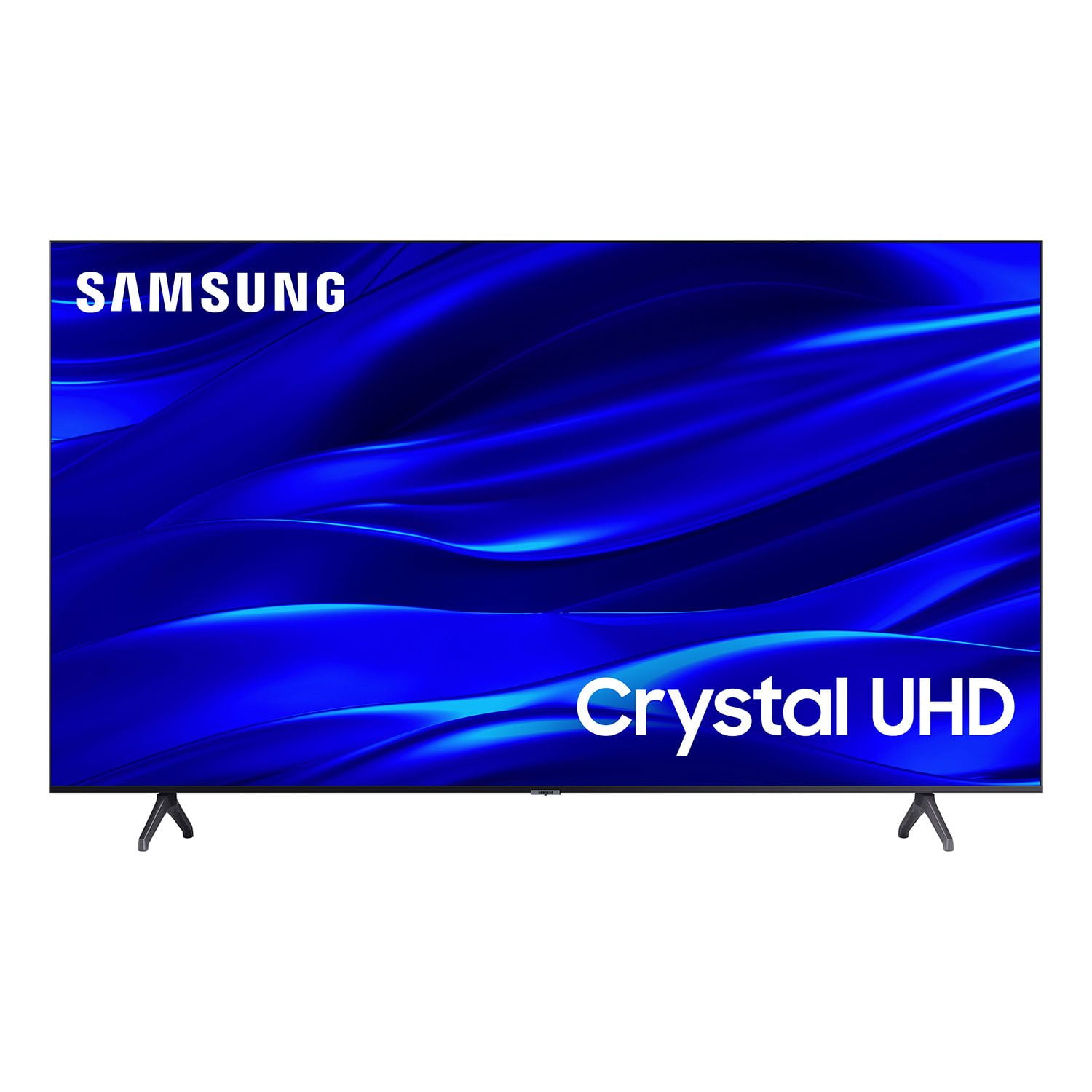
Customer reviews for SAMSUNG 58" Class TU690T-Series Crystal Ultra HD 4K Smart TV UN58TU690TFXZA for
SAMSUNG 58" Class TU690T-Series Crystal Ultra HD 4K Smart TV UN58TU690TFXZA
4.4 out of 5 stars
stars1,039 ratings1,027 reviews
  1. 5 stars69% (713)
  2. 4 stars18% (189)
  3. 3 stars6% (62)
  4. 2 stars3% (27)
  5. 1 star5% (48)

Member photos

  • +247 images
Sort by |
Showing 871-880 of 1,027 reviews
Apr 1, 2024
Isfeva
5 out of 5 stars review

One of the best TV

[This review was collected as part of a promotion.] excellent image quality, many apps in its store, prompt updates and improvements

Review from Samsung US
Helpful?159EEZ107GUG13967605930
Jan 8, 2024
Debbie
5 out of 5 stars review

Christmas gift

Received this Samsung TV for a Christmas gift. Hook up was quick. Remote is easy to use. Great color. Very pleased with this TV.

Review from Samsung US
Helpful?159EEZ107GUG13967605930
Sep 27, 2023
ChristieLynn808
5 out of 5 stars review

Great Display

I bought this in May and was super impressed. It has a great display and was very easy to set up. I’m super happy with my purchase !

Review from Samsung Canada
Helpful?159EEZ107GUG13967605930
Apr 26, 2024
Santana
5 out of 5 stars review

This is Curved just Like the UN65TU8300FXZA

[This review was collected as part of a promotion.] UN65TU8300FXZA 65 Inch Curved TV that was 2021 Model or 2020

Review from Samsung US
Helpful?159EEZ107GUG13967605930
Jan 11, 2025
Calvin Tse
4 out of 5 stars review

Buggy remote

I worth to using my galaxy fold as a remote due to some buggy applications not work8ng well with the remote ie* Netflix

Review from Samsung Canada
Helpful?159EEZ107GUG13967605930
Apr 5, 2024
KrazyKatKing
5 out of 5 stars review

low price but effective

[This review was collected as part of a promotion.] reliable and good quality. great sound and picture

Review from Samsung US
Helpful?159EEZ107GUG13967605930
Nov 26, 2023
Bazza
5 out of 5 stars review

Easy setup.

I have had this TV for 2 days, it was very easy to set up and use. We're still exploring the features...

Review from Samsung Canada
Helpful?159EEZ107GUG13967605930
Dec 14, 2022
Caty
3 out of 5 stars review

Disappointed

Bought this Tv with high hopes. Got it home and the picture was not crisp. It does have some nice features. i returned it and got an lg.

Review from Samsung US
Helpful?159EEZ107GUG13967605930
reply from Samsung Brand Ambassador

Hi Caty, I’m sorry to hear the picture quality of Samsung’s TU690T TV did not meet your expectations. Your feedback is appreciated and will be shared with our internal teams. Should you ever decide to give Samsung TVs another try and experience issues or need assistance with usage, please know we are always here to help. You can contact us at 1-800-SAMSUNG, 8 AM - 12 AM EST, seven days a week. Our LiveChat agents are also available by clicking on the ‘Support’ link on our website. We hope to regain you as a customer in the future. ~ Samsung Advisor

Mar 3, 2023
Mac dogg
4 out of 5 stars review

I am disappointed in the sharpness of the picture with HD broadcast and that the maximum brightness of the picture is not enough for me

Review from Samsung US
Helpful?159EEZ107GUG13967605930
reply from Samsung Brand Ambassador

Hi Mac dogg, Thank you for sharing your thoughts on your TU690T TV’s image quality. The TV will upscale as best as possible any content sent to it. The closer your content is to 4K, the better the image will look on the screen. Here are some tips to help improve picture clarity: 1) HDMI cables are recommended for optimal HD viewing. 2) If you have an analog cable box or satellite box, upgrade to a digital cable box or satellite box. 3) Change the output resolution of your devices, such as digital broadcast receivers, IPTV, and set-top boxes, to UHD or HD. 4) You can further adjust your sharpness, brightness, contrast, color, and more by going to Settings > Picture > Expert Settings 5) Choose a Picture Mode by going to Settings > Picture > Picture Mode and choose from Dynamic, Standard, Natural, Movie, or Filmmaker Mode. You may also want to disable Power Saving Mode, which automatically adjusts the brightness to reduce the TV’s power consumption. Go to: Settings > General > Eco Solution> Power Saving Mode. If you need more help, Samsung is here for you. Please call us at 1-800-SAMSUNG, 8 AM - 12 AM EST, seven days a week. Our LiveChat agents are also available by clicking on the ‘Support’ link on our website. ~ Samsung Advisor

Jun 3, 2023
BOBO
5 out of 5 stars review

Pleasantly Surprised

Very pleased. Much better than expected. I can’t speak to the sound since I have a sound bar. Picture is great. Price is gray too

Review from Samsung US
Helpful?159EEZ107GUG13967605930