Skip to Main Content
Sams Club
Sams Club
Customer reviews for SAMSUNG 58" Class TU690T-Series Crystal Ultra HD 4K Smart TV UN58TU690TFXZA for
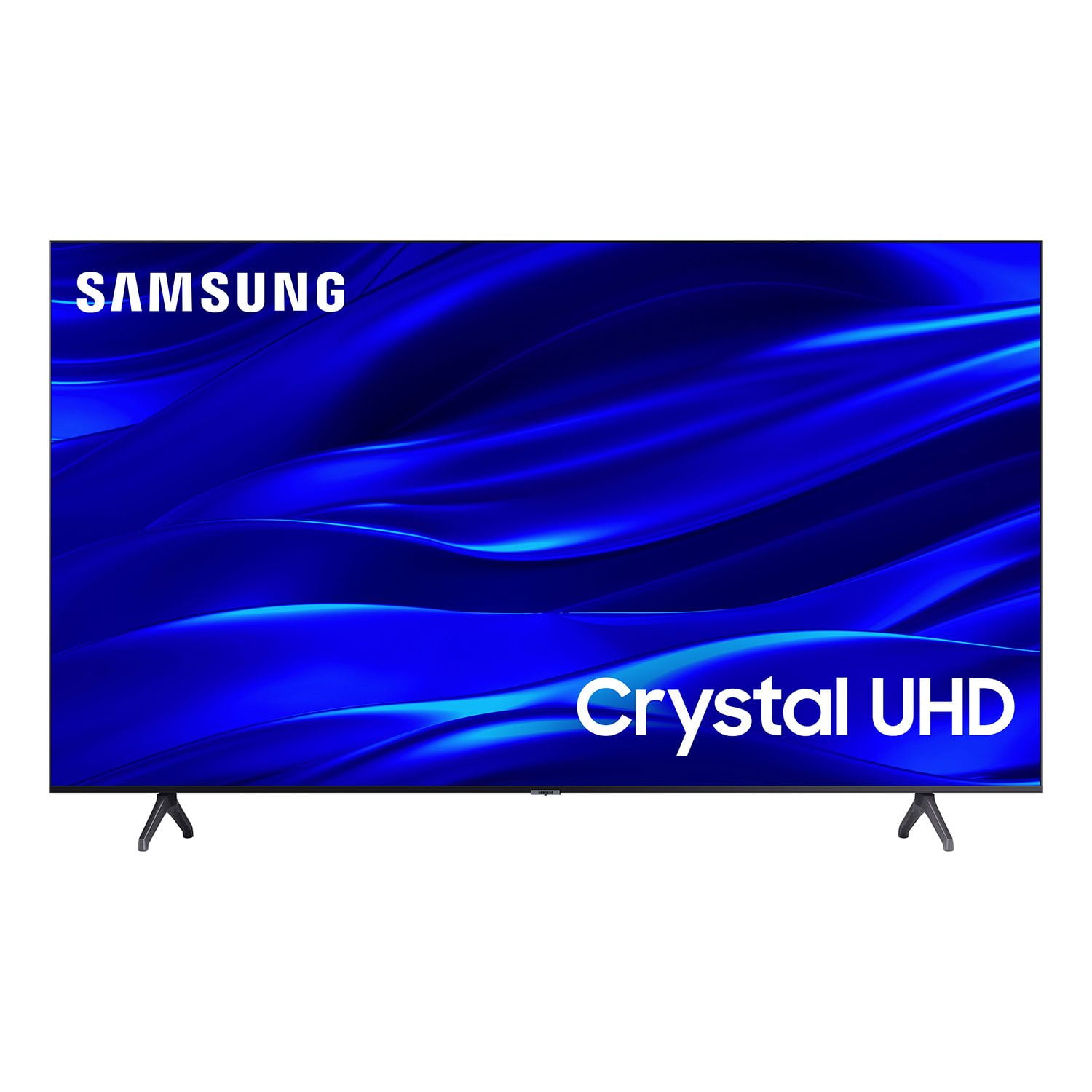
SAMSUNG 58" Class TU690T-Series Crystal Ultra HD 4K Smart TV UN58TU690TFXZA
4.4 out of 5 stars
stars1,039 ratings1,027 reviews
  1. 5 stars69% (713)
  2. 4 stars18% (189)
  3. 3 stars6% (62)
  4. 2 stars3% (27)
  5. 1 star5% (48)

Member photos

  • +247 images
Sort by |
Showing 841-850 of 1,027 reviews
Oct 4, 2024
JT30588
5 out of 5 stars review

This tv is big and has an amazing picture quality.

[This review was collected as part of a promotion.] I use this tv for gaming and movies in my living room. It's perfect for movies night.

Review from Samsung US
Helpful?159EEZ107GUG13967605930
Jun 2, 2024
ggfashion604
4 out of 5 stars review

Great features!

Smart TV that has so many features more then what I need. Preinstalled apps. Little learning curve to navigate. Worth the price paid.

Review from Samsung Canada
Helpful?159EEZ107GUG13967605930
Jan 11, 2023
MamaC
3 out of 5 stars review

Movie features are dark and difficult to watch.

No matter what I do movies are dark. Bought this model because the sales rep said it was better for watching movies. NOT TRUE.

Review from Samsung US
Helpful?159EEZ107GUG13967605930
reply from Samsung Brand Ambassador

Hi MamaC, It’s unfortunate to hear you’re not fully satisfied with the brightness of your TU690T TV’s picture. Please know that we are here to help you. First, let’s ensure you are running the latest Firmware Update. Go to Settings> Support> Software Update. Next, If the colors on your TV are correct but just a little too dark or bright, you can try adjusting Picture Modes, Contrast, Brightness, or Sharpness settings. For darker scenes, I recommend Dynamic Picture Mode, which makes pictures brighter and clearer in bright viewing environments. Go to Settings > Picture > Picture Mode > Dynamic. Or you can manually adjust the Brightness by pressing the HOME button on your remote, then navigating to Settings > Picture > Expert Settings. You may also want to disable Power Saving Mode, which automatically adjusts the brightness to reduce the TV’s power consumption. Go to: Settings > General > Eco Solution> Power Saving Mode. I hope this helps to improve your picture. Should you need further assistance, please get in touch with us at 1-800-SAMSUNG, 8 AM - 12 AM EST, seven days a week. Our LiveChat agents are also available by clicking on the ‘Support’ link on our website. ~ Samsung Advisor

Jul 2, 2024
FrankieG
5 out of 5 stars review

Best TV Ever!!

[This review was collected as part of a promotion.] Best tv ever, great quality and awesome display! 10 out of 10!

Review from Samsung US
Helpful?159EEZ107GUG13967605930
May 25, 2023
Mazz
3 out of 5 stars review

Sound

(This review was collected as part of a promotion.) The speaker sound quality is not satisfactory and loud enough.

Review from Samsung Canada
Helpful?159EEZ107GUG13967605930
Jun 14, 2024
Happy face
2 out of 5 stars review

Overrated

Picture is ok, remote is a nightmare to use and work with, very touchy ( sensitive), disappointed with first purchase of Samsung

Review from Samsung US
Helpful?159EEZ107GUG13967605930
May 31, 2024
Stratllll
4 out of 5 stars review

Good quality

Bought my tv near end of last year, love the size, quality is good. Lots of features that work well with my current tech I have

Review from Samsung Canada
Helpful?159EEZ107GUG13967605930
Dec 10, 2022
Wendy
3 out of 5 stars review

Loses Connection

The tv disconnects from the internet EVERY TIME I turn it off. So I have to go through the reconnect process EVERY TIME I turn it back on..

Review from Samsung US
Helpful?159EEZ107GUG13967605930
reply from Samsung Brand Ambassador

Hi Wendy, Thank you for sharing your experience with Internet connectivity. If you’re experiencing issues with the Wi-Fi connection, we suggest you try the following: 1. Use 5Ghz Wi-Fi if possible 2. Try wired LAN if available 3. Try repositioning the router so there are no obstacles between your TV and the router Please also be sure you are running the latest firmware. You can check to see what software version your TV is using and if there is an available update through the settings on your TV. Go to: Settings > Support > Software Update. You can enable automatic updates for convenience. Go to Settings > Support > Software Update, then select Auto Update. I hope these tips help resolve your concerns. If you continue to have issues, please give us a call at 1-800-SAMSUNG, 8 AM - 12 AM EST, seven days a week. Our LiveChat agents are also available by clicking on the ‘Support’ link on our website. ~ Samsung Advisor

Jul 30, 2024
JMGOOMBA
5 out of 5 stars review

Samsung TV Review

[This review was collected as part of a promotion.] Great TV , Love the picture and sound quality. Awesome TV for a reasonable price!!

Review from Samsung US
Helpful?159EEZ107GUG13967605930
Jan 21, 2023
Jacquelyn
1 out of 5 stars review

Horrible! Definitely a LEMON

I could not wait to get this product out of my home. I would never purchase nor would I recommend a Samsung product to anyone!

Review from Samsung US
Helpful?159EEZ107GUG13967605930
reply from Samsung Brand Ambassador

Hi Jacquelyn, I'm very sorry that you are not satisfied with the TU690T TV. Please know Samsung prides itself on high-quality products and a great customer experience. Please give us a chance to make this right by calling us at 1-800-SAMSUNG, 8 AM - 12 AM EST, seven days a week. Our LiveChat agents are also available by clicking on the ‘Support’ link on our website. ~ Samsung Advisor