
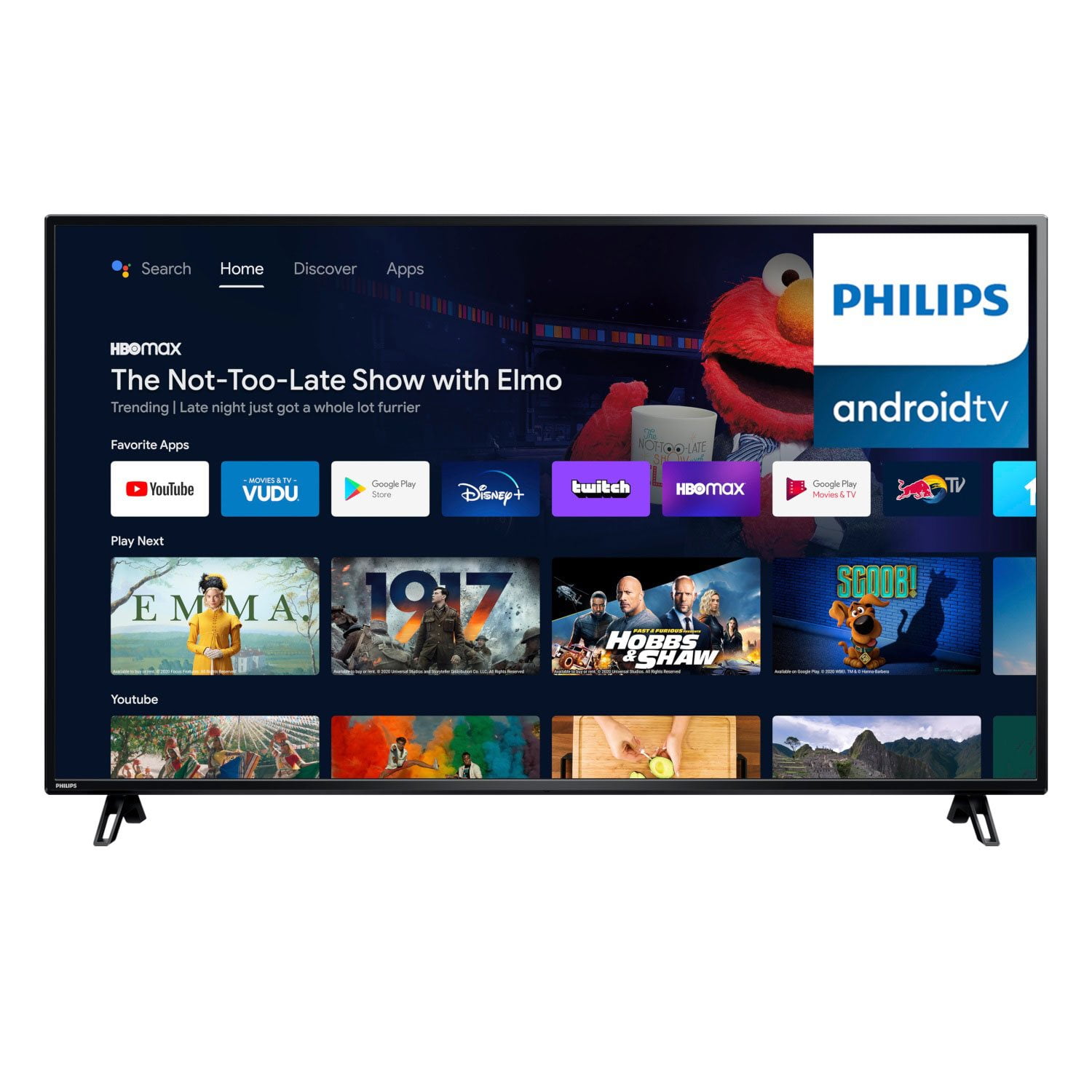
 Customer reviews for Philips 65" Class 4K UHD Android Smart LED TV - 65PFL5766/F7 for
Verified Purchase
Picture quality is great! Many additional features
[This review was collected as part of a promotion.] Picture quality is great! Lots of additional features such as interface with google.
Low qualitty
I bought it and 2 weeks after, started with a horrible noise on the back side, the wifi suddenly disconnect a lor of times, the yt app does not works good, I have to stop de app and restart it.
Hi there Adan, thank you for reaching out to us. We're sorry to hear you've had issues with your television. If you have only had the unit for two weeks, you may be able to return it to the place of purchase. Our televisions, however, do have a one year warranty based on the date of purchase. If you would like further assistance, we hope you will reach out to us directly at 866-309-5962. We hope to hear from you soon!
Believe the comments!!! I only gave it two stars cause it is huge. went in store to buy this tv when I got home I plugged it up and it's a huge red spot behind the screen when the tv is turned on… cheap isn't always good !
Dear Kenneth, Philips strives to provide the best product and after-care experience to all our customers. Please call the Philips Customer Care team at 1-866-309-5962 and mention that you reviewed the product online and would like to work on a solution.
Works sporadically
[This review was collected as part of a promotion.] Often won't turn on, I have to reach up the back and manually turn it on. Streaming services don't work, I had to attach a fire stick. I've had this for 3 months and have used it maybe 10 times.
Keeps resetting
[This review was collected as part of a promotion.] The picture quality isn't that of a 4K, it keeps resetting and disconnecting from the internet in the middle of me watching, the sound quality has been failing since about month 3.
Pretty good
[This review was collected as part of a promotion.] First time owning a smart tv and 4K definition. So far I like it the screen picture is clearer than one I've had for over six to seven years. Volume is pretty good I've had a few that volume was not good for the tv. I have used for only few hours but so far that's my honest review. It might need a few more days to see if I really like but for now I do.I recommend this for the price that it was I've had worse televisions that cost more.
Awesome picture
[This review was collected as part of a promotion.] I'm in love with the Philips 43" Class 4K Ultra HD (2160p) Android Smart LED TV with Google Assistant! It was so easy to hook up and the color and picture is amazing on it. It's the perfect size for my office/craft room. I thought it was gonna be a little hard for me to get to working but it was up and running in no time. The Philips 43" Class 4K Ultra HD (2160p) Android Smart LED TV with Google Assistant is great and I couldn't ask for anything better than this TV. I will for sure be sharing this great news with family and friends.
Android T.V.
[This review was collected as part of a promotion.] I had been searching for a television that would satisfy my needs with the size of it, the clarity, sound, appearance, graphics, etc all in one. I have to say this T.v. by far has met my standards. It has 4.6Gb of storage so you can download as many apps you would like. There are apps that come along with the television already those are: Netflix, Vudu, YouTube, Google Play, Google Play store, How to app, Google Play games, Google Music, etc. When I powered on an Android Logo appears and it will take you to the home screen. On the home screen you will access Live TV which is where you can watch the standard shows as well as the News and any channel that you receive in your area. How to is where you press the Google button which is surrounded by other buttons on the remote such as: Format, Sap, Info, TV guide, and the options button. When you press the How to do button you can request the remote to take you to apps as well as channels. The Google Assistant can answer random questions and give you facts, it can give you the schedule of your day, setting light control in your home, settings , shopping list, News, Sports, Conversions, Music, Radio, Translation, Volume control, Nutrition, Fun facts, Finance, Movies and tv shows, Podcasts, Calculator, Weather, Broadcasting, Dictionary, Help, . There is a Mic to click on when you want to speak and the remote to do certain things. It also has a keyboard where you can click on it and type with the remote on the screen. It has an inputs logo where you can control the HDMI settings and or Composite. There is also the Wi-Fi button where you connect your internet, and add a network, turn on scanning if you want it to detect your location, Ethernet settings, Proxy and Ip settings. You can set your name device so that it's private and safe. On channel settings there are Parental controls, open source licenses and then version of the television. In the settings there is the area where I signed in my Google account, Apps it keeps track of when you used it last. You can adjust the app permissions, special app access and security restrictions. In Device Preference in the about section there is a System update the Device name , Restart, Status, Legal information, Model, Version, Software version, Android security Patch level, Kernel version, Build. You can set the Date & and Time , the Time zone, and whether To use a 24-hour format. You can set the power on time type 2 off on or once. You can also set the power off time type. You can put it in any language format which would be English , Spanish, and French. When in the keyboard settings it has the current keyboard G board settings and manage keyboards. The G board settings have the current version the languages, the terms of service privacy policy, open source licenses, and share usage statistics. You can also manage available virtual keyboard as well as google voice typing. On the Power settings it has a sleep timer, the picture off and no signal auto power off. On the picture settings it has the picture style, the back lighting, the brightness, the contrast , the color, the gamma, the color temperature , advance video custom color white balance correction, in the reset to default. In the Sound Settings they have a sound style of balance sounds, around the equalizer detail speakers, and digital output SPDIF is delay auto volume control and the reset to default. It has the Internal share storage what is 4.6 gigabytes. on the home screen it has customize channels enable video previews enable to audio previews the reorder apps reorder games the Android TV home the Android TV course services. It also has a retail mode in a retail messaging demo video. The T.v. also has a Google assistant chromecast ,built-in screensaver, the location of usage and Diagnostics the accessibility, and the reset button. On the remote in accessories settings it has the ad accessory which you can add Bluetooth devices as well as gaming pads and controllers to play games with. I downloaded the racing app and the graphics are beyond amazing I one first place on the game my first time with using the app on television. Cons: It doesn't have access to a Google chrome browser and it doesn't have access to all apps in the Google Play store. It wasn't allowing me to use chromecast. Over All I'm happy with my T.V. since I have it I have been using it more than my cellphone. So I am enjoying it for sure.
Great TV
[This review was collected as part of a promotion.] This is a great tv. It's super light, easy to install, does what it's advertised to do, and has a great clear picture. There was also no trouble easily connecting to our WiFi and our Apple TV as well. We quickly switched out our old tv for this one and have not regretted the switch. I'd definitely recommend it to others. The only thing I'd change is that sometimes the google assistant will randomly pop up on the screen like we've said something. This happens without us pressing the button on the remote to speak.
Awesome TV
[This review was collected as part of a promotion.] I got this today and it was very easy to set up. You just screw the legs on the tv and put it on your tv stand. Then turn it on. The tv will walk you thru all the steps. It has google assistant on it so you can ask the tv questions and it will respond. You will need an antenna to watch regular tv. You can download any apps from the google play store on it. It also controls the playstation 4 menu that we hooked up to it. Very nice screen size and very nice graphics.