Skip to Main Content
Sam's Club
Sam's Club
Customer reviews for SAMSUNG 85" Class Q60 Series QLED 4K Smart TV - QN85Q60CDFXZA for
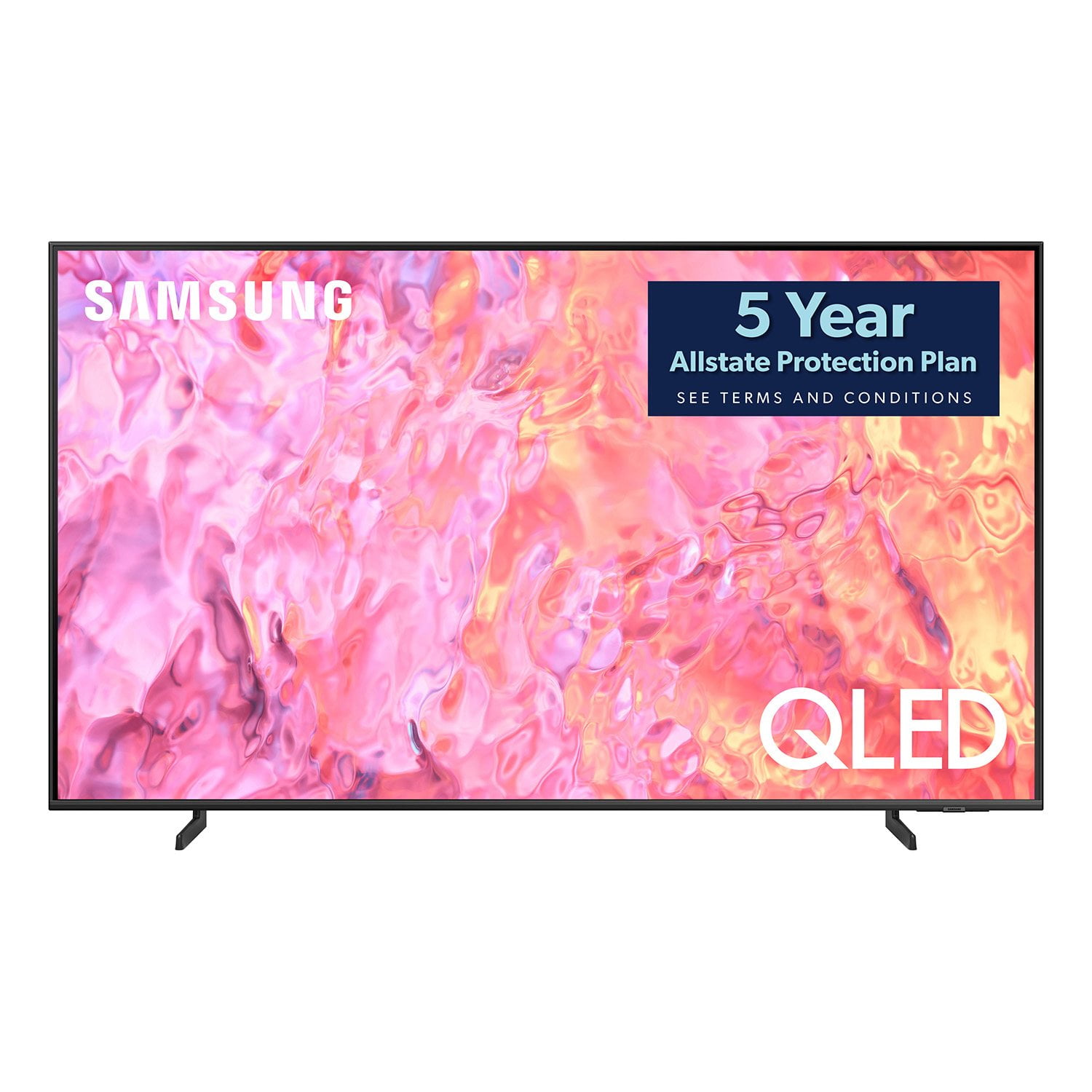
SAMSUNG 85" Class Q60 Series QLED 4K Smart TV - QN85Q60CDFXZA
4.7 out of 5 stars
stars198 ratings150 reviews
  1. 5 stars82% (162)
  2. 4 stars11% (21)
  3. 3 stars4% (8)
  4. 2 stars1% (1)
  5. 1 star3% (6)

Member photos

  • +19 images
Sort by |
Showing 11-20 of 150 reviews
May 2, 2024
nwstran
5 out of 5 stars review

Verified Purchase

Good Samsung Smart TV

Easy to set up, all technical specs are exact as advertisement, one minor issue is the built-in speakers are only 20W but it's not a problem if connected to a sound bar. Overall, this Samsung Smart TV is great.

Helpful?5QGIQ9DGQUVB13947052576
Dec 24, 2023
Chadwick
5 out of 5 stars review

Verified Purchase

Monster of TV

Beautiful picture and sound quality

Helpful?5QGIQ9DGQUVB13947052576
Jan 4, 2024
Rich W
5 out of 5 stars review

Verified Purchase

Best TV ever owned

The quality of the picture is fantastic. The 4K upconvert is great.

Helpful?5QGIQ9DGQUVB13947052576
Feb 15, 2024
MT
5 out of 5 stars review

Verified Purchase

Sams

Great TV just very frustrated with the lack of warranty paperwork and details on Sams Club programs.

Helpful?5QGIQ9DGQUVB13947052576
Sep 12, 2023
Jay M
4 out of 5 stars review

Verified Purchase

Speaker Volume

Very weak speakers for a tv that size. There's no real noticeable difference between volume levels 80-99.

Helpful?5QGIQ9DGQUVB13947052576
reply from Samsung

Jay M,Thank you for sharing your thoughts on the sound quality of your Q60CD TV. To ensure you’ve got the latest audio quality enhancements, please confirm that your TV is up to date with the latest firmware version. You can check by going to: Home > Menu > Settings > Support > Software Update.You may also want to enable/disable/adjust the following sound settings to your liking:– Auto Volume automatically adjusts the sound to a certain level when changing channels or switching to another external input.– Adaptive Sound automatically adjusts sound quality by analyzing your surroundings and content type.– Several Sound Modes are likewise available to meet your personal preferences: Menu > Settings > All Settings > Sound > Sound Mode – You can also customize sound by going to: Settings > All Settings > Sound > Expert SettingsTo assist you with possible sound settings adjustments for a better audio experience, or choosing a Samsung Soundbar to complement your viewing enjoyment, please reach out to us at 1-800-SAMSUNG, 8AM - 12AM EST, 7 days a week. Or visit us on the Samsung website and click on the ‘Support’ link for:• LiveChat• Manuals, Software, & Warranty Info~ Samsung Specialist

Apr 9, 2024
Carol
5 out of 5 stars review

Verified Purchase

New 85..

Awesome picture, easy setup. You need 2 strong people to handle the physical part. Shippers were great.

Helpful?5QGIQ9DGQUVB13947052576
Dec 25, 2023
GIMMI
5 out of 5 stars review

Great TV

Great TV with a great picture. Free 5 year warranty is a bonus. Easy setup if you already have a Samsung account. Was up and running in less than 30 minutes due to the initial software update the TV had to do. Definitely recommend

Helpful?5QGIQ9DGQUVB13947052576
Jan 1, 2024
ChrisD
3 out of 5 stars review

Verified Purchase

3 Stars. Good but not Great.

3 Stars. I am not disappointed, but there are better TVs on the market. I'm satisfied with the price I paid. Professional installation should be expected. TV works great, but it's not the sharpest picture I've seen.

Helpful?5QGIQ9DGQUVB13947052576
reply from Samsung

ChrisD,I’m sorry to hear you’re not fully satisfied with the clarity of your Q60CD TV. If you’re noticing blurring or juddering on the screen, try adjusting the Picture Clarity Settings to improve your image. Go to: Menu > Settings > All Settings > Picture > Expert Settings > Picture Clarity Settings- Off: Picture Clarity Settings will always be off- Auto: Picture Clarity Settings will automatically activate and deactivate based on the type of program being watched - Custom: Allows custom adjustments and settings to be used. By selecting the Custom option, you can access these advanced settings for Judder Reduction, LED Clear Motion, and Noise Reduction.I hope this tip helps improve your enjoyment. For more help, please call us at 1-800-SAMSUNG, 8AM - 12AM EST, 7 days a week. LiveChat with an agent as well as manuals, software, and warranty info can be found at the ‘Support’ link on our Samsung website.~ Samsung Specialist

Jun 24, 2024
Robert
1 out of 5 stars review

Verified Purchase

Broken

TV delivered broken after waiting a month, no replacement available. What a waste of time.

Helpful?5QGIQ9DGQUVB13947052576
May 17, 2024
Dave
5 out of 5 stars review

Verified Purchase

NICE!

I'm just a fellow that likes to watch TV, and in my opinion, this is fantastic.

Helpful?5QGIQ9DGQUVB13947052576