Skip to Main Content
Sam's Club
Sam's Club
Customer reviews for Lenovo – IdeaPad 3 – 15.6" 1366 X 768 HD Laptop – Intel Pentium Silver N5030 – 4GB RAM – 128GB SSD – Intel UHD Graphics 605 – 2x2 802.11AC – Cherry Red - Windows OS for
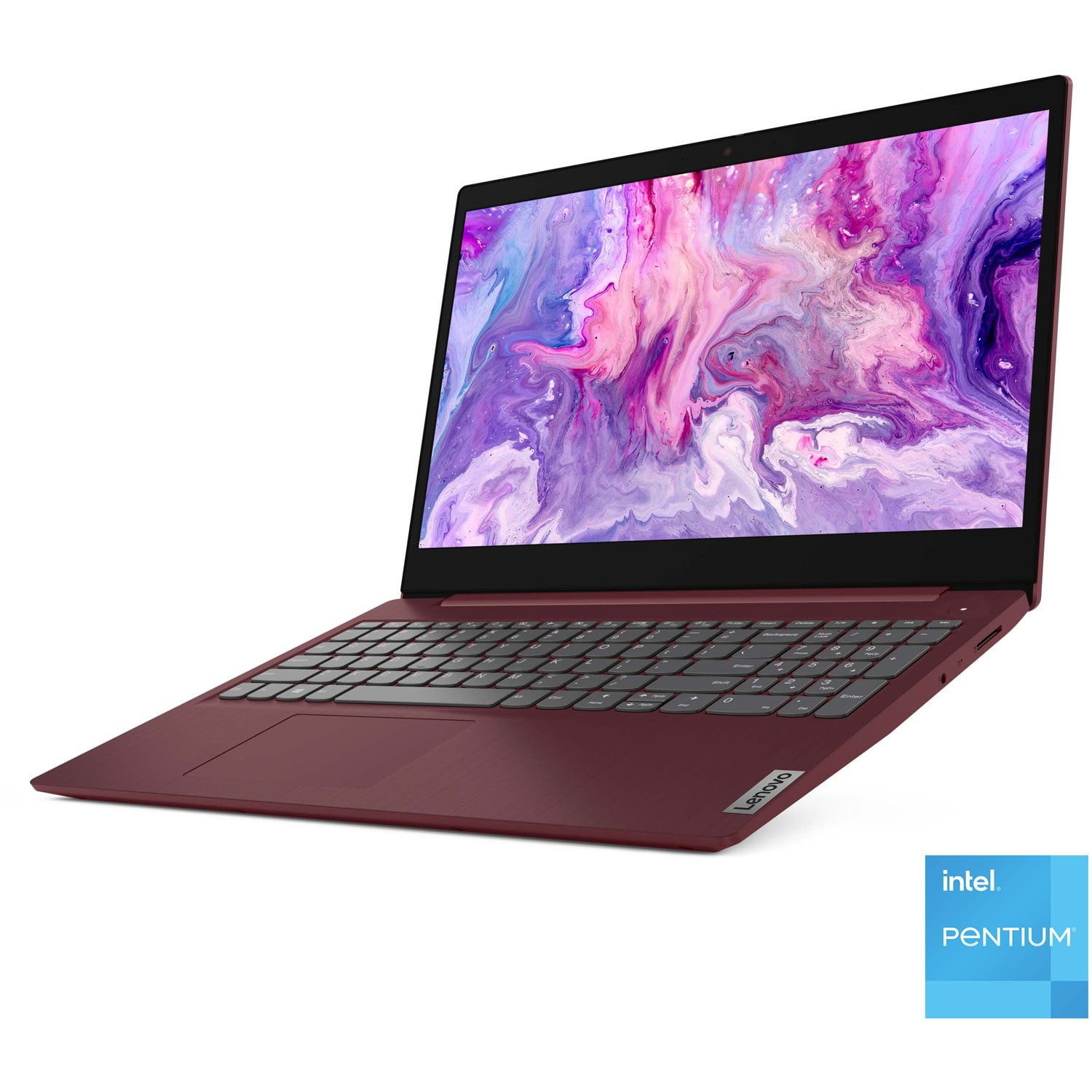
Lenovo – IdeaPad 3 – 15.6" 1366 X 768 HD Laptop – Intel Pentium Silver N5030 – 4GB RAM – 128GB SSD – Intel UHD Graphics 605 – 2x2 802.11AC – Cherry Red - Windows OS
4.3 out of 5 stars
stars77 ratings49 reviews
  1. 5 stars61% (47)
  2. 4 stars22% (17)
  3. 3 stars6% (5)
  4. 2 stars3% (2)
  5. 1 star8% (6)
Sort by |
Showing 31-40 of 49 reviews
Jun 23, 2022
Bill Paul
4 out of 5 stars review

Verified Purchase

More features than a Chromebook

Full functionality at the price of a Chromebook

Helpful?1YLSCLZAXI3B13743471071
May 30, 2022
Mary
5 out of 5 stars review

Verified Purchase

Decent basic computer

Decent basic computer for the price

Helpful?1YLSCLZAXI3B13743471071
reply from Supplier Response

Thank you for choosing the Lenovo IdeaPad 3 Laptop. We are very pleased to see that the specifications and features of the Lenovo IdeaPad 3 Laptop meet your computing needs so well.

Sep 5, 2022
Connie
5 out of 5 stars review

Verified Purchase

Great Buy

Great Buy, lots of features.

Helpful?1YLSCLZAXI3B13743471071
Jul 8, 2022
Isabelly
5 out of 5 stars review

Verified Purchase

Great laptop

Great laptop for school. It has a good wide screen

Review from lenovo.com
Helpful?1YLSCLZAXI3B13743471071
Jul 1, 2022
Elvindibra
4 out of 5 stars review

Verified Purchase

Great product, but phan too loud for a new laptop

The product is great and exactly what I purchased, but wasn't expecting the phan to be so loud.

Review from lenovo.com
Helpful?1YLSCLZAXI3B13743471071
Apr 9, 2022
Fred
1 out of 5 stars review

Verified Purchase

Shuts down

Co.puter occasionally ahuts down.

Helpful?1YLSCLZAXI3B13743471071
reply from Supplier Response

We are sorry to hear that you are having issues with your Lenovo IdeaPad 3 15 Laptop, model number 81WQ00CKUS. This model ships with Windows 11 S-Mode, 64-bit Operating System installed. Windows 11 S-Mode provides added security by only allowing APPs available ( and therefore certified by Microsoft) at the Microsoft Store. If you don't need the added security or you need to install APPs not available at the Microsoft Store, you can switch to standard Windows 11 Home 64-bit Operating System, at no additional cost. First, check to be sure that your battery charge level is above 10 Percent. You can check the current battery charge level of your laptop within the Lenovo Vantage APP installed on your Windows 11 laptop. Click on the Windows search icon - the magnifying glass icon - at the bottom of your Windows 11 Desktop. Type Lenovo Vantage and click on the Lenovo Vantage APP. Select Device from the menus at the top right of the screen and select Power. Your current battery level will display on the right side of the screen. If battery level is above 50 percent, but the issue continues, even if you have switched out of S-Mode for Windows 11 Home, be sure any software you installed is compatible with Windows 11. There is no need to install Microsoft Office software. The software is already part of the operating system, you just need to activate the software with a purchased product key. If you have installed a copy of Microsoft Office, this is conflicting with the existing copy on the system and this will slow your system down. If you have installed a 3rd party anti-virus program, be sure that Windows Defender is turned off and that the trial version of McAfee Anti-Virus software is uninstalled. There can only be one anti-virus program on the system. Here is a link to instructions for uninstalling McAfee from a Windows computer: https://service.mcafee.com/?articleId=TS101331&page=shell&shell=article-view. You may need to restore your system to original factory default settings if any of the programming errors have occurred. You can do that by typing "restore" in the Cortana search window. Just click on the magnifying glass icon at the bottom of your Windows 11 Desktop. Click on "Reset This PC" Then click on "Get Started" and follow the on screen directions to restore to factory defaults. If the problem persists, we recommend you contact Lenovo Tech Support at: 877-453-6686.

Feb 7, 2022
MSCI
5 out of 5 stars review

Verified Purchase

good laptop

down loaded windows 11 when first got up and going does everything needed it for. good machine

Helpful?1YLSCLZAXI3B13743471071
reply from Supplier Response

Thank you for choosing the Lenovo IdeaPad 3 15.6in. We are very pleased to hear that the specifications and features of the Lenovo IdeaPad 3 15.6in. meet your computing needs so well.

Mar 11, 2022
Carp
5 out of 5 stars review

Worth the money

For the money it's great; I got it for work, and so far it has worked for me, my dad is going to get one for his business computer.

Helpful?1YLSCLZAXI3B13743471071
reply from Supplier Response

Thank you for choosing the Lenovo IdeaPad 3 15 Laptop. We are pleased to hear that the IdeaPad 3 15 meets your computing needs so well. We always recommend you check the requirements and compatibility of any software you will be installing on your new computer, before you invest in any computer. Be sure your new computer can support the software you will need to use.

Jun 14, 2022
Carol
5 out of 5 stars review

Verified Purchase

Lenovo Ideapas

Perfect for work

Helpful?1YLSCLZAXI3B13743471071
reply from Supplier Response

Thank you for choosing the Lenovo IdeaPad 3 15 Laptop, model number 81WQ00CKUS. We are pleased to hear that the IdeaPad 3 15 meets your business computing needs so well. We always recommend you check the requirements and compatibility of any software you will be installing on your new computer, before you invest in any computer. Be sure your new computer can support the software you will need to use and your workload.

Jan 17, 2022
Roshaunna
4 out of 5 stars review

Verified Purchase

I like it

Nice

Helpful?1YLSCLZAXI3B13743471071