
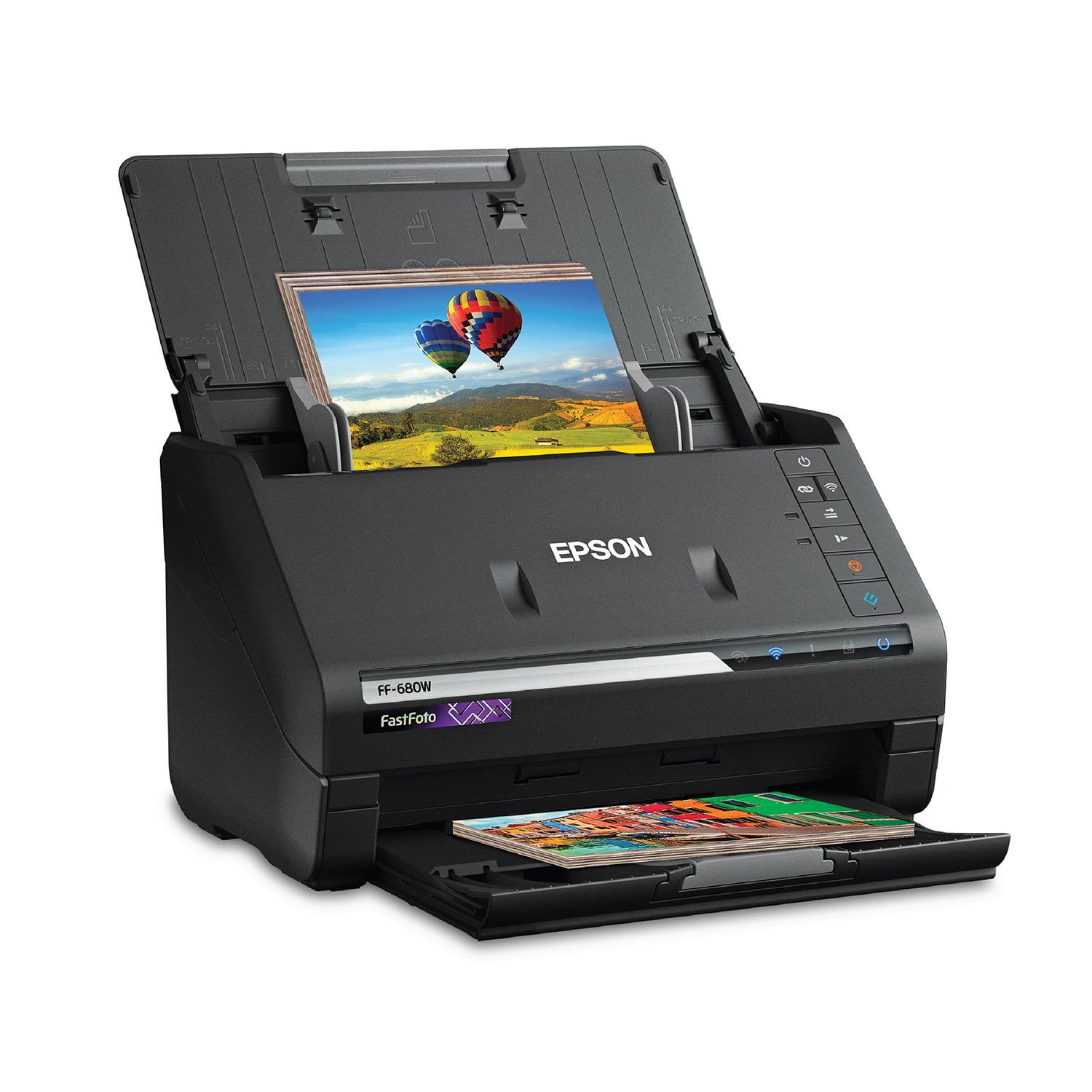
 Customer reviews for Epson FastFoto FF-680W Wireless High-Speed Photo & Document Scanning System, EPSB11B237201 for
Basic Scanner, high price
I was tasked with testing this scanner. I personally own a multi-printer that is not an Epson. Due to problems with Epson products in the past I have switched to another brand. I scanned a photo and a post card with the FastFoto and my personal printer. I will include the images.** Here are the pro and cons of the FastFoto FF-680W Wireless High-speed Photo and Document Scanning System. As I stated this is my personal opinion after using the product several times. Con-product was difficult to set up. The instructions are not clear and it was very difficult trying to get it to scan via the scanner buttons. Using the program on the PC was the best(only) way. Pro- the pictures are clear and vivid in color. Con-Product has constant updates often requiring your PC to restart. Con- Can only scan one item at a time. Con-Product is small but very heavy. Unnecessarily so in my opinion. Con- it does not print photos. I know it is a scanner, but every other scanner I have had including a photo scanner, printed as well. Con- the price! My multi-printer may have a bit less clarity and color but I only paid $40 for it and it prints very nice photos. Very lightweight too. Pro/Con-It does print dual-sided. As does most printers/scanners. So I must conclude this item has a niche customer base. If you have the time to print a photo or document one at at time and just want it to look nice and pretty plus have some serious cash to throw at this-this is for you. If you are like me and have to budget carefully, would like a cost efficient item that can print, and don’t want to have a scanner heavy as a brick I suggest you look elsewhere. “This is a review for the Epson FastFoto FF-680W Wireless High-speed Photo and Document Scanner System that I received free of charge to do a beta test and review.” **Note- I tried to upload the photo and postcard for comparison, but the site is acting up. It is made by Epson after all.
Everything I expected and More
This scans both pictures and documents quickly and efficiently. I did find that I wanted to put information in on each photo I scanned, which did slow down the process, but there is really no way of getting around that. I am scanning family photo's and it is important for me to gather all the information for each photo and keep it together to preserve the history. Love this product!
Pricey But a Really Good Photo Scanner
I am very pleased with the way this product functions in almost every way except it has a problem staying connected to my wifi network. Every time I start a scan it asks what to connect to ( even though there is only one choice and it knows what it is....) This is a remarkably fast photo scanning device. It does a much better job than my previous scanners - so much so that I am rescanning ALL of my thousands of photos! The other issue is what do you do with the Terabytes of info that get generated? I'll accept that challenge.
Fast but not perfect
The scanner mechanically works fine but there is some very noticeable streaking, particularly the blue channel. There is no dirt on the lens. The capture software leaves a lot to be desired. Non-intuitive and ultimately frustrating. No parameters to set for the "auto correction" which usually overcooks the photo. The streaking is also not corrected by the software, even though there is a setting in the capture software. Flatbed scanners produce a better result but are very time consuming.
Good company, initial impressions okay
I bought the FF-680W to replace an Epson Workforce DS-410 that had an internal part break. I initially bought another brand scanner that is highly rated, but found it was too picky about what I could scan. My DS-410 would scan just about anything, including folded documents, with no problems. I returned the first new scanner and after some reviewing and searching I bought the FF-680W. After just setting it up last night, I am very happy with the speed and clarity of this scanner. I haven't scanned any photos yet, just some standard documents. Setup went smoothly, although the software did take some time to complete installation. The installation package must be downloaded - no disc comes with the scanner. This means the installation should use the latest software available. It then checks for updates. Mine found one update, then gave me the option to install PDF extensions, which I opted to install. I have it connected via the included USB 3 cable, but will likely try the wireless connection with another computer soon. I have found a couple of disappointing issues with it. I had also looked at the FF-640, but opted to get the newest model, partly because the 680's scanning resolution can go higher than the 640's. But the 640 has the option to scan a folded document (you have to flip a mechanical switch on the front so the handler won't rip or wrinkle the document, just as with the DS-410). The 680 doesn't have that switch, and the documentation specifically says you have to use the carrier sheet to scan folded documents. I only rarely scan such documents that I really want or need to keep in original condition, so I can just cut them into individual pages, but it is an additional step. I've also found the software to be a bit more cumbersome than what came with the DS-410. The DS-410's software uses a screen that looks very much like the Settings page on the 680's ScanSmart utility. But ScanSmart uses a much simpler page to launch the scanner from. You simply select single or double-sided scanning. That's great if you don't change your settings very much. But I scan a lot of documents that are a bit off of standard sizes, and the scans come out better if I set the page size rather than using Auto-Detect. With the DS-410's software, I open the utility, select the size I've saved, and scan. With ScanSmart, I have to click Settings, click another button for Scan Settings, wait 10 seconds for the settings page to come up, make my changes, hit save, then go back to the simple page and click the right scan button. Quite often I find myself scanning a stack of long (multi-page) documents of different sizes, and this will require I go through this process between each document, which promises to be a mildly irritating adventure. I tried using the DS-410's software to run the 680, but it will only run with the DS-410 (which does make some sense, but it was a long shot worth trying). I'm hoping Epson will come out with an update to the scanning software that will give more advanced users the option to scan from what is now the settings page (which looks almost exactly like the main page of the DS-410's software) rather than the cumbersome process ScanSmart provides. Still, overall I am very pleased with the FF-680W. Installation asks whether you want the system to check for updated software, so I'll be watching and hoping an update to ScanSmart is released that addresses some of the issues I've mentioned. The software for the DS-410 was updated several times, improving it in many ways. I believe the same will hold true here.
Great Quality Scans
I was looking for a good scanner for months. It was more than I wanted to spend, but worth it to get these high quality digital copies of my old photos. It will detect if there is writing on the back of the pictures and scan that too. It lets you compare the original photos with the fixed up ones. Only thing I would change is I wish it could scan documents too.
After Windows 10 Update - Epson FF-680W Cannot Connect
The scanner was working very well but then when Windows 10 Updated, the Epson SmartScan stop working and cannot connect with computer. It was NOT a cable problem. I tried three different cables. But it could not recognized my computer or connect. Even when trying to download the Epson software again and trying to setup with USB connection, it would not recognize my computer. I had difficulty trying to do it even over WIFI. FINALLY, had to use a cable connection with my WIFI router. I am watching to see if this EPSON FF-680W is becoming glitchy with connecting problems.
One awesome scanner
The Epson FastFoto FF-680W is an awesome photo/document scanner that packs a lot of speed and features for its small size. This scanner is a huge timesaver if you have a lot of photos to scan. The scanner is relatively small for a high-speed scanner, and the build quality is excellent. I am very impressed that the scanner can scan photos at a speed of 80ppm and at the quality of 1200dpi. It connects to your computer via USB 3.0 or Wi-Fi connection. It has the ability to scan duplex and drop out blank pages which is really nice in my opinion. I have used alot of scanner software in my time and I have found the epson scanning software to really good out of the box. It is fast, efficient, and no matter what your computer knowledge it is really easy to use. As a photographer I scan alot of documents and photos for clients, along with doing restoration work and this scanner was incredible to work with. I would recommend this hands down to other scanners. This is a review for the Epson FastFoto FF-680W Wireless High-speed Photo and Document Scanner System that I received free of charge to do a beta test and review.
Preserves Everything!
I would consider myself a “scanning enthusiast,” especially after taking the past few years to scan all of my family’s older photos and documents. Scanning the pictures from the 70s to the present was going to be a daunting task that I put off until I got the Epson FastFoto FF-680W Wireless High-speed Scanner System. The decades of memories, and years of work that it would have taken to scan each individual picture, was digitized in less than afternoon. This scanner is just completely amazing and blows every other scanner out of the water. Not only can it scan an entire packet of pictures in less than 30 seconds, it also scans the back, and enhances the photo to correct red eye, brightness, and restore color in faded photos. Any scanner that I’ve ever used has been so gigantic and bulky. They take over most of my work area and, when not in use, have to be stored elsewhere. One of the most wonderful things about the Epson FF-680W is how compact it is and is able to essentially fold up in itself. It only takes up about 1/3 of the space of a traditional scanner and doesn’t have to be tethered to your device. It also doesn’t push the document through the gears of the machine to scan an image; so if a jam does occur, you simply release the tray to gather your document and try again, without having to pull on the jam only making things worse. This is a review for the Epson FastFoto FF-680W Wireless High-speed Photo and Document Scanner System that I received free of charge to do a beta test and review.
Great Product
I do some slides for friends and family for birthdays. I have done 4 this year parents for their kids 18th birthday. Scanning photos has never been easier. The quality is very good with a great enhancement feature. After understanding how the folders can be organized, the organization of photos became a very pleasant feature. Scanning documents is very fast. As I understand it though, you only can scan a document as a picture. Thats okay for archiving. All in all, I really like this machine.