Skip to Main Content
Sams Club
Sams Club
Customer reviews for SAMSUNG 3.1.2 Channel Sound Bar with Wireless Subwoofer, Q-Symphony & Dolby ATMOS Audio (Choose Color) for
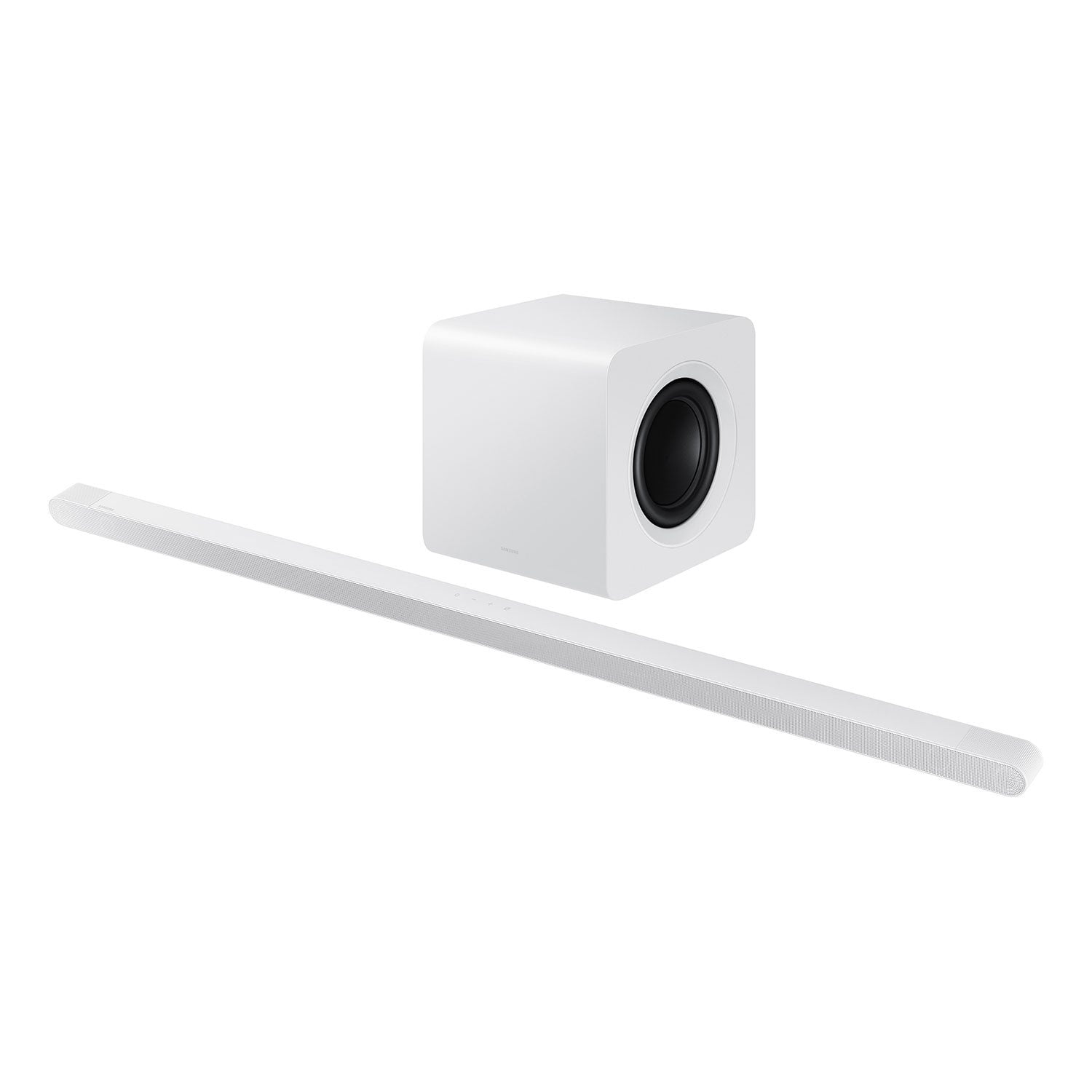
SAMSUNG 3.1.2 Channel Sound Bar with Wireless Subwoofer, Q-Symphony & Dolby ATMOS Audio (Choose Color)
4.7 out of 5 stars
stars381 ratings381 reviews
  1. 5 stars79% (300)
  2. 4 stars15% (59)
  3. 3 stars2% (9)
  4. 2 stars1% (3)
  5. 1 star3% (10)

Member photos

  • +85 images
Sort by |
Showing 371-380 of 381 reviews
Aug 16, 2024
Dixiechk22
5 out of 5 stars review

The best sound that I have ever heard

[This review was collected as part of a promotion.] I use it for streaming movies games.My son loves it and would never trade it for anything

Review from Samsung US
Helpful?6PK86ZM75TYA13613606438
May 10, 2025
Anonymous
5 out of 5 stars review

This product has great features

[This review was collected as part of a promotion.] It great for work streaming games and althing else .

Review from Samsung US
Helpful?6PK86ZM75TYA13613606438
Feb 5, 2025
BJLB
5 out of 5 stars review

Great Design

The ultra thin design was my deciding factor as well as the easy installation.

Review from Samsung US
Helpful?6PK86ZM75TYA13613606438
Feb 6, 2025
Jel1011
4 out of 5 stars review

Great features

It good but hard to keep in sink with the tv other than that it's good

Review from Samsung US
Helpful?6PK86ZM75TYA13613606438
reply from Samsung Solutions

Hello Jel1011, We appreciate you taking a few moments to review the Samsung HW-S800D Soundbar. If the video on the TV and audio from the soundbar are not synchronized, press the SOUND CONTROL button on the soundbar remote, until you see AUDIO SYNC on the display. You can then set the audio delay between 0~300 milliseconds by using the Up/Down buttons. Additionally, please make sure your soundbar is using the latest firmware version. You can update the firmware version of your soundbar by using the SmartThings App or a USB device. If available, you may also want to update the firmware Version of your TV which may feature audio delay improvements. If you continue to experience audio delay, and are connected wirelessly, please use the included HDMI cable to connect the soundbar to the TV. Using a wired connection instead of wireless often eliminates the audio delay entirely and improves the user experience. Updating the firmware on your soundbar gives you all the benefits of the latest improvements. When the Soundbar is connected to the Internet, Auto Update allows software to update automatically even when the Soundbar is turned off. You can also update by using the SmartThings app. I hope this tip helps improve your enjoyment. For more help, please call us at 1-800-SAMSUNG (Ask for Soundbars), 8 AM – 12 AM EST, 7 days a week. Live Chat with an agent as well as manuals, software, and warranty info can be found at the ‘Support’ link on our Samsung website. ~ Samsung Solutions

Oct 12, 2024
Vanessa79746
4 out of 5 stars review

slim soundbar

nice size for home decoration; great sound quality to provide excellent movie or music experience

Review from Samsung Canada
Helpful?6PK86ZM75TYA13613606438
Apr 15, 2024
Gateway
5 out of 5 stars review

Can't wait to get it no my son is going to love it

I'm about to buy me one to see if it's good as they say it is

Review from Samsung US
Helpful?6PK86ZM75TYA13613606438
Dec 13, 2024
Salman P
5 out of 5 stars review

Best slim design speaker

Amazing beast to enjoy true sound like theatre just at home.

Review from Samsung Canada
Helpful?6PK86ZM75TYA13613606438
Feb 14, 2025
Momof5
5 out of 5 stars review

Great sound

I have had mine for a few weeks now and love the system.

Review from Samsung US
Helpful?6PK86ZM75TYA13613606438
Oct 6, 2024
Wei78831
5 out of 5 stars review

I Recommend This One

Easy to set up and good looking. It fits my TV perfectly.

Review from Samsung Canada
Helpful?6PK86ZM75TYA13613606438
Feb 20, 2025
Sparks
2 out of 5 stars review

Poor sound

The sound is not so great. I tried all modes nothing seems to change

Review from Samsung US
Helpful?6PK86ZM75TYA13613606438
reply from Samsung Solutions

Hello Sparks, We appreciate you sharing your feedback regarding the performance of the Samsung HW-S800D Soundbar. To take full advantage of your new soundbar, download the SmartThings App to your smart device. This will allow you to control your soundbar as you would with the provided remote, but with the added advantage of seeing what changes you make on your device. To optimize your audio experience, please try the various sound modes this model offers. Press the SOUND MODE button on your remote, and then select your desired sound effect: ADAPTIVE SOUND, DTS VIRTUAL:X, MUSIC, GAME, STANDARD. When you press the SOUND MODE button it will change to the different modes in the above order. You can further adjust TREBLE and BASS via the TONE CONTROL button. Also, you can also add the SWA-9500S Rear Speaker Kit to create a multi-channel system for a true surround sound experience. I hope this tip helps improve your enjoyment. For more help, please call us at 1-800-SAMSUNG (Ask for Soundbars), 8 AM – 12 AM EST, 7 days a week. Live Chat with an agent as well as manuals, software, and warranty info can be found at the ‘Support’ link on our Samsung website. ~ Samsung Solutions