Skip to Main Content
Sam's Club
Sam's Club
Customer reviews for ASUS TUF Gaming F15 Gaming Laptop, 15.6” FHD 144Hz Display, GeForce RTX 3050, Intel Core i5-12500H, 16GB DDR4, 512GB PCIe SSD, Wi-Fi 6, Windows 11, FX507ZC-ES53 for
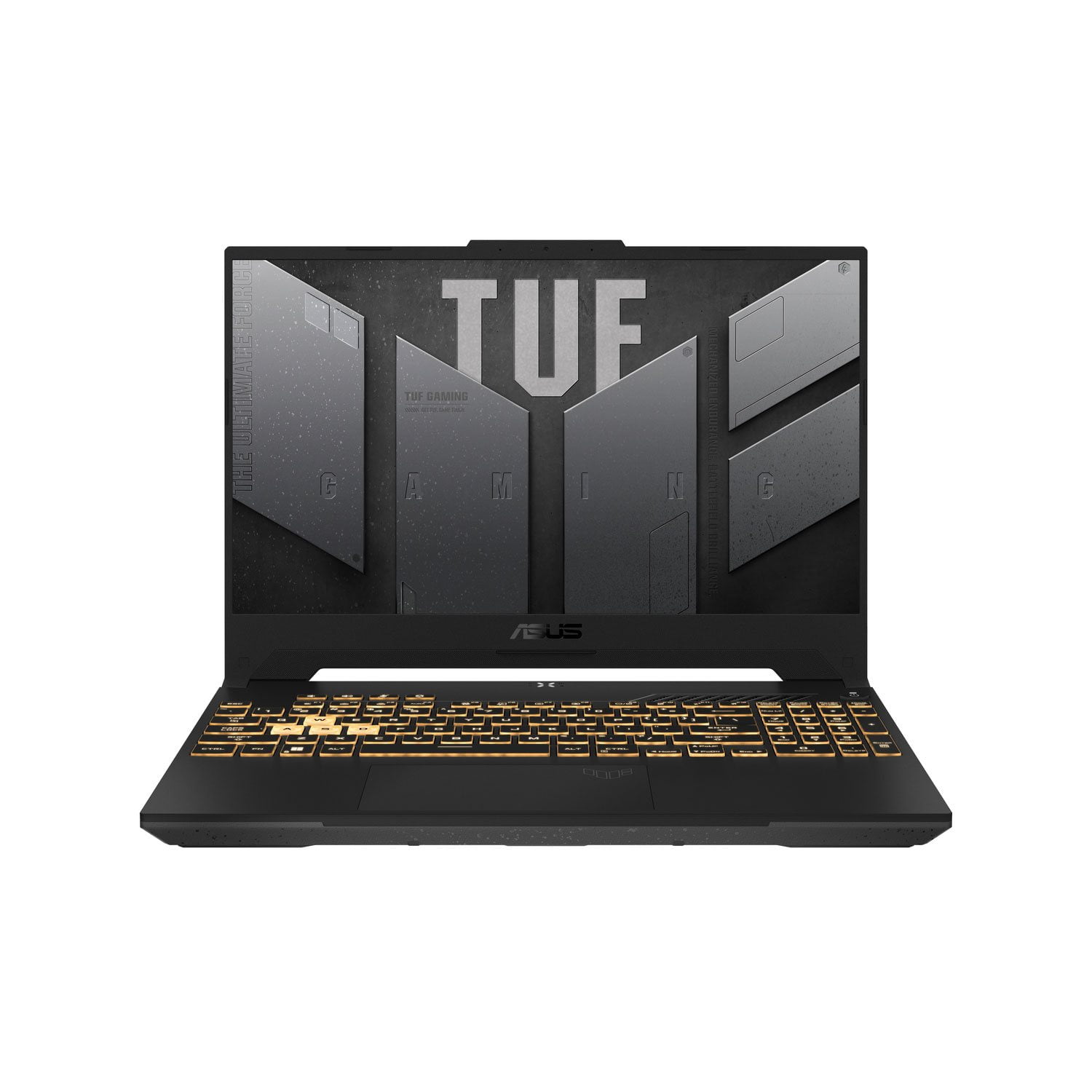
ASUS TUF Gaming F15 Gaming Laptop, 15.6” FHD 144Hz Display, GeForce RTX 3050, Intel Core i5-12500H, 16GB DDR4, 512GB PCIe SSD, Wi-Fi 6, Windows 11, FX507ZC-ES53
4.3 out of 5 stars
stars27 ratings27 reviews
  1. 5 stars56% (15)
  2. 4 stars30% (8)
  3. 3 stars11% (3)
  4. 2 stars0% (0)
  5. 1 star4% (1)
Sort by |
Showing 1-10 of 27 reviews
Mar 12, 2025
Avi Sobti
5 out of 5 stars review

Verified Purchase

great gaming machine

The ASUS TUF F15 is an excellent gaming laptop that delivers outstanding performance and durability. Powered by high-end processors and graphics, it effortlessly handles demanding games and applications, providing smooth and immersive gameplay. Its military-grade construction ensures that it’s built to withstand the rigors of daily use, making it a reliable option for those who need a tough and long-lasting laptop. With a sleek, modern design, an impressive display with high refresh rates, and a cooling system that keeps temperatures in check, the ASUS TUF F15 offers a fantastic gaming experience while maintaining a reasonable price point for its performance. Whether you're gaming or working, this laptop is sure to impress with its power and durability.

Review from https://www.asus.com
Helpful?7ENDIYM968G013591173135
Oct 7, 2025
Nana 7
5 out of 5 stars review

Verified Purchase

Great value gaming laptop!

Great gaming laptop. Plenty of ram and storage. Runs grandson's games with ease. Had the right GPU for his favorites.

Review from https://www.asus.com
Helpful?7ENDIYM968G013591173135
Sep 30, 2025
Necraiginla1991
5 out of 5 stars review

Verified Purchase

Tuff laptop review

Best computer I have owned. The graphics are amazing.

Review from https://www.asus.com
Helpful?7ENDIYM968G013591173135
Mar 20, 2025
Brian
5 out of 5 stars review

Verified Purchase

Lightweight with power

Bought it for my wife who games. She loves it. Its lightweight but has the power to run all her games including WOW.

Review from walmart.com
Helpful?7ENDIYM968G013591173135
May 10, 2024
SilverWolf
5 out of 5 stars review

Verified Purchase

Totally recommend it!

This is my first time buying a gaming laptop, and I have to say that for the low price it really is a great gaming computer! The majority of games can run smoothly and the fans are able to keep up with my Helldivers 2 game play. I totally recommend it!

Review from https://www.asus.com
Helpful?7ENDIYM968G013591173135
Mar 13, 2025
anonymous
4 out of 5 stars review

Verified Purchase

Bought this and has been working very well since I had gotten recommend for people for gaming like fortnite, roblox, etc...

Review from walmart.com
Helpful?7ENDIYM968G013591173135
Jul 10, 2024
Angella N
4 out of 5 stars review

Verified Purchase

Runs great, but a couple issues

Fast, and looks great, but keyboard is TINY. The arrow keys, essential to gaming are so tiny i'm constantly pushing the wrong buttons during gameplay. The mouse Touchpad is also buggy on this one- the sensitivity is all the way up but sometimes during game play it just doesnt respond at all to my clicks. Could be a defective unit. If i wasn't so lazy i would probably return since it effects my gaming but, alas I dont want to wipe this one and start all over from scratch. Otherwise runs great. Plays all Roblox games, Sims 4, and Star Stable Online no sweat.

Review from https://www.asus.com
Helpful?7ENDIYM968G013591173135
Aug 26, 2024
Aaron Sparks
4 out of 5 stars review

Verified Purchase

GPU performance issue

Very great piece of technology, though one of the features with armor crate doesn't work and actually had the opposite effect. The ultimate GPU performance that uses maximum battery simply males the computer incredibly slow. Laptop is brand new and no modifications made yet.

Review from https://www.asus.com
Helpful?7ENDIYM968G013591173135
Nov 28, 2023
GregV
3 out of 5 stars review

Verified Purchase

My 13 year old Asus laptop outperforms this one.

Sorry to put it this way but this laptop is quite buggy and incompatible with older software. I'm not positive if it's because of the Windows 11 Home Edition operating system or the preinstalled ASUS software. Whatever the case may be I still haven't made a lot of progress making this machine user friendly. Another huge drawback I am encountering is how quickly and completely the CPU and the GPU want to overheat. It's as if this machine was overclocked at the factory. I cannot run even 15 year old low end graphics games without the fans running at over 5000 rpm. Then there's a problem with refreshing the screen and reclaiming focus from the open windows that prevent me from using any desktop software I installed myself. I use a game controller as a mouse on my desktop and for some strange reason whenever I have certain windows open or close other windows I have lost all ability to input commands to my game controller without always having to left click on the built in touchpad to give my game controller focus. I am also curious to know who came up with the idea of left clicking or right clicking on an all inclusive touchpad without keeping the left and right click buttons separate. It is too easy to make errant clicks or taps when I'm only trying to left or right click once. And please explain to me why I need 3 of Page Downs, Page Ups, Homes and Ends keys on the same keyboard. This makes regular keyboard shortcut mapping almost impossible as there are not enough keys that I can map individually without having a conflict of the keys having been mapped without a reference as to what those keys control. And speaking of shortcuts and mapping why is it that I cannot find any reference to what buttons on my game controller do what when I have the Microsoft Xbox Bar running and my Xbox 360 game controller connected by Bluetooth? And this is the most disappointing issue I have of all and have no solution to it. I cannot control what programs run from the Nvidia graphics card and what ones run from the Intel integrated graphics. I get thousands of frames per second on some games and there's no way to slow it down. I feel so disappointed from the apparent lack of an adequate owners manual so I am able to work my way through theses endless and bothersome glitches. I hope there are fixes for all of this in the future but for now I cannot possibly recommend this particular laptop to anyone.

Review from https://www.asus.com
Helpful?7ENDIYM968G013591173135
reply from CLM

Dear GregV, Thank you for your comment. We certainly understand your disappointment and the inconvenience this may have caused if you are having issues with this laptop. Regarding the overheating issues, it is normal that excessive heat is generated while under heavy load especially during gaming, WINDOWS Update, and antivirus scan. When system resource utilization is high, this will generate more heat than normal and tends to trigger the fan to spin at full throttle. Please ensure the air ventilation is free from obstructions to have an efficient air flow for better heat dissipation. Check in the Task Manager for resource-hungry applications, not being used, that are running in the background and disable them, this will spike the temperature and will cause an auto-reboot, or a auto restart. The heat or temperature does decrease or normalize once system resource utilization goes down. To resolve the stability or performance issues, please check if Windows, drivers, games and applications are up to date. Updates for this laptop are posted at: https://www.asus.com/us/laptops/for-gaming/tuf-gaming/asus-tuf-gaming-f15-2022/helpdesk_bios?model2Name=ASUS-TUF-Gaming-F15-2022. Additionally, While cloud gaming or accessing web applications, please ensure the unit has access to an established router and internet service is working properly since poor and unstable internet connection will affect system stability and performance. If these steps were performed to no avail, please try to run a diagnostics or optimization test using the "MyASUS" utility software or application. If this is not pre-installed on the laptop, please download the application at the Microsoft Store. For details on how to use "My ASUS", please go to: https://www.asus.com/support/FAQ/1041686/. About the GPU issue, it was setup, be default, to run with the iGPU and will auto-switch to the disctreet GPU if higher resoure demand is required. This can be setup manually to the discreet GPU inside the Armoury Crate utility software, ensure the most current version of the utility program is being used. You can download the latest version at: https://www.asus.com/supportonly/armoury%20crate/helpdesk_download/. With the keyboard, please allow some time to get use its layout and feel. Should you need further assistance with the product, please email me at cl-rodel@asus.com and I would be more than happy to help. Or you are most welcome to call Product Support Hotline at: 1(888) 678-3688. Also, you can chat with an ASUS live support agent from the link: https://www.asus.com/us/support/article/1135/. Thank you for choosing an ASUS product. Regards, Rodel ASUS Customer Loyalty

Nov 19, 2025
DRCoastline
1 out of 5 stars review

Verified Purchase

Junk, Don't buy

Three ASUS in one year all three had hardware issues

Review from https://www.asus.com
Helpful?7ENDIYM968G013591173135
reply from CLM

Dear DRCoastline, Thank you for your comment. We certainly understand your disappointment with the quality of this laptop and the inconvenience this may have caused you experienced hardware issues on three units you purchased. ASUS is an ISO certified company, and as a result, all products go into a strict quality manufacturing standard. All ASUS products undergo intensive quality control testing and inspections that ensure each one is trouble-free, and are built to last. Having three laptops in a year with hardware issues is random. ASUS provides warranty coverage for the product. We recommend you send the product in for service to determine if this is a hardware issue so this may be resolved immediately. An RMA number is required to send it in for service. For RMA details, please go to: https://www.asus.com/us/support/article/818/. If you need more information or further assistance with the warranty for the product, please email me at cl-rodel@asus.com and I would be more than happy to help. Or, you are most welcome to call Product Support Hotline at: 1(888) 678-3688. Also, you can chat with an ASUS live support agent from the link: https://www.asus.com/us/support/article/1135/. Thank you for choosing an ASUS product. Regards, Rodel ASUS Customer Loyalty