Skip to Main Content
Sam's Club
Sam's Club
Customer reviews for Belkin Connect USB C Docking Station - Dual 1080p HDMI Monitor Display - 85W PD Power Delivery for
Belkin Connect USB C Docking Station - Dual 1080p HDMI Monitor Display - 85W PD Power Delivery
4.1 out of 5 stars
stars31 ratings26 reviews
  1. 5 stars61% (19)
  2. 4 stars16% (5)
  3. 3 stars10% (3)
  4. 2 stars0% (0)
  5. 1 star13% (4)
Sort by |
Showing 21-26 of 26 reviews
May 2, 2025
Surendra
5 out of 5 stars review

Verified Purchase

Very good!

Review from walmart.com
Helpful?5R5BMVSXNU4G13591023407
reply from BelkinStaff

Hi Surendra, <br /><br />Thanks so much for the 5-star rating. We&#39;re excited to welcome you back for another great experience.<br /><br />For assistance, you can email us at BelkinCares&#64;belkin.com or call our support hotline which can be found here: https://www.belkin.com/support-article/?articleNum&#61;55022.<br /><br />Regards,<br /> <br />Kyla<br />Belkin Support

Mar 6, 2025
Das5907
5 out of 5 stars review

Verified Purchase

Exactly what I wanted

Review from walmart.com
Helpful?5R5BMVSXNU4G13591023407
reply from BelkinStaff

Hi Das5907, <br /><br />We&#39;re glad you loved the Belkin INC002. Your 5-Star rating is truly appreciated. Should you have any questions or other concerns regarding our products, feel free to get in touch with us any time. You can contact us directly through email at BelkinCaresAtbelkin.com or you can call us through our hotline numbers found on this link: https://www.belkin.com/support-article/?articleNum&#61;55022. <br /><br />Regards, <br /><br />Lance <br />Belkin Support

May 11, 2025
Joseph
5 out of 5 stars review

Verified Purchase

Docking station

Excellent product!

Review from walmart.com
Helpful?5R5BMVSXNU4G13591023407
reply from BelkinStaff

Hi Joseph, <br /><br />Thank you for sharing your positive feedback. We totally agree that the Belkin INC002 is an excellent product indeed. Should you have any questions or other concerns regarding our products, feel free to get in touch with us any time. You can contact us directly through email at BelkinCaresAtbelkin.com or you can call us through our hotline numbers found on this link: https://www.belkin.com/support-article/?articleNum&#61;55022. <br /><br />Regards, <br /><br />Lance <br />Belkin Support

Oct 19, 2024
WORTH BUYING
5 out of 5 stars review

Verified Purchase

DURABLE PIECE

USEFUL

Helpful?5R5BMVSXNU4G13591023407
reply from BelkinStaff

Hi there,<br /><br />Thank you for your positive feedback. For assistance, you can send us an email at BelkinCares&#64;belkin.com or call our support hotline which can be found here: https://www.belkin.com/support-article/?articleNum&#61;55022.<br /><br /><br />Regards,<br /><br />Jean<br />Belkin Support

Aug 7, 2024
Alfie
5 out of 5 stars review

Easy-peasy to love!

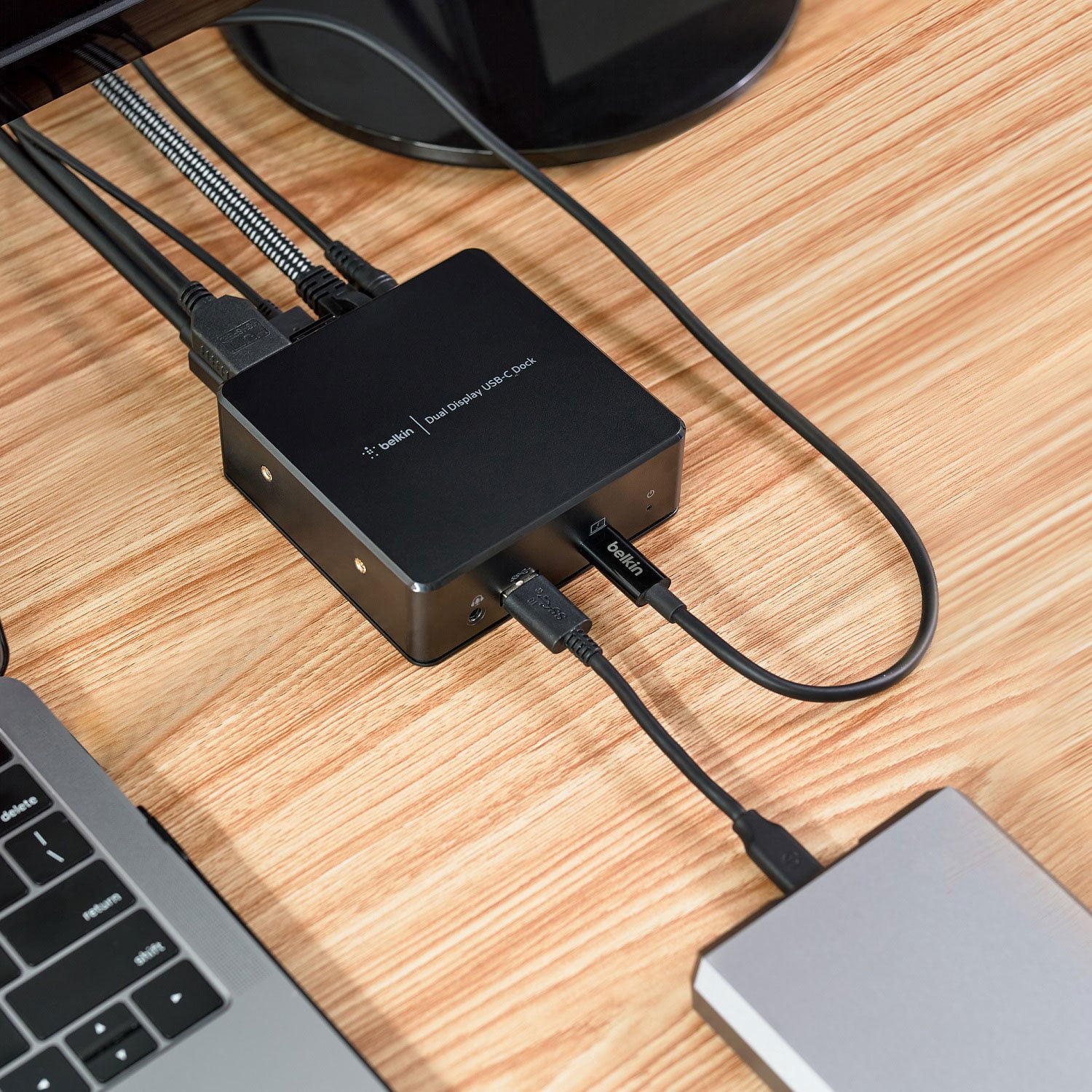
My 12 yr old iMac became too old to accept new OS or browser software updates so it was time for me to move onto a new machine. After deciding on & purchasing a new M3 Macbook Air it became apparent I needed a larger monitor & a way to connect it to my laptop. Enter the Belkin dual display USB-C. Initially I had a problem getting my laptop & the device to recognize the monitors (both HDMI), but that was my error as I had not fully read the connection directions (also info was found in other reviews) so I had not downloaded the required Display Link Manager. Once that was completed, BINGO! Not only was the output sent to both connected monitors, I even had a viewable screen on my open Macbook Air! I now have 3 separate spaces for my work & couldn't be happier. Well except for one minor thing: the power button is almost impossible to turn on/off without using something to depress it. It is not a raised button & seems to be recessed slightly. That is the only thing I would consider a negative.

Helpful?5R5BMVSXNU4G13591023407
reply from BelkinStaff

Hi Alfie, Thank you so much for sharing your experience with us. Your feedback of the Belkin INC002 is greatly appreciated. Should you have any questions or other concerns regarding our products, feel free to get in touch with us any time. You can contact us directly through email at BelkinCares@belkin.com or you can call us through our hotline numbers found on this link: https://www.belkin.com/support-article/?articleNum=55022. Regards, Lance Belkin Support

Aug 22, 2024
jbc
1 out of 5 stars review

HDMI ports don't work

Plugged everything in and neither HDMI port will recognize a monitor connected to it. All other ports in the docking station are working, but the HDMI ports don't work at all. Have to return.

Helpful?5R5BMVSXNU4G13591023407
reply from BelkinStaff

Hi, jbc,<br /><br />Help is here! Email us at BelkinCares&#64;belkin.com or call our support hotline which can be found here: https://www.belkin.com/support-article/?articleNum&#61;55022. Make sure to include the link to this review in your email, for our reference.<br /><br />Regards,<br /><br />Jean<br />Belkin Support