
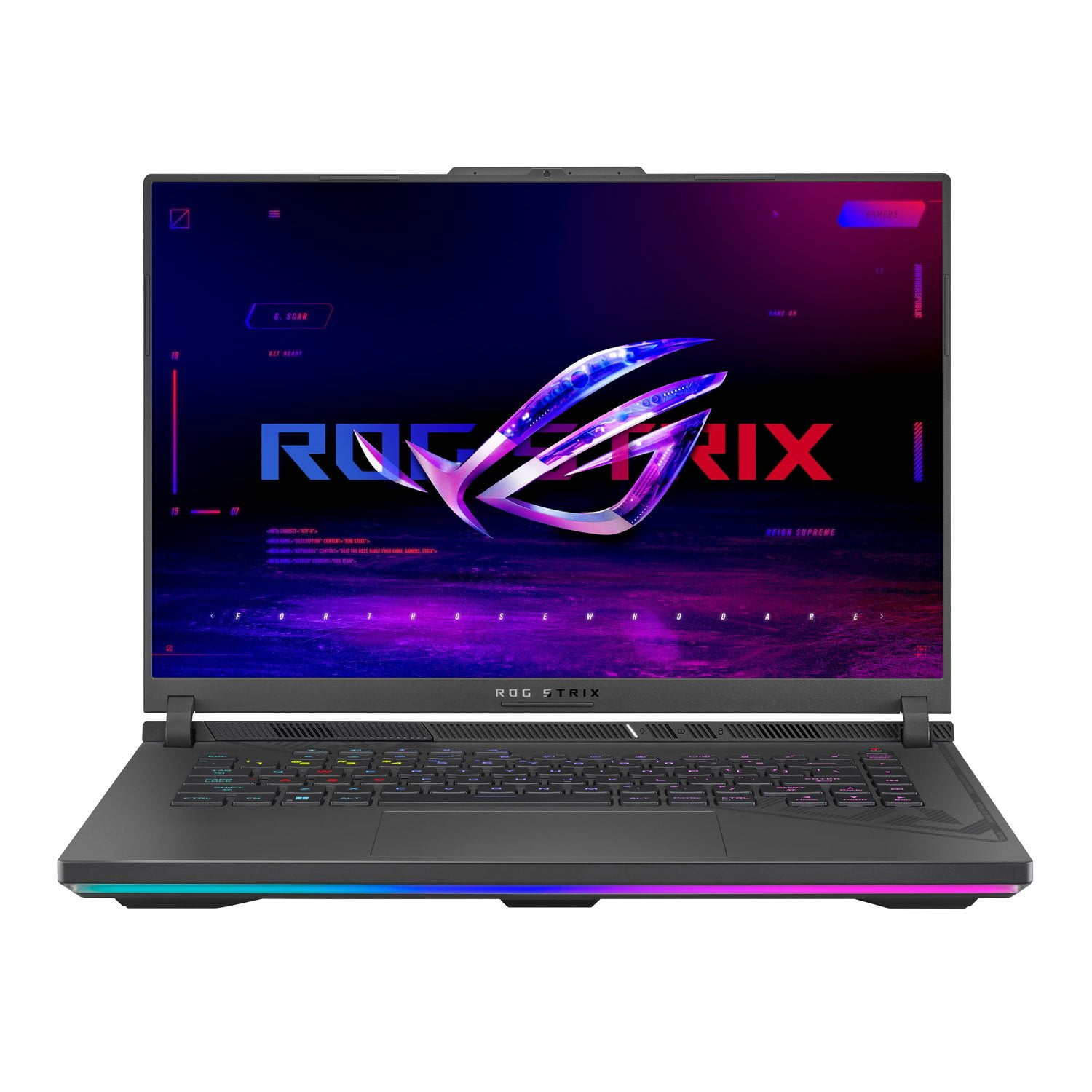
 Customer reviews for ASUS ROG Strix G16 Gaming Laptop, 16” 16:10 FHD 165Hz, GeForce RTX 4070, Intel Core i7-13650HX, 16GB DDR5, 1TB PCIe SSD, Wi-Fi 6E, Windows 11 Home, G614JI-SS74 for
Member photos


Verified Purchase
Great laptop
This replaced an HP laptop, that was running so slow, I could click on something and then go fix a snack hoping it would boot up by the time I got back. This one is very speedy! Many laptops do not have a camera in them, but this one does. It does not have a disc drive, so that was an additional purchase. I don't play action games on it, but it handles the games I do play with ease. Love the fancy lights on the keyboard!!
Verified Purchase
This Laptop is Clearly from the Future
Listen, I don’t know who at ASUS sold their soul to the cybernetic overlords of 2087, but this laptop isn’t built—it’s summoned. The first time I powered on my ROG Strix G16, I swear I heard a faint hum of a warp drive spinning up, and my Wi-Fi signal went from “meh” to “NASA-level deep space communication” in seconds. This thing doesn’t just run games—it bends reality to make games run smoother. I launched Cyberpunk 2077 on ultra settings, and instead of struggling, the laptop winked at me and overclocked itself out of pure arrogance. My GPU didn’t even flinch; I think it sipped an energy drink and asked me for a harder challenge. The RGB keyboard? Oh, it’s not lighting up. It’s beaming interdimensional signals that probably summon neon-lit dragons to guard my desktop. I hit the spacebar, and somewhere, a small sun was born. It’s so fast that Google Chrome doesn’t dare eat up RAM here. I opened 48 tabs, Spotify, Blender, and a 4K render of my own disappointment—all while gaming—and this beast didn’t stutter. My old laptop would’ve spontaneously combusted trying that. The G16? It just chuckled in machine language. And the cooling system? Forget fans—this thing must be powered by tiny cryogenic wizards inside, because it stays cooler than an assassin in a snowstorm. Bottom line: If Skynet ever sends a Terminator to 2025, I’m plugging my G16 in and downloading myself into it. This laptop isn’t just the baddest machine in the world—it’s a portal to tomorrow wrapped in brushed metal and RGB glory. Buy it. Love it. Protect it, because when Judgment Day comes, it’ll probably be the leader of the resistance. 10/10. Would ride this thing into battle against the AI apocalypse.
Verified Purchase
Old laptop but great
I have no issue with the laptop but read a few recalls that a little confusing. Like the screw that cause the power short on this laptop. But I have not tried the Graphics 4070 on this unit out but will give it a go.
Wanted to like this laptop but...
Within an hour of ownership it locked up in Easy bios update. It appears this is not an infrequent issue. No way was I about to send a hour old laptop in for repair. I decided against Asus and went to another brand
Dear TomS, I’m sorry to hear about the issues you encountered with this product. All ASUS products undergo rigorous quality control, testing, and inspections. What you’ve experienced is not intentional or representative of our brand. I understand that you have returned the unit for a replacement, and I will forward your feedback to the product team for review. If you have any general or technical questions, please email us at customerloyalty@asus.com and refer to this case number: N2409016589-0001, so we can better assist you. Thank you for choosing ASUS. Best regards, Schottky ASUS Customer Loyalty US Support
Thought it would be great
I bought this computer 2 months ago, and now the sound cuts in and out. I have uninstalled the Real Tek Audio device and reinstalled it, but there is no change. I have gone to the myAsus site, but I still cannot resolve the issue.
Dear Valued Customer, We sincerely apologize for the sound issue you've faced with the notebook and the inconvenience caused. This is not the kind of quality to expect from ASUS products and it's not the norm. All ASUS products undergo intensive quality control, testing, and inspections. What you've experienced was not intentional or representative of our brand. Customer satisfaction is our top priority, and we strive to make every purchase enjoyable. Please allow us to make your experience with ASUS a better one. To troubleshoot the issue described, we recommend following the steps in the FAQ below. Should the issue persist, please contact our support team at https://www.asus.com/us/support/CallUs to investigate the problem further or assistance with getting the device repaired. We do stand behind our products and continuously strive to improve our products and processes to achieve customer service excellence. For more information, email us at customerloyalty@asus.com and include the case number "N2402011754-0001" as a reference. We will do our best to resolve your case quickly. Your feedback is very important to us and enables us to improve our support channels. Thank you for choosing ASUS. Best Regards, Chantae ASUS Customer Loyalty US Support https://www.asus.com/support/faq/1015070/
Sleek look
Runs great, too much power going out due to lighting. Even with them off the battery/ or performance is effected , kinka like putting a single bread stick in a --powerful oven. Even tho its so small, it still takes that bit but not much to get the ball rolling. it'll take a toll after awhile.
Dear Bari, Indeed, this laptop is sleek looking and runs great. We do understand your disappointment and the inconvenience this may have caused if the battery is draining faster than normal and if the laptop is overheating. To reduce the power usage, please chang poweformance mode inside the Armoury Crate utility software to power-saving mode. Ensure, you are running the most current utility program posted at: https://www.asus.com/supportonly/armoury%20crate/helpdesk_download/ . Regarding the overheating problem, it is normal that excessive heat is generated while the laptop is under heavy load. When system resource utilization is high, this will generate more heat than normal and tends to trigger the fan to spin at full throttle. Please ensure the air ventilation is free from obstructions to have an efficient air flow for better heat dissipation. Furthermore, check in the Task Manager for resource-hungry applications that are running in the background and disable them if not being used. Running these applications simultaneously will certainly spike the temperature and will cause an auto-reboot, or an auto restart. The heat or temperature does decrease or normalize once system resource utilization goes down. Should you need further assistance with the product, please email me at cl-rodel@asus.com and I would be more than happy to help. Or, you are most welcome to call Product Support Hotline at: 1(888) 678-3688. Also, you can chat with an ASUS live support agent from the link: https://www.asus.com/us/support/article/1135/. Thank you for choosing an ASUS product.Regards, Rodel ASUS Customer Loyalty
No good
I purchased one year ago and a couple days ago my computer went into sleep mode but when i came back to continue playing the screen would not come back on . Now i have to send in for warranty on a only one year old computer for a faulty screen for a computer that I paid 2 thousand for and didnt even last. It also has other issues like a weird sound coming from it and sometimes the buttons wont work on my husbands when his comes back from sleep mode. the lighting also has problems and updating has problems too. Not happy we spent 4 grand together on these laptop barely over the year mark . Ive had cheaper laptops atleast last more than 2 years . i dont recommended this computer.
Dear Amanda, We sincerely apologize for the inconvenience you’ve experienced with your unit, including the issue of the screen not turning on and the additional problems you’ve encountered. At ASUS, we are committed to delivering products that meet the highest standards, and all units undergo rigorous testing. The difficulties you’ve faced were certainly not intentional, and we understand that you have already sent the unit in for warranty repair. To assist you promptly, we kindly ask that you provide your case number or RMA number. This will allow us to thoroughly investigate the matter and work toward a resolution. You may reach us via email at customerloyalty@asus.com please include a link to this review for reference. Your feedback is invaluable and helps us continuously improve our support channels. For your convenience, here is the case number: N2501036311-0002. Thank you for choosing ASUS. Best regards, Schottky ASUS Customer Loyalty US Support
Don’t recommend
Bought this for my daughter for Christmas. One month in and the screen has lines in it. Don’t recommend this computer.
Dear Heather7, Thank you for reaching out. We certainly understand your disappointment and the inconvenience this may have caused if lines appeared on the screen after a month of usage. ASUS is an ISO certified company, as a result, all products go into a strict manufacturing standard. All ASUS products undergo intensive quality control testing and inspections that ensure each one is trouble-free, and are built to last. To resolve the screen issue, please check if Windows, video driver and BIOS are updated. Updates for this laptop are posted at: https://rog.asus.com/us/laptops/rog-strix/rog-strix-g16-2023-series/helpdesk_bios/ . If the problem persist after performing the troubleshooting tips, we recommend you send the laptop in for service to determine if this is a hardware issue so this may be resolved immediately. An RMA number is required to send it in for service. For RMA details, please go to: https://www.asus.com/us/support/article/818/. If you need further assistance, please email me at cl-rodel@asus.com and I would be more than happy to help. Or, you are most welcome to call Product Support Hotline at: 1(888) 678-3688. Also, you can chat with an ASUS live support agent from the link: https://www.asus.com/us/support/article/1135/. Thank you for choosing an ASUS product. Regards, Rodel ASUS Customer Loyalty
2023 model. only 16gb ram. only a 4070 vid card. for this price you can find a 5060 or 5070 vid card and 32gb ram easy. this laptop should be much closer to 1k and not this expensive.
Dear MARIANNE, Thank you for sharing your experience with the ASUS G614JI Gaming Laptop. We are very sorry to hear that the specifications and pricing did not meet your expectations, and we sincerely apologize for the disappointment this has caused. We understand how important performance and value are when choosing a gaming system, and we regret that this model did not align with your needs. Your feedback is greatly appreciated, and we will ensure that your comments are passed along to our product team for review. We stand behind our products and continuously strive to improve our products and processes to achieve customer service excellence. If you require any further assistance, please email us at customerloyalty@asus.com and include the case number "N2501036311-0004" as a reference. We will do our best to resolve your case quickly. Your feedback is very important to us, and it enables us to improve our support channels. Thank you for choosing ASUS. Best Regards, Chantae ASUS Customer Loyalty US Support