Customer reviews for SAMSUNG 70" Class U7900F Series 4K Crystal UHD Smart TV for
Member photos


 +916 images
My Review 70" Class Crystal UHD U7900FD 4K Smart
[This review was collected as part of a promotion.] The brightness levels on the TV are amazing and perfectly fitting to the eye. Color and resolution are also extremely amazing. It has top notch security preferences and sittings in your tvs settings. Also to be completely honest with you, I could ask for any better anesthetics on a tv...
network issues and lag on two tvs
Replaced two TCL smart tvs with these and I was disappointed to say the least. There is hardly and storage space on there (less than 2gb free space with just the default apps). But thats not what bothered me. The real issue is the network connectivity error I get every other time I start the tv. It's infuriating and happens all the time. It must be an issue with this model because it happens on both my tvs, not just one. It takes several restarts and/or network configurations in settings before it starts workingn again. I never had connectivity issues with my old TCLs and no other device in my home has network connection issues. To add to this, the button lag is super slow, and the home screen interface isnt very convient to get to your streaming apps easily. I was expecting more from Samung but after these go I probably wont stick with their brand.
Hi Cristian, Thank you for your feedback. Please ensure you are running the latest Firmware Update 1132. To do so, go to Settings> Support> Software Update. If this firmware version is not yet available on your TV, you can download the update on a USB drive and manually update your TV: 1. On Samsung's website (upper right corner), go to: Support > Manual & Software > Find your TV model, and click on the Firmware – Upgrade File. 2. When the file has finished downloading, locate it and then unzip it. There is normally one folder inside but there may be multiple files. 3. Copy or move all of the files that were included in the zip file to a USB flash drive, but do not place them inside any other folders. If you place the software folders inside a folder on the USB flash drive, the TV or monitor will not find them. 4. Connect the USB drive containing the software upgrade into a USB port on your device. 5. Using your device's remote, navigate to and select Settings, then select All Settings, and then select Support. Select Software Update, select Update Now, and then select Yes if prompted. If you need additional support, Samsung is here to help. Please call us at 1-800-SAMSUNG, available daily from 8AM - 12AM EST. You can also chat with a LiveChat agent by clicking the ‘Support’ link on our website. ~ Samsung Advisor
85" Crystal UHD
[This review was collected as part of a promotion.] Great TV so far, the colors and sound quality is exceptional. My only issues are that i am not a fan of the main screen, kinda hard to navigate i feel like there's too much going on. The older version with the apps on the bottom was better. Also the remote is small and hard to hold because of my big hands. No major complaints
My new favorite screen for binge watching
[This review was collected as part of a promotion.] I honestly love this TV. I mostly use it for streaming movies and shows on Netflix HBO Max Disney Plus and a bunch of other apps because movies are a huge part of my life. The picture quality is so clear and sharp that it actually made me excited to rewatch my favorite shows again. I even started binge watching Game of Thrones all over and it feels like I am watching it for the first time. The details in the dark scenes look so much better and the bright scenes really stand out. It makes everything feel bigger and more cinematic right in my living room. I am also a big anime fan and anime looks incredible on this screen. The colors are vibrant and smooth and the action scenes look so clean. Watching on this 55 inch TV is on a completely different level compared to my phone or laptop. I did not realize how much I was missing before. The apps run smoothly and switching between them is super easy which makes binge watching even more fun. Overall I am genuinely happy with this TV and it has made my movie and anime time something I look forward to every day.


Super great TV
[This review was collected as part of a promotion.] Very good TV im in love with that. Smart tv with good resolution, also good software, I love to connect with all samsung ecosystem. Helps a lot. Good security. No cameras. No big frames. Colors on the screen supr realistic. Good brightness with the sun light

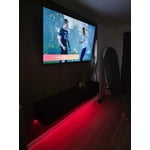
Great picture but...
[This review was collected as part of a promotion.] Love this TV. Has all the features I wanted. The only issue I have encountered is the wifi signal will just drop. Everything else in my house works fine. In fact the FireTv Stick I have attached to it works too. I have to go into the wifi settings and reset the connection to get it to reconnect. Overall a decent TV.
Hi Thank you for your purchase and for sharing your experience with us. If your TV is having trouble maintaining a wireless connection, please try the following: 1. Distance matters – Keep your TV within 50 feet of your router. Avoid placing the router behind walls, furniture, or electronic devices. 2. Minimize interference – Turn off nearby wireless devices that may disrupt the signal. 3. Power cycle both devices – Unplug the TV and router for 30 seconds, then plug them back in. 4. Run diagnostics: o Settings > Support > Device Care > Self Diagnosis > Smart Hub Connection Test o Settings > Support > Device Care > Self Diagnosis > Wi-Fi 5. Update firmware: Settings > Support > Software Update > Update Now 6. Factory reset (if needed): Settings > All Settings > General & Privacy > Reset > Factory Data Reset If you continue to experience issues, please contact Samsung Support at 1-800-SAMSUNG, available 8AM – 12AM EST, 7 days a week. LiveChat support and additional help are available at the ‘Support’ link on our website. ~ Samsung Advisor
Great features
[This review was collected as part of a promotion.] Very happy with this purchase! Didn't realize that it came with access to so many channels. Loved that for me Only con: i can't figure out to turn off the voice generated instruction feature. It announces all actions/functions
Hi Pete, Thank you for sharing your concerns. If your TV is announcing everything you do, the Voice Guide feature is likely turned on. This is an accessibility function designed to assist users who are visually impaired, and it may have been activated accidentally by holding down the Volume button on your remote. To turn off Voice Guide, go to: Home > left directional key > Settings > All Settings > General & Privacy > Accessibility > Voice Guide Settings > Voice Guide = OFF If there's anything else we can assist with, please don't hesitate to contact us at 1-800-SAMSUNG, 8AM – 12AM EST, 7 days a week. LiveChat agents are also available through the ‘Support’ link on our website. ~ Samsung Advisor
For TV enthusiasts and gamers alike
[This review was collected as part of a promotion.] So I'm new to the Samsung tvs. In all honesty I had a competitor TV for probably 17 years flat screen that never really went bad. When the TV officially went out I found my current TV on sale. Upon installing it and officially watching my first movie I was absolutely blown away from how beautifully clear the screen is. The TV is sleek and nearly bezel-less.. the controls and the settings are jam-packed with goodies for you to try out. Casting from my phone to the TV is just so easy since they're both Samsung products. The brightness the color are also on point. I don't have to be adjusting anything any longer since the TV pretty much out of the box it's gorgeous. The resolution sometimes I have to do a double take of how just pristinly clear it is. This TV is jam-packed with different types of security measures, I haven't really activated any of them but it's just Peace of mind knowing that they're there. This TV I highly recommend to anyone who's just into movies but also gaining. The screen alone was worth it but with the 120 hertz this TV is a must have.


Great picture, great sound, bad controls.
[This review was collected as part of a promotion.] I honestly despise how this TV works at times. The picture and sound is amazing, but it relentlessly turns Game Mode on when it has been switched to off. This destroys picture quality and changes settings I dont want changed. I absolutely hate the Game Mode and wish there was a way to fully remove it.

SaltyPants, Thanks for your review. To improve your experience, please ensure your TV is running the latest firmware. You can check this by going to: Home > left directional key > Settings > Support > Software Update To further optimize performance, try running Device Care, which checks memory, clears unused cached data, and closes background apps: Home > left directional key > Settings > Support > Device Care > Start Device Care If issues continue, please reach Samsung Support at 1-800-SAMSUNG, available 8AM – 12AM EST, 7 days a week. LiveChat is also available via the ‘Support’ link on our website. ~ Samsung Specialist
awesome features, loving it
[This review was collected as part of a promotion.] anesthetics, picture quality, sound, color The Samsung 75″ Crystal UHD TV offers excellent value if your priority is a huge screen, smart features, and reliable picture quality at a reasonable price. It's not a premium TV, but for everyday use, it delivers exactly what most people need..