Skip to Main Content
Sam's Club
Sam's Club
Customer reviews for SAMSUNG 70" Class U7900F Series 4K Crystal UHD Smart TV for
SAMSUNG 70" Class U7900F Series 4K Crystal UHD Smart TV
4.6 out of 5 stars
stars2,334 ratings2,327 reviews
  1. 5 stars76% (1,775)
  2. 4 stars15% (341)
  3. 3 stars5% (117)
  4. 2 stars2% (41)
  5. 1 star3% (60)

Member photos

  • +916 images
Sort by |
Showing 851-860 of 2,327 reviews
Feb 17, 2026
Luise
5 out of 5 stars review

Great Vibrant picture

[This review was collected as part of a promotion.] This Tv is one of the best tvs ive had had great vibrant picture kind of seems like an oled but still with a little backlight i love this tv. It also has great resolution and the parental control security it very good! Needs a little work on the brightness and dimming and has a modern looking frame would recommend

Review from Samsung US
Helpful?519VMKO7QPOP17358505999
Feb 17, 2026
The average Samsungphile
4 out of 5 stars review

Good quality for the price range.

[This review was collected as part of a promotion.] The picture quality is pretty good and bright. It's not the sharpest, but for a budget LED tv it is good enough. Color reproduction is good. Only thing missing is sound quality. The dialogues are sometimes not very clear when there are some background noises.

Review from Samsung US
Helpful?519VMKO7QPOP17358505999
Feb 16, 2026
Zaethir
5 out of 5 stars review

Great features and price!
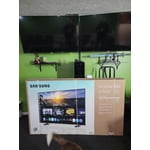
[This review was collected as part of a promotion.] I love this TV! It's slim and light weight. The screen is bright and clear. The picture looks amazing and looks like you could walk right into the screen. It connected smoothly with my internet and phone.

Review from Samsung US
Helpful?519VMKO7QPOP17358505999
Feb 17, 2026
Bunyodbek
5 out of 5 stars review

Great features!

[This review was collected as part of a promotion.] I've been using the Samsung 55 Crystal 7900 for 6 months, and it fully met my expectations. On the plus side: excellent image quality, vibrant colors, convenient Smart TV interface. Cons: The sound could have been a little louder. Overall, I recommend it to anyone looking for a quality TV with a great picture.

Review from Samsung US
Helpful?519VMKO7QPOP17358505999
Feb 9, 2026
NOBILITY
4 out of 5 stars review

Beautiful image
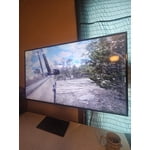
[This review was collected as part of a promotion.] this has a beautiful image great low light performance blacks look great contrast is very good ...the different features it has are great .the different channels available and the internet implementation is very good ..definitely one of my favorite TVs

Review from Samsung US
Helpful?519VMKO7QPOP17358505999
Dec 5, 2025
Louie2025
5 out of 5 stars review

Satisfied customer

[This review was collected as part of a promotion.] We love the bright and sharp screen. Our only complaint is that we can't connect a DVD player to the tv. We have Roku plugged in so there's no where to plug in a DVD player. Any suggestions would be appreciated!!

Review from Samsung US
Helpful?519VMKO7QPOP17358505999
Dec 5, 2025
TheAlphaDad
3 out of 5 stars review

Great picture but...

[This review was collected as part of a promotion.] Love this TV. Has all the features I wanted. The only issue I have encountered is the wifi signal will just drop. Everything else in my house works fine. In fact the FireTv Stick I have attached to it works too. I have to go into the wifi settings and reset the connection to get it to reconnect. Overall a decent TV.

Review from Samsung US
Helpful?519VMKO7QPOP17358505999
reply from Samsung Advisor

Hi Thank you for your purchase and for sharing your experience with us. If your TV is having trouble maintaining a wireless connection, please try the following: 1. Distance matters – Keep your TV within 50 feet of your router. Avoid placing the router behind walls, furniture, or electronic devices. 2. Minimize interference – Turn off nearby wireless devices that may disrupt the signal. 3. Power cycle both devices – Unplug the TV and router for 30 seconds, then plug them back in. 4. Run diagnostics: o Settings > Support > Device Care > Self Diagnosis > Smart Hub Connection Test o Settings > Support > Device Care > Self Diagnosis > Wi-Fi 5. Update firmware: Settings > Support > Software Update > Update Now 6. Factory reset (if needed): Settings > All Settings > General & Privacy > Reset > Factory Data Reset If you continue to experience issues, please contact Samsung Support at 1-800-SAMSUNG, available 8AM – 12AM EST, 7 days a week. LiveChat support and additional help are available at the ‘Support’ link on our website. ~ Samsung Advisor

Feb 17, 2026
Ladysteph210
5 out of 5 stars review

Love Samsung.

[This review was collected as part of a promotion.] as all Samsung products are that I currently own, this one is above par. song knows exactly what they're doing when they're creating any electronic device the freedom to customize every Samsung item as well is the most amazing thing.

Review from Samsung US
Helpful?519VMKO7QPOP17358505999
Feb 17, 2026
Capu
2 out of 5 stars review

Disappointed with the functionality

[This review was collected as part of a promotion.] In terms of resolution and picture quality, this TV is an excellent buy. The image is sharp, bright, and very enjoyable for everyday viewing. However, the functionality is limited. It only has two HDMI ports. In my case, one is used for the cable box and the other for my home theater system, which leaves no additional HDMI inputs available. Another significant limitation is the app platform. The TV does not allow you to add apps beyond those offered in Samsung's app store. I was unable to install some of the streaming services I use, such as Peacock, Max (HBO Max), and Paramount+. As a result, I now need to purchase an external streaming device like a Roku or Fire Stick — but with no available HDMI ports, that creates another challenge. I want to emphasize that I am a big Samsung fan. I love the brand and own several Samsung products, including my phone, refrigerator, stove, and air conditioner. That's actually why I chose this TV. I was aware of the HDMI limitation when I purchased it, but it was not clearly advertised that app availability would also be restricted by the platform. Overall, the picture quality is very good, but the limited connectivity and restricted app ecosystem reduce its overall functionality.

Review from Samsung US
Helpful?519VMKO7QPOP17358505999
reply from Samsung Advisor

Hi Capu, Thank you for reaching out to us. Please know the apps you listed: Peacock, Max (HBO Max), and Paramount+ are all available for download. To ensure your TV is up to date, please update your Firmware. Go to Settings> Support> Software Update. To Search for & Install Apps: 1. From the Home screen, press left on the remote’s directional pad. 2. Navigate to and select Search. 3. Using the search bar, enter the content or app you’d like to find. 4. Navigate to and select the app you’d like to install, then select Install. Note: Previously installed apps can be accessed on the Settings screen. Adding & Managing Apps on Home Screen 1. Go to App Settings (these can be found at the bottom of the Apps screen) and select the app you want to move. The following options will be available: a. Add to Home: Move the app to your desired location on the Home screen. b. Delete: Delete app. c. Lock/Unlock: Lock the app with a PIN so only you can use it. When the app is selected again, you will be prompted to enter the PIN to unlock it. d. Reinstall: Reinstall the app. e. View Details: View the app’s information and details. If you continue to have issues, please contact us at 1-800-SAMSUNG, available daily from 8AM - 12AM EST. You can also visit the Samsung website and click on ‘Support’ for: • Live Chat • Manuals, Software, & Warranty Info ~ Samsung Advisor

Feb 12, 2026
Southern Hospitality
5 out of 5 stars review

Wishful THINKING!!!!!

[This review was collected as part of a promotion.] From the sound to the picture, down to the quality innovation, Samsung is number one in business!!! From the beginning of my morning until my work boots fall off at the end of the day, I look forward to watching my Samsung entertainment.... thanks y'all.

Review from Samsung US
Helpful?519VMKO7QPOP17358505999