Customer reviews for SAMSUNG 70" Class U7900F Series 4K Crystal UHD Smart TV for
Member photos
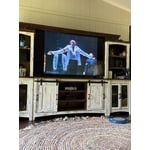
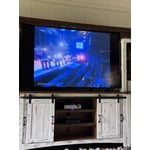
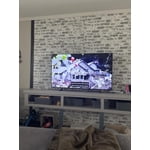


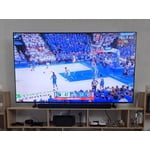 +916 images
Great Picture
[This review was collected as part of a promotion.] The picture is very clear. I have always purchased Samsung TVs and they perform great. Crystal clear details, to the point you can see the actors pores and imperfections. Would highly recommend Samsung as a top choice.
This item is worth the purchase
[This review was collected as part of a promotion.] It has great pictures quality, amazing sound system. Good quality speakers, if you use it for a bedroom you don't need a surround set...I recommend getting this product. I want to upgrade my 50" nxt year.
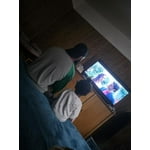
Disappointed with the functionality
[This review was collected as part of a promotion.] In terms of resolution and picture quality, this TV is an excellent buy. The image is sharp, bright, and very enjoyable for everyday viewing. However, the functionality is limited. It only has two HDMI ports. In my case, one is used for the cable box and the other for my home theater system, which leaves no additional HDMI inputs available. Another significant limitation is the app platform. The TV does not allow you to add apps beyond those offered in Samsung's app store. I was unable to install some of the streaming services I use, such as Peacock, Max (HBO Max), and Paramount+. As a result, I now need to purchase an external streaming device like a Roku or Fire Stick — but with no available HDMI ports, that creates another challenge. I want to emphasize that I am a big Samsung fan. I love the brand and own several Samsung products, including my phone, refrigerator, stove, and air conditioner. That's actually why I chose this TV. I was aware of the HDMI limitation when I purchased it, but it was not clearly advertised that app availability would also be restricted by the platform. Overall, the picture quality is very good, but the limited connectivity and restricted app ecosystem reduce its overall functionality.
Hi Capu, Thank you for reaching out to us. Please know the apps you listed: Peacock, Max (HBO Max), and Paramount+ are all available for download. To ensure your TV is up to date, please update your Firmware. Go to Settings> Support> Software Update. To Search for & Install Apps: 1. From the Home screen, press left on the remote’s directional pad. 2. Navigate to and select Search. 3. Using the search bar, enter the content or app you’d like to find. 4. Navigate to and select the app you’d like to install, then select Install. Note: Previously installed apps can be accessed on the Settings screen. Adding & Managing Apps on Home Screen 1. Go to App Settings (these can be found at the bottom of the Apps screen) and select the app you want to move. The following options will be available: a. Add to Home: Move the app to your desired location on the Home screen. b. Delete: Delete app. c. Lock/Unlock: Lock the app with a PIN so only you can use it. When the app is selected again, you will be prompted to enter the PIN to unlock it. d. Reinstall: Reinstall the app. e. View Details: View the app’s information and details. If you continue to have issues, please contact us at 1-800-SAMSUNG, available daily from 8AM - 12AM EST. You can also visit the Samsung website and click on ‘Support’ for: • Live Chat • Manuals, Software, & Warranty Info ~ Samsung Advisor
PICTURE PERFECT!!!
[This review was collected as part of a promotion.] Top tier from ordering to set-up. The picture is so life-like, I had to dull the sharpness of the picture. I literally jump out of my seat or feel as though they are tight besde me. Everything connects with ease and with many options. It is a very slim design an fits flat just as The Frame does. Definitely will be buying anoter very soon!!!
Best TV hands down
[This review was collected as part of a promotion.] I absolutely love my new Samsung TV. The picture quality is Great! The sound is wonderful! And I purchased a 75" definitely the biggest screen I've ever owned. Lots of new features compared to the last Samsung TV I had. I would definitely recommend the newer models with the additional features.
Terrible for streaming
We purchased this TV on a Black Friday deal and have regretted it ever since. If you are looking for a TV for streaming, this isn't the one. If the people in the show are doing any more than just sitting there, the picture gets very pixelated. I've contact samsung for help and was told the show was just old. However, it happens on even shows that are just released. So frustrating for what uses to be a great brand name.
Hi SamanthaF, Thank you for sharing your experience. Buffering during streaming is typically related to internet speed or signal strength. This can happen when your connection isn’t able to deliver data quickly enough for smooth playback. We recommend the following steps to help improve streaming performance: 1. Use a 5GHz Wi-Fi connection, if available 2. Try a wired LAN connection for more stability 3. Reposition your router to minimize obstacles between it and the TV 4. Make sure your TV is running the latest firmware (Settings > Support > Software Update) 5. Run Device Care to optimize performance: Home > left directional key > Settings > Support > Device Care > Start Device Care If buffering continues, you may want to contact your internet service provider to check your current speed or explore upgrade options. There are also several settings you can adjust to improve motion clarity. Go to: Home > left directional key > Settings > All Settings > Picture > Expert Settings, and review these key settings: Picture Clarity Settings • Off: Disables all motion enhancement • Auto: Automatically adjusts motion clarity based on content • Custom: Enables manual control of: o Judder Reduction: Smooths motion in film-based content o LED Clear Motion: Increases sharpness during fast movement o Noise Reduction: Helps reduce distortion in lower-quality sources We hope these settings help improve your viewing experience, especially with fast-moving content. If you'd like further assistance, feel free to reach out to Samsung Support at 1-800-SAMSUNG, 8AM – 12AM EST, 7 days a week. LiveChat is also available via the ‘Support’ link on our website. ~ Samsung Advisor
Great buy 10 out of 10 recommend
[This review was collected as part of a promotion.] I love this tv the graphics and colors are amazing the size is great and the sound is like your in a theater. It like being in the movies but in the comfort of home. It is light weight not heavy at all. The resolution is great the brightness is ten out of ten.


Constant Image Twitching “Critical Flaws”
[This review was collected as part of a promotion.] I love Samsung products but this tv isn't the best Constant Image Twitching Ruins the Experience The Samsung U7900F is a disappointing TV overall. It's best suited for watching shows in a light-controlled room, yet it still struggles there. It isn't bright enough to handle glare, and its black levels are sub-par with no local dimming, so it also performs poorly in dark rooms. Color performance is limited, as it can't display a wide color gamut, though its SDR accuracy out of the box is decent. Gamers may appreciate the low input lag, which allows for responsive gameplay, but motion handling is weak, with noticeable blur behind fast-moving objects. On the plus side, its image processing is acceptable, meaning low-resolution and low-quality content is upscaled reasonably well. Unfortunately, this isn't enough to compensate for its major flaws, making the overall viewing experience underwhelming.
Hi Carter, Thank you for your feedback regarding the twitching you're seeing on your TV. To help determine if the issue is related to the panel itself, we recommend starting with a Picture Test, which displays a high-definition image you can examine for flaws: Settings > Support > Device Care > Self Diagnosis > Picture Test If the issue appears during the test and across all sources (built-in apps, HDMI devices, etc.), it may indicate a panel-related concern. You can also try displaying solid-color test videos (red, green, blue, black, white) from a USB drive or YouTube. This can help you identify whether any pixels are stuck or not functioning properly. In some cases, unplugging the TV for a few minutes and rebooting it can help resolve stuck pixels caused by temporary display behavior. Please also ensure you are running the latest Firmware, version 1132.0. Go to Settings> Support> Software Update. If this firmware version is not yet available on your TV, you can download the update on a USB drive and manually update your TV: 1. On Samsung's website (upper right corner), go to: Support > Manual & Software > Find your TV model, and click on the Firmware – Upgrade File. 2. When the file has finished downloading, locate it and then unzip it. There is normally one folder inside but there may be multiple files. 3. Copy or move all of the files that were included in the zip file to a USB flash drive, but do not place them inside any other folders. If you place the software folders inside a folder on the USB flash drive, the TV or monitor will not find them. 4. Connect the USB drive containing the software upgrade into a USB port on your device. 5. Using your device's remote, navigate to and select Settings, then select All Settings, and then select Support. Select Software Update, select Update Now, and then select Yes if prompted. Your device will search the USB drive for update files. Follow the on-screen instructions to install the updated software. Updates usually take a few minutes; please do not turn off the TV until the update is complete. When the update is finished, it will restart automatically. If you need additional support, Samsung is here to help. Please call us at 1-800-SAMSUNG, available daily from 8AM - 12AM EST. You can also chat with a LiveChat agent by clicking the ‘Support’ link on our website. ~ Samsung Advisor
Great TV, needs more memory
[This review was collected as part of a promotion.] Overall it's a great TV, not as crisp of a picture as the 8 or 9 series, but still good. Only down side is all ofnthe undeletable apps take up so much space that I had to get a Roku because I no longer had room to update my TV with the few streaming apps that I have.
Great features
[This review was collected as part of a promotion.] This television offers a remarkable visual experience, showcasing vibrant colors and deep contrasts. Its advanced processing engine ensures fluid motion, making fast-paced content appear exceptionally clear. The user interface is intuitive and easy to navigate, providing seamless access to a wide array of applications. Furthermore, the sound quality is surprisingly robust, adding an immersive layer to any viewing session. Overall, this display unit represents a significant advancement in home entertainment technology.It offers a vibrant viewing experience with its advanced display technology. You can expect excellent color accuracy and deep contrast ratios. The smart features integrated into the system provide a user-friendly interface for accessing various applications. Overall, it presents a compelling option for home entertainment.