
 Customer reviews for SAMSUNG 70" Class U7900F Series 4K Crystal UHD Smart TV for
Member photos
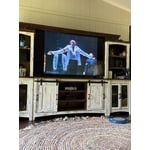
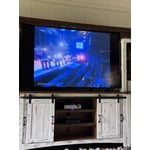
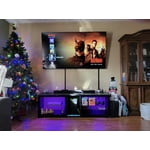
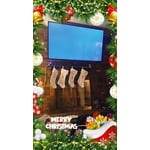
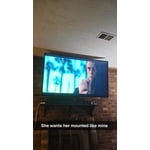 +916 images
Great picture but slow processing
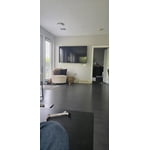
[This review was collected as part of a promotion.] The picture quality is great, and the colors and sound are on par with the price. However, it is very slow to process inputs from remote. Also slow to switch between apps and menus.
Hi Chris, We value your feedback regarding the response time of your U7900FD TV. For the best performance, please ensure the latest firmware version is installed: Home > left directional key > Settings > Support > Software Update You can also improve responsiveness by running the built-in Device Care tool, which checks system memory, clears cached data, and closes background apps: Home > left directional key > Settings > Support > Device Care > Start Device Care If you need further assistance, please contact Samsung Support at 1-800-SAMSUNG (8AM – 9PM EST Mon – Fri, 8AM – 6PM Sat – Sun). LiveChat is also available through the ‘Support’ link on our website. ~Samsung Advisor
Far cry from the 21 inch TV of my childhood.
While the TV has great color and sound it does see to have a mind of its own. The remote takes some getting use to. Just when I think I have it figured out something changes. I am a fan of Samsung though and I will keep working with it. This is my third Samsung TV and probably not my last. My children have my older TVs and they are still going strong. I just like to keep up with technology. I am 81 years old.
My only gripe is...
[This review was collected as part of a promotion.] I miss the minimalist take on the menu from the previous years model but other than that everything else is great. Especially brightness. The colors aren't washed out by errant lights and the picture quality is A1.
It's a BLUR
Don't buy this TV if you watch sports. Everything has tracers and not clear during a game. The 60 refresh rate is wholly Insufficient. Idk how you can make a tv that literally doesn't show a clear picture. I understand the price Point but as consumer I am counting on th tv to show a clear picture, not the best but clear. This tv does NOT do that. I have a 65” TCL with the same 60 refresh rate and NEVER has this problem. If I could do it over I would spend whatever is needed to get at least a 120 refresh rate
Hi, Thank you for your feedback on the Samsung U7900F TV and your experience when watching fast-motion content. If the picture appears blurry or unnatural during high-speed scenes, there are several settings you can adjust to improve motion clarity. Go to: Home > left directional key > Settings > All Settings > Picture > Expert Settings, and review these key settings: Picture Clarity Settings • Off: Disables all motion enhancement • Auto: Automatically adjusts motion clarity based on content • Custom: Enables manual control of: o Judder Reduction: Smooths motion in film-based content o LED Clear Motion: Increases sharpness during fast movement o Noise Reduction: Helps reduce distortion in lower-quality sources Additional Picture Controls • Brightness – Adjust overall image brightness • Contrast – Controls the difference between light and dark areas • Sharpness – Enhances the definition of object edges • Color – Adjusts color intensity for more natural or vivid tones We hope these settings help improve your viewing experience, especially with fast-moving content. If you'd like further assistance, feel free to reach out to Samsung Support at 1-800-SAMSUNG, 8AM – 12AM EST, 7 days a week. LiveChat is also available via the ‘Support’ link on our website. ~ Samsung Specialist
7900FD Crystal UHD TV (2025)
[This review was collected as part of a promotion.] This TV sucks! I spoke to support, and he tried different troubleshooting tasks, and nothing worked, so the next thing I know the phone disconnected and he didn't bother to call me back. I get the error message "smarthings tv plus" is installing but it never finishes and the same thing in happening with other apps that I try to watch.
Hi Janice, We appreciate your feedback regarding the performance of Smart Hub on your U7900 TV. If you're experiencing freezing, lag, or issues with apps not launching properly, the following steps may help: 1. Reset Smart Hub – This restores Smart Hub to factory settings and can resolve many performance issues: Home > left directional key > Settings > Support > Device Care > Self Diagnosis > Reset Smart Hub (Note: This will sign you out of all apps and reset Smart Hub preferences.) 2. Check for Firmware Updates – An outdated software version can impact Smart Hub functionality: Home > left directional key > Settings > Support > Software Update > Update Now 3. Run Device Care – This tool helps optimize performance by clearing cached memory and closing background processes: Home > left directional key > Settings > Support > Device Care > Start Device Care If Smart Hub continues to have issues after performing these steps, please contact Samsung Support at 1-800-SAMSUNG, available 8AM – 12AM EST, 7 days a week. LiveChat support is also available through the ‘Support’ link on our website. ~ Samsung Advisor
By far the best TV I've ever owned!
[This review was collected as part of a promotion.] You never know what you're missing till you get something better. You can see the beads of sweat on an actor's face. The colors are so much more bright and vivid than my old TV. Wish I had done this two years ago!
Great all around tv!
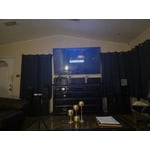
[This review was collected as part of a promotion.] The picture resolution is put of this world compared to the previous flat screen TV i had! It was a "dumb tv" and this one has all the bells and whistles! Colors are brighter and more vivid! The TV looks great in my living room and I feel great that you can add parental control to it for the kids!
Decent TV - but wish I had gone with the next up
[This review was collected as part of a promotion.] The TV is ok for a exercise room. It is nice, thin and the pic quality is bright with goo resolution. However, Ia a bit disappointed in the response time of switching between connections. It takes 5 to 7 seconds to switch from the TV to the HDMI connection and it often goes back to the TV for no reason at all.
Hi SNS1963, Thank you for your feedback on response time. For optimal performance, please ensure your U7900F TV is running the latest firmware. You can check this by going to: Home > left directional key > Settings > Support > Software Update To further optimize performance, try running Device Care, which checks memory, clears unused cached data, and closes background apps: Home > left directional key > Settings > Support > Device Care > Start Device Care If issues continue, please reach Samsung Support at 1-800-SAMSUNG, available 8AM – 12AM EST, 7 days a week. LiveChat is also available via the ‘Support’ link on our website. ~ Samsung Advisor
Great features and price!
[This review was collected as part of a promotion.] I love this TV! It's slim and light weight. The screen is bright and clear. The picture looks amazing and looks like you could walk right into the screen. It connected smoothly with my internet and phone.
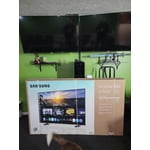

Terrible for streaming
We purchased this TV on a Black Friday deal and have regretted it ever since. If you are looking for a TV for streaming, this isn't the one. If the people in the show are doing any more than just sitting there, the picture gets very pixelated. I've contact samsung for help and was told the show was just old. However, it happens on even shows that are just released. So frustrating for what uses to be a great brand name.
Hi SamanthaF, Thank you for sharing your experience. Buffering during streaming is typically related to internet speed or signal strength. This can happen when your connection isn’t able to deliver data quickly enough for smooth playback. We recommend the following steps to help improve streaming performance: 1. Use a 5GHz Wi-Fi connection, if available 2. Try a wired LAN connection for more stability 3. Reposition your router to minimize obstacles between it and the TV 4. Make sure your TV is running the latest firmware (Settings > Support > Software Update) 5. Run Device Care to optimize performance: Home > left directional key > Settings > Support > Device Care > Start Device Care If buffering continues, you may want to contact your internet service provider to check your current speed or explore upgrade options. There are also several settings you can adjust to improve motion clarity. Go to: Home > left directional key > Settings > All Settings > Picture > Expert Settings, and review these key settings: Picture Clarity Settings • Off: Disables all motion enhancement • Auto: Automatically adjusts motion clarity based on content • Custom: Enables manual control of: o Judder Reduction: Smooths motion in film-based content o LED Clear Motion: Increases sharpness during fast movement o Noise Reduction: Helps reduce distortion in lower-quality sources We hope these settings help improve your viewing experience, especially with fast-moving content. If you'd like further assistance, feel free to reach out to Samsung Support at 1-800-SAMSUNG, 8AM – 12AM EST, 7 days a week. LiveChat is also available via the ‘Support’ link on our website. ~ Samsung Advisor