
 Customer reviews for SAMSUNG 70" Class U7900F Series 4K Crystal UHD Smart TV for
Member photos

 +895 images
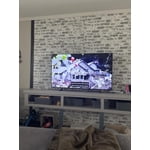
The BEST TV
[This review was collected as part of a promotion.] Really happy with this 65” Samsung Crystal UHD TV. The picture is super clear and bright, and everything looks great in 4K—even older shows look better than I expected. It was easy to set up, and the apps run smooth without any lag. The design is nice and slim, so it looks great in the room too. Sound is decent, but adding a soundbar definitely helps. Overall, great value for the price—no complaints!
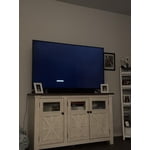
Beware of this TV
[This review was collected as part of a promotion.] I have encountered several issues with this television. Firstly, when attempting to transmit audio from the television to a connected Bluetooth speaker, I experienced static interference, necessitating a power cycle of the television to resolve the issue. This problem was not isolated to a single Samsung speaker but occurred with other speakers as well. Secondly, approximately 30 minutes into viewing movies, persistent glitches appeared. Thirdly, the television's remote control exhibits a noticeable delay in responsiveness when navigating through various applications and games. I am dissatisfied with this purchase and would not recommend this product, despite owning several other Samsung products.
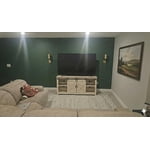
Hi Raymond, Thank you for reaching out to us. If you are experiencing sound issues when connecting to a Bluetooth speaker, please try the below troubleshooting steps: 1. Bluetooth connections can be sensitive to distance and interference. Keep the Bluetooth device close to the TV, and remove nearby sources of interference (e.g., wireless routers or other Bluetooth devices). 2. For improved stability, use a 5GHz Wi-Fi network if available. 3. If issues persist, we recommend switching to a wired connection (HDMI ARC or Optical) for a more reliable audio experience. Also Try: • Update your TV's firmware: Settings > Support > Software Update > Update Now • Run a Sound Test to verify internal sound functions: Settings > Support > Device Care > Self Diagnosis > Sound Test If you’ve tried the steps above and are still experiencing issues, we’re here to help. You can call Samsung Support at 1-800-SAMSUNG, 8AM – 12AM EST, 7 days a week. Our LiveChat agents are also available by clicking the ‘Support’ link at Samsung.com. ~ Samsung Advisor
Samsung TV
[This review was collected as part of a promotion.] The TV has good picture quality and works well with high def gaming. Only issues I have with the TV are the speed of the operating system. The operating system is slow to respond and takes time to boot up. The other issue is glare. The tv has terrible picture quality when used in a bright room. I need to use blinds to be able to use the TV and see things on the screen. Overall the TV has good brightness and darkness. The resolution is clear and the TV has a clean authenticator. Very modern look.
Great features
[This review was collected as part of a promotion.] Very happy with this purchase! Didn't realize that it came with access to so many channels. Loved that for me Only con: i can't figure out to turn off the voice generated instruction feature. It announces all actions/functions
Hi Pete, Thank you for sharing your concerns. If your TV is announcing everything you do, the Voice Guide feature is likely turned on. This is an accessibility function designed to assist users who are visually impaired, and it may have been activated accidentally by holding down the Volume button on your remote. To turn off Voice Guide, go to: Home > left directional key > Settings > All Settings > General & Privacy > Accessibility > Voice Guide Settings > Voice Guide = OFF If there's anything else we can assist with, please don't hesitate to contact us at 1-800-SAMSUNG, 8AM – 12AM EST, 7 days a week. LiveChat agents are also available through the ‘Support’ link on our website. ~ Samsung Advisor
Great picture and streamlined remote but...
[This review was collected as part of a promotion.] What I do not love about my UHD U7900F is the fact that Samsung cannot include a dynamic antenna to pick up the "free" digital channels that are broadcast in my area. Nor are you capable of recommending a compatible after market antenna that works seamlessly with my UHD U7900F. With todays technology one shouldn't have issues with picking up digital channels. I have gone through 8-9 different antennas searching for one that is reliable to no avail. I had gone through the same issue with my previous 70" Samsung that is why I purchased my new UHD U7900F thinking that this issue would've been solved.

Great picture tough to customize
[This review was collected as part of a promotion.] The TV has a great picture and was easy to get out of the box and running. It came with limited apps and adding apps has been impossible. It came with Netflix and Prime. We cannot add Apple TV, Peacock, Paramount etc. very frustrating.
Hi Island connection, Thank you for sharing your experience. Please know that you can customize your Home screen by installing, removing or adding your favorite apps to the Home screen. Apple TV, Peacock, Paramount are all available for download in our built-in app store. Here's how to access them: Searching for & Installing Apps 1. From the Home screen, press left on the remote’s directional pad. 2. Navigate to and select Search. 3. Using the search bar, enter the content or app you’d like to find. 4. Navigate to and select the app you’d like to install, then select Install. Note: Previously installed apps can be accessed on the Settings screen. Adding & Managing Apps on Home Screen 1. Go to App Settings (these can be found at the bottom of the Apps screen) and select the app you want to move. The following options will be available: a. Add to Home: Move the app to your desired location on the Home screen. b. Delete: Delete app. c. Lock/Unlock: Lock the app with a PIN so only you can use it. When the app is selected again, you will be prompted to enter the PIN to unlock it. d. Reinstall: Reinstall the app. e. View Details: View the app’s information and details. If you need more help with app management, please don’t hesitate to reach Samsung Support at 1-800-SAMSUNG (8AM – 12AM EST, 7 days a week). You’ll also find LiveChat, manuals, software, and warranty details under the ‘Support’ section of our website. ~ Samsung Advisor
Wonderful TV!!!
[This review was collected as part of a promotion.] Best TV I have purchased in a long time! Clarity is great! You can definitely notice the upscaling on older shows. Makes them look current! Great sound! eARC is very easy to use and gives great sound! Buy this TV!
Good TV, But May Not Work With Your Cable.
[This review was collected as part of a promotion.] The TV has a great picture and the sound is good, too. However, we have found it more difficult to use compared to our 2017 similar Samsung model. We have to use the "antenna" setting to get our cable channels via coax at our complex. We ended up getting a HDMI connected cable box to see these channels as the TV's tuner would not let us change channels. When we tried to change a manual entered channel, we were put in the plus channels. It was a slow process to just see the local channels. Also, while there was a channel guide, but the TV was unable to display any of the information. At least the channel numbers came up. Our older TV did not have any problems like these. I know these new sets have many, many advanced features, but for someone who needs the basic, it did not meet our needs and is frustrating to use. Samsung's support is excellent and helpful, but they did not have a clue how to help. Maybe our situation is unique, but we have had our enjoyment diminished because of having to go to an external streaming boxes to get the channels we want to watch.
Hi Horserunner, We appreciate your purchase and feedback on connecting external devices. If you would like to further troubleshoot the cable box and antenna issue, we would be happy to help. You can reach us at 1-800-SAMSUNG (8AM – 9PM EST Mon – Fri, 8AM – 6PM Sat – Sun), or connect with a LiveChat agent by selecting ‘Support’ on our website. ~ Samsung Advisor
Superb product
[This review was collected as part of a promotion.] Physically built as GREAT looking that gives the PERFECT resolution options with AMAZING color and brightness quality.. also has great security due to the samsung sign-in step every time I turn it on. So happy for the purchase!!
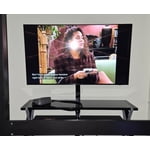
Great features
[This review was collected as part of a promotion.] It has a great resolution, Connects to all HDMI, Remote can be universal so you can use the Samsung remote for most devices, The picture quality is very vibrant, and you can see bright backgrounds like a night scene and it does auto focus for gaming and the sound quality is absolutely amazing. We have the 75in and honestly im happy with it. You dont have to break the bank to have a nice samsung TV and we love our Samsung especially with our sound systems and if you lose your remote very easy to use with your Samsung phone.