Skip to Main Content
Sam's Club
Sam's Club
Customer reviews for SAMSUNG 70" Class U7900F Series 4K Crystal UHD Smart TV for
SAMSUNG 70" Class U7900F Series 4K Crystal UHD Smart TV
4.6 out of 5 stars
stars2,311 ratings2,304 reviews
  1. 5 stars76% (1,757)
  2. 4 stars15% (340)
  3. 3 stars5% (115)
  4. 2 stars2% (41)
  5. 1 star3% (58)

Member photos

  • +895 images
Sort by |
Showing 411-420 of 2,304 reviews
May 20, 2026
HubA
3 out of 5 stars review

Remote breaks

[This review was collected as part of a promotion.] Very happy with this tv. However, purchased 1/29 and the remote is already not working (yes, I changed the batteries).

Review from Samsung US
Helpful?519VMKO7QPOP17358505999
reply from Samsung Advisor

Hi HubA, Thank you for reaching out to us. Please try the below troubleshooting steps: 1. Reset the remote: Press and hold the Return and Enter (center of navigation pad) buttons for more than 10 seconds. 2. Re-pair the remote: After resetting, stand within 1 foot of your TV and press Return and Play/Pause simultaneously for at least 5 seconds, or until a pairing message appears on your TV. 3. Check for firmware updates, as these can include both TV and remote optimizations: Settings > Support > Software Update > Update Now If you continue to have issues, please call us at 1-800-SAMSUNG (8AM – 9PM EST Mon – Fri, 8AM – 6PM Sat – Sun), or reach us via text anytime. You can also visit ‘Support’ on our website for: • Live Chat • Manuals, Software, & Warranty Info ~Samsung Advisor

Jun 9, 2026
Spdkat
5 out of 5 stars review

Great product / great techs and ease of use .

[This review was collected as part of a promotion.] Great product does what is supposed to do for the price presently surprised my first Samsung product won't be the last

Review from Samsung US
Helpful?519VMKO7QPOP17358505999
May 23, 2026
King40
5 out of 5 stars review

Great

[This review was collected as part of a promotion.] Everything is great with my tv I have no complaints the picture on it is perfect it's a beautiful TV

Review from Samsung US
Helpful?519VMKO7QPOP17358505999
May 20, 2026
Joey
5 out of 5 stars review

Mr.

[This review was collected as part of a promotion.] For the prices is an excellent TV the resolution the brightness of the picture everything works perfectly including the speakers that are built in. It’s a 10 out of 10 TV.

Review from Samsung US
Helpful?519VMKO7QPOP17358505999
Jun 1, 2026
QueenBri
5 out of 5 stars review

Spectacular

[This review was collected as part of a promotion.] One of, if not my best electronics purchase within the past ten years. Picture is always clear, vibrant, and extremely detailed. Sound quality is super clean.

Review from Samsung US
Helpful?519VMKO7QPOP17358505999
Jun 2, 2026
Billiebravo
5 out of 5 stars review

Ui very responsive and easy set up

[This review was collected as part of a promotion.] This TV offers excellent value, including many features commonly found in higher-priced models, making it a well-rounded option. I found the UI responsive and the set-up simple.

Review from Samsung US
Helpful?519VMKO7QPOP17358505999
May 21, 2026
Teamus
1 out of 5 stars review

Not what i expected

[This review was collected as part of a promotion.] The tv glitches a lot where the tv is stuck but the words are still going. The remote control stopped working the 2nd week I got the tv. Very poorly made. Don’t recommend at all.

Review from Samsung US
Helpful?519VMKO7QPOP17358505999
reply from Samsung Advisor

Hi Teamus, We appreciate your feedback regarding your U7900F TV’s performance. If you're experiencing slow apps, freezing, or lag in general response time, try the following steps: 1. Check for firmware updates – Keeping your TV up to date can resolve many performance issues: Home > left directional key > Settings > Support > Software Update > Update Now 2. Run Device Care – This tool checks system memory, frees up cached data, and closes background apps that could be slowing things down: Home > left directional key > Settings > Support > Device Care > Start Device Care 3. Cold boot your TV – With the TV powered on, press and hold the Power button on your remote for 5+ seconds until the TV restarts. This helps refresh the system. If your remote isn't working properly, here are a few steps that may help resolve the issue: 1. Check the TV's sensor: Look at the remote-control sensor at the bottom of the TV and see if it blinks when you press a button on the remote. If there's no blink, it may be an issue with the remote. 2. Position the remote correctly: Try pointing the remote directly at the TV from about 5 to 6 feet (1.5-1.8 meters) away. This distance helps ensure a better signal. 3. Recharge the remote's battery: If the remote uses a rechargeable battery, plug it into the USB charging port (C-type) or turn the remote over to expose the solar cell to light to recharge it. 4. Pair the remote with the TV (for Samsung Smart Remote): If you have a Samsung Smart Remote (Bluetooth Remote), ensure it is paired with the TV. To do this, press and hold the Home and Back buttons together for 3 seconds to initiate pairing. I hope these suggestions help. If you have any other questions, feel free to call us at 1-800-SAMSUNG between 8AM – 9PM EST Mon – Fri, 8AM – 6PM Sat – Sun. You can also reach our LiveChat team by selecting the ‘Support’ link on our website. ~ Samsung Advisor

Jun 6, 2026
Jadamay
5 out of 5 stars review

Great pictue

[This review was collected as part of a promotion.] great picture quality , I have not had any problems with this item I'm satisfied with this purchase . yes I would recommend this to my family and friends

Review from Samsung US
Helpful?519VMKO7QPOP17358505999
Jun 1, 2026
Lucy
5 out of 5 stars review

Best tv i ever owned

[This review was collected as part of a promotion.] TV works great i love watching movies the best tv I ever bought im actually going to buy another one for kids room and great price

Review from Samsung US
Helpful?519VMKO7QPOP17358505999
Jun 5, 2026
Debbie
5 out of 5 stars review

Love Samsung
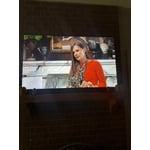
[This review was collected as part of a promotion.] I just bought the 58 inch Samsung and I love it. Very clear picture easy to operate very user-friendly remote.

Review from Samsung US
Helpful?519VMKO7QPOP17358505999