Skip to Main Content
Sam's Club
Sam's Club
Customer reviews for SAMSUNG 70" Class U7900F Series 4K Crystal UHD Smart TV for
SAMSUNG 70" Class U7900F Series 4K Crystal UHD Smart TV
4.6 out of 5 stars
stars2,311 ratings2,304 reviews
  1. 5 stars76% (1,757)
  2. 4 stars15% (340)
  3. 3 stars5% (115)
  4. 2 stars2% (41)
  5. 1 star3% (58)

Member photos

  • +895 images
Sort by |
Showing 391-400 of 2,304 reviews
Jun 2, 2026
Billiebravo
5 out of 5 stars review

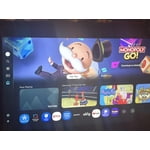
Ui very responsive and easy set up

[This review was collected as part of a promotion.] This TV offers excellent value, including many features commonly found in higher-priced models, making it a well-rounded option. I found the UI responsive and the set-up simple.

Review from Samsung US
Helpful?519VMKO7QPOP17358505999
May 20, 2026
Chair
5 out of 5 stars review

Color is amazing

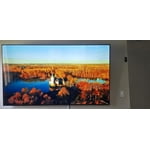
[This review was collected as part of a promotion.] Love the price and quality all around The color has so much vibrancy that it makes watching it a pleasure!

Review from Samsung US
Helpful?519VMKO7QPOP17358505999
Jun 1, 2026
jlc0673
5 out of 5 stars review

Samsung 65" U7900F

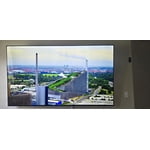
[This review was collected as part of a promotion.] TV is amazing. Outstanding picture quality. Sound is much better than other products I have owned in the past. I will definitely buy Samsung again.

Review from Samsung US
Helpful?519VMKO7QPOP17358505999
May 20, 2026
Ricky
5 out of 5 stars review

Great features
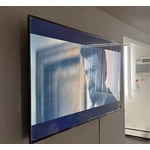
[This review was collected as part of a promotion.] Really works well, and big screen can watch the whole movie too and it’s really good never have issues

Review from Samsung US
Helpful?519VMKO7QPOP17358505999
May 20, 2026
KarimaJ
5 out of 5 stars review

Samsung TV

[This review was collected as part of a promotion.] Great quality and access between the Tv and internet. Aside from that the picture and color are also amazing

Review from Samsung US
Helpful?519VMKO7QPOP17358505999
Jun 5, 2026
Cassie
5 out of 5 stars review

Brightness

[This review was collected as part of a promotion.] Love my Samsung tv. The brightness, size. It so clear u can see the smallest details Love that it turn off if I'm not watching streaming. Buy another one for my living room.this month.

Review from Samsung US
Helpful?519VMKO7QPOP17358505999
Jun 5, 2026
Harry 0
2 out of 5 stars review

Very unsatisfied consumer

[This review was collected as part of a promotion.] I have two Samsung TVs and they both suck. I have to hold the on button for a few seconds on order for the tv to stay on. Its very annoying. I will never buy another Samsung tv again

Review from Samsung US
Helpful?519VMKO7QPOP17358505999
reply from Samsung Advisor

Hi Harry 0, Thank you for your feedback. For optimal performance, please ensure your TV is running the latest firmware. You can check this by going to: Home > left directional key > Settings > Support > Software Update To further optimize performance, try running Device Care, which checks memory, clears unused cached data, and closes background apps: Home > left directional key > Settings > Support > Device Care > Start Device Care. If this firmware version is not yet available on your TV, you can download the update on a USB drive and manually update your TV: 1. On Samsung's website (upper right corner), go to: Support > Manual & Software > Find your TV model, and click on the Firmware – Upgrade File. 2. When the file has finished downloading, locate it and then unzip it. There is normally one folder inside but there may be multiple files. 3. Copy or move all of the files that were included in the zip file to a USB flash drive, but do not place them inside any other folders. If you place the software folders inside a folder on the USB flash drive, the TV or monitor will not find them. 4. Connect the USB drive containing the software upgrade into a USB port on your device. 5. Using your device's remote, navigate to and select Settings, then select All Settings, and then select Support. Select Software Update, select Update Now, and then select Yes if prompted. Your device will search the USB drive for update files. Follow the on-screen instructions to install the updated software. Updates usually take a few minutes; please do not turn off the TV until the update is complete. When the update is finished, it will restart automatically. If you're still noticing performance snags after these steps, please contact Samsung Support at 1-800-SAMSUNG (8AM – 9PM EST Mon – Fri, 8AM – 6PM Sat – Sun). You can also connect with a LiveChat agent via the ‘Support’ link on our website. ~Samsung Advisor

Jun 6, 2026
Rob B
5 out of 5 stars review

Tv review

[This review was collected as part of a promotion.] This product is amazing and exceeded all my expectations. The Samsung TV plus feature is incredible and offers so much watch options! Love this! Color and brightness is 2nd to none!

Review from Samsung US
Helpful?519VMKO7QPOP17358505999
Jun 5, 2026
Randa1
5 out of 5 stars review

Great features
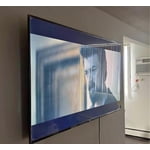
[This review was collected as part of a promotion.] More HD please and thank you , the game mode is great Youll need to improve the Sound ( its too primitive)

Review from Samsung US
Helpful?519VMKO7QPOP17358505999
Jun 11, 2026
65 in tv
4 out of 5 stars review

Samsung tv

[This review was collected as part of a promotion.] Not user friendly its hard to learn to download apps and it didnt come eith any free temporary promotion for subscriptions

Review from Samsung US
Helpful?519VMKO7QPOP17358505999