Customer reviews for SAMSUNG 70" Class U7900F Series 4K Crystal UHD Smart TV for
Member photos
 +915 images
Streaming
[This review was collected as part of a promotion.] Streaming on my Amazon firestick only works sometimes. Sometimes it starts and freezes up. Other times there is no sound. The only cure is to unplug the TV and plug it back in. The firestick is new with new batteries so I know its not the problem. Love to hear from you.
Hi Sammy, We're sorry you are experiencing issues with your U7900F freezing up. 1. Check for firmware updates – Keeping your TV up to date can resolve many performance issues: Home > left directional key > Settings > Support > Software Update > Update Now 2. Run Device Care – This tool checks system memory, frees up cached data, and closes background apps that could be slowing things down: Home > left directional key > Settings > Support > Device Care > Start Device Care 3. Cold boot your TV – With the TV powered on, press and hold the Power button on your remote for 5+ seconds until the TV restarts. This helps refresh the system. If you're still noticing performance issues after these steps, please contact Samsung Support at 1-800-SAMSUNG, available daily from 8AM – 9PM EST Mon – Fri, 8AM – 6PM Sat – Sun. You can also visit the Samsung website and click on ‘Support’ for: • Live Chat • Manuals, Software, & Warranty Info ~ Samsung Advisor
Totally satisfied with Samsung.
[This review was collected as part of a promotion.] The visual presentation was outstanding, the lighting was perfectly adjusted, and the overall setup was exceptional. The brightness was precisely calibrated, and the image quality was outstanding. I can confidently rely on the device's security for my account, and the availability of apps and games is convenient. Additionally, the interconnection with my game controller is seamless. I appreciate your service.
Nice picture
[This review was collected as part of a promotion.] I expected to be able to use voice commands and it doesn't have that feature in 2026. Also I expected the tv to have the time of day available on the tv and I was surprised that it didn't have that feature. It is a beautiful tv even without those features but I would like those simple features
Hi Jody, Thank you for sharing your review. Your TV Works With Alexa, meaning you’ll need to connect a standalone Alexa device such as an Echo speaker, to control compatible smart home devices and some experiences on your TV. Here are the steps: 1. Download both the Amazon Alexa and Samsung SmartThings apps, if you don't already have them. Both are available for iOS or Android devices. 2. Make sure your Alexa device and TV are both connected to the same Wi-Fi network. 3. Your TV must be enabled within the SmartThings app. If not, make sure you are signed in with your Samsung account on the TV: Settings > All Settings > Samsung Account 4. Log in to the SmartThings app with the same Samsung account. Tap Devices, and if your TV isn’t already shown, tap + to add it to the app. 5. In the Alexa app, enable the SmartThings skill and sign into your Samsung account. This will automatically connect your Samsung TV to Alexa and let you use voice commands to control your television. If you need more help, we’re here. Give us a call at 1-800-SAMSUNG (8AM – 9PM EST Mon – Fri, 8AM – 6PM Sat – Sun). You can also connect with a LiveChat agent through the Support link on our website. ~ Samsung Advisor
Samsung 65 questionable
[This review was collected as part of a promotion.] This particular product does not seem to line up with the Samsung standard. We gpt this product in December 2025 and constantly have to unplug so it resets as the screen keeps going black but still playing sound
Hi Ha2026, Thanks for reaching out about the intermittent black screen issue. If you're not using any external devices and the TV randomly cuts to black, it’s usually related to settings, signal, or internal software. Here are a few steps to help narrow it down and get things stable again. 1. Start with Power & Source Checks • Confirm the source: Even without external devices, it's worth confirming the TV is on the correct internal source (like TV/Live TV or a streaming app). Go to: Home > Left directional key > Connected Devices > Sources • Power cycle the TV: Unplug the TV from the power outlet for at least 60 seconds, then plug it back in. This can help reset any temporary glitches. • Check the power outlet: If you're using a power strip or surge protector, try plugging the TV directly into the wall to rule out inconsistent power delivery. 2. Update Your TV Software: Software updates often resolve bugs that can cause screen flickers or blackouts • Make sure the TV has the latest firmware version installed: Home > Left directional key > Settings > Support > Software Update 3. Run Built-In Diagnostics • Perform a Picture Test: Home > Left directional key > Settings > Support > Device Care > Self Diagnosis > Picture Test. This helps determine if the issue is hardware- or software-related. • Run the HDMI Test (optional): Even without HDMI devices connected, this can help verify that internal ports are functioning properly: Home > Left directional key > Settings > Support > Device Care > Self Diagnosis > HDMI Test 4. Review Energy & Picture Settings • Turn off Power Saving Mode or Eco Solution settings—they can dim or turn off the screen during periods of inactivity: Settings > All Settings > General & Privacy > Power & Energy Saving • Turn off Auto Power Off (if enabled): Settings > All Settings > General & Privacy > System Manager > Auto Power Off • Adjust Picture Mode settings: If the current mode is overly dynamic (like “Dynamic” or “Vivid”), try switching to “Standard” or “Movie” and observe if the screen behavior changes. 5. Factory Reset (if needed): If the problem persists after all checks, consider resetting the TV to default settings. (Heads-up: this will erase your installed apps and personal settings.) If none of these steps resolve the intermittent blackout, please reach out to Samsung Support for further troubleshooting or possible service options at 1-800-SAMSUNG (8AM – 9PM EST Mon – Fri, 8AM – 6PM Sat – Sun), or reach us via text anytime. You can also visit ‘Support’ on our website for: • Live Chat • Manuals, Software, & Warranty Info ~ Samsung Advisor
Weary
[This review was collected as part of a promotion.] I was a little weary about buying another Samsung tv. In 11/2022 we purchased one and around 12/2025 it turned into a complete black screen and never worked again. We tried rebooting it, but it kept the black screen with no picture. The kids bought this 85' Samsung tv because they wanted a theatre experience at home. I do like the brightness and the smart tv components in it. It sometimes lags when it turns on but it's probably trying to gather all the apps downloaded.
New customer
[This review was collected as part of a promotion.] I just got it so far so far is is good I just got it so far so far it's it's good I like to screenshot by losing your hand she needed to stay with all three to follow three just let she needed to stay with all three to follow three just got to do it oh okay okay she needs to be with her in the afternoon too yeah so nobody going to be telling on them yeah cuz she said she's a different she got no Pre-K safely since she's a different type of monitor she told me yeah I don't know but she's not no Pre-K
Great picture
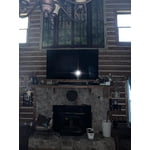
[This review was collected as part of a promotion.] This TV has an amazing picture, and it looks beautiful hanging above my fireplace. Probably has the clearest picture. I have seen In a long time. But I already knew Samsung made a great TV. I had a plasma for many years made by a Samsung. May have to get me a smaller Samsung TV for my front porch!
Great deal and features!
[This review was collected as part of a promotion.] My new TV is ultra-lightweight, easy to navigate, and easy to set up. I bought it at an excellent price, and it also offers free Samsung TV with a wide variety of movies, shows, reality TV, and more. For these reasons and others, I highly recommend this product.
Awesome TV
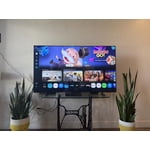
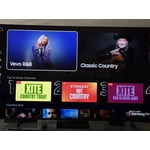
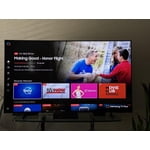
[This review was collected as part of a promotion.] Honestly, I really like this TV. The picture looks sharp and the colors pop, so everything looks really nice and clear. The brightness and clarity are really nice, so it's easy to watch. I also like the sleek design because it looks modern and fits right in with the rest of my home. The smart features are convenient too, especially since everything works well with my other Samsung devices. I only have Samsung products at home, so I can control everything easily from my Samsung Galaxy S21 Ultra. Overall, it's just a solid TV that looks great and works well.
Love my Samsung
[This review was collected as part of a promotion.] Absolutely love home respects with the aesthetics, color, resolution, security, and the streaming they all were beautiful. I just love to upgrade at least to a newer Samsung product because I love Samsung.