Skip to Main Content
Sam's Club
Sam's Club
Customer reviews for SAMSUNG 70" Class U7900F Series 4K Crystal UHD Smart TV for
SAMSUNG 70" Class U7900F Series 4K Crystal UHD Smart TV
4.6 out of 5 stars
stars2,311 ratings2,304 reviews
  1. 5 stars76% (1,757)
  2. 4 stars15% (340)
  3. 3 stars5% (115)
  4. 2 stars2% (41)
  5. 1 star3% (58)

Member photos

  • +895 images
Sort by |
Showing 361-370 of 2,304 reviews
May 23, 2026
Happy Camper
5 out of 5 stars review

Best picture quality that I have experienced .

[This review was collected as part of a promotion.] Easy to set up, best picture quality ever compared to other brands. Quality sound output. We're completely satisfied.

Review from Samsung US
Helpful?519VMKO7QPOP17358505999
Jun 4, 2026
Angelzzzotop
5 out of 5 stars review

Great experience!
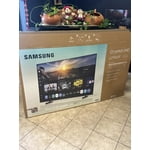
[This review was collected as part of a promotion.] I like the quality of the product. It’s better than a was expecting, the 4k looks amazing, and it’s so slim for the price. Super light and easy to install and setting it.

Review from Samsung US
Helpful?519VMKO7QPOP17358505999
May 18, 2026
Pigboots
4 out of 5 stars review

Nice visuals

[This review was collected as part of a promotion.] Vibrant images and good quality, just a little hard to set up at times. Also the sound could be better

Review from Samsung US
Helpful?519VMKO7QPOP17358505999
Jun 8, 2026
Nessie
5 out of 5 stars review

Need better remote

[This review was collected as part of a promotion.] The only thing wish was better is the remote it would help if it was more easy to work had to get some one to help....

Review from Samsung US
Helpful?519VMKO7QPOP17358505999
Jun 1, 2026
Infnitygmz
4 out of 5 stars review

A good TV.

[This review was collected as part of a promotion.] I have thoroughly enjoyed this TV. Good clean sound, crisp picture. It's got alot of customization aspects.

Review from Samsung US
Helpful?519VMKO7QPOP17358505999
May 20, 2026
DEJENKS
4 out of 5 stars review

55 inch crystal review
[This review was collected as part of a promotion.] Always liked Samsung TV’s. Picture is very clear and bright. Only issue is when I purchased the set stickers were on the screen and the glue from the sticker left a mark on the screen.

Review from Samsung US
Helpful?519VMKO7QPOP17358505999
Jun 5, 2026
Gator
5 out of 5 stars review

I just like Samsung products

[This review was collected as part of a promotion.] I can't believe how cheap it was the picture on it is beautiful it's just completely amazing I just love watching it

Review from Samsung US
Helpful?519VMKO7QPOP17358505999
May 20, 2026
Stuffy19
5 out of 5 stars review

Great features!
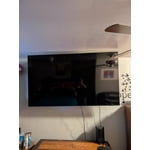
[This review was collected as part of a promotion.] I love the clear, colorful screen! Everything is so vibrant and bright when I'm watching movies. Also the resolution is great! Best choice ever to purchase my 75" Samsung TV!

Review from Samsung US
Helpful?519VMKO7QPOP17358505999
May 20, 2026
JM23phx
1 out of 5 stars review

Poor performance

[This review was collected as part of a promotion.] It doesn’t interact with console gaming well. It flashes black very often regardless of which hdmi cable is used, the issue occurs on PS5 and Xbox

Review from Samsung US
Helpful?519VMKO7QPOP17358505999
reply from Samsung Advisor

Hi JM23phx, Thank you for sharing your experience. If your TV powers on but you're not seeing a picture while using an external device (like a cable box, streaming device, or gaming console), here are a few things to try: 1. Check the HDMI cable and connection – Make sure the HDMI cable is securely connected to both the TV and the external device. Try unplugging and reconnecting the cable at both ends. 2. Switch HDMI ports or cables – Try using a different HDMI port on the TV or swapping out the HDMI cable to rule out a faulty connection. 3. Confirm the correct source – Press the Home or Source button on your remote and make sure the TV is set to the input that matches the port your device is connected to (e.g., HDMI 1, HDMI 2). 4. Restart your devices – Power off your external device, unplug it briefly, then plug it back in and power it on. Do the same for your TV if needed. 5. Update your TV’s software – If the screen stays on long enough, we recommend checking for a firmware update, which may help resolve the issue: Go to: Home > left directional key > Settings > Support > Software Update > Update Now If the issue persists after trying these steps, please give us a call at 1-800-SAMSUNG, 8AM – 9PM EST Mon – Fri, 8AM – 6PM Sat – Sun. You can also chat with a LiveChat agent by clicking the ‘Support’ link on our website. ~ Samsung Advisor

Jun 5, 2026
MrJC
4 out of 5 stars review

Great Television
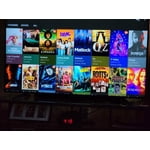
[This review was collected as part of a promotion.] Beautiful picture with a lot of very useful functions. The included apps make TV watching a wonderful experience.

Review from Samsung US
Helpful?519VMKO7QPOP17358505999