Skip to Main Content
Sam's Club
Sam's Club
Customer reviews for SAMSUNG 70" Class U7900F Series 4K Crystal UHD Smart TV for
SAMSUNG 70" Class U7900F Series 4K Crystal UHD Smart TV
4.6 out of 5 stars
stars2,311 ratings2,304 reviews
  1. 5 stars76% (1,757)
  2. 4 stars15% (340)
  3. 3 stars5% (115)
  4. 2 stars2% (41)
  5. 1 star3% (58)

Member photos

  • +895 images
Sort by |
Showing 1,991-2,000 of 2,304 reviews
Feb 18, 2026
LocoJoe386
5 out of 5 stars review

Great picture

[This review was collected as part of a promotion.] I love the picture that this TV has and how easy it is to sign up for wifi

Review from Samsung US
Helpful?519VMKO7QPOP17358505999
Mar 23, 2026
Fordsho76
5 out of 5 stars review

Good tv
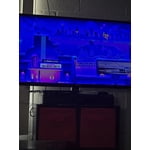
[This review was collected as part of a promotion.] Great tv no problems with it.Great picture great song

Review from Samsung US
Helpful?519VMKO7QPOP17358505999
Feb 17, 2026
LUIS
5 out of 5 stars review

AWESOME

[This review was collected as part of a promotion.] amazing TV with great sound and visual quality. Would recommend

Review from Samsung US
Helpful?519VMKO7QPOP17358505999
Mar 21, 2026
Duke
5 out of 5 stars review

Brighter cleaner picture
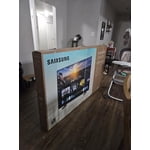
[This review was collected as part of a promotion.] Had another brand of TV only lasted 6 years and was much dimmer in comparison.

Review from Samsung US
Helpful?519VMKO7QPOP17358505999
Feb 17, 2026
Mykee
4 out of 5 stars review

Easy wofi hookup

[This review was collected as part of a promotion.] Onebof the best TVs ice ever had work's as well as expected

Review from Samsung US
Helpful?519VMKO7QPOP17358505999
Mar 23, 2026
Dink
3 out of 5 stars review

Still working
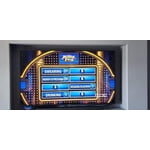
[This review was collected as part of a promotion.] Need more memory, can't update with current memory. Disconnects from wifi often.

Review from Samsung US
Helpful?519VMKO7QPOP17358505999
reply from Samsung Advisor

Hi, We appreciate your feedback. If your TV is having trouble maintaining a wireless connection, please try the following: 1. Distance matters – Keep your TV within 50 feet of your router. Avoid placing the router behind walls, furniture, or electronic devices. 2. Minimize interference – Turn off nearby wireless devices that may disrupt the signal. 3. Power cycle both devices – Unplug the TV and router for 30 seconds, then plug them back in. 4. Run diagnostics: o Settings > Support > Device Care > Self Diagnosis > Smart Hub Connection Test o Settings > Support > Device Care > Self Diagnosis > Wi-Fi 5. Update firmware: Settings > Support > Software Update > Update Now 6. Factory reset (if needed): Settings > All Settings > General & Privacy > Reset > Factory Data Reset Finally, to further optimize performance, try running Device Care, which checks memory, clears unused cached data, and closes background apps: Home > left directional key > Settings > Support > Device Care > Start Device Care If you continue to experience issues, please contact Samsung Support at 1-800-SAMSUNG, available 8AM – 12AM EST, 7 days a week. LiveChat support and additional help are available at the ‘Support’ link on our website. ~ Samsung Advisor

Feb 17, 2026
JAlaniz
4 out of 5 stars review

Video quality
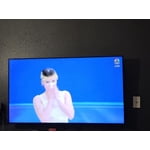
[This review was collected as part of a promotion.] Good video quality, images dont get lost in dark scenes

Review from Samsung US
Helpful?519VMKO7QPOP17358505999
Feb 17, 2026
Mazens
5 out of 5 stars review

Great TV

[This review was collected as part of a promotion.] Colors, sounds and overall performance is great, Easy to install and use

Review from Samsung US
Helpful?519VMKO7QPOP17358505999
Mar 23, 2026
Marta 26
5 out of 5 stars review

Like the picture

[This review was collected as part of a promotion.] Just purchased not long ago , works well . Love the features. Picture of tv is good.

Review from Samsung US
Helpful?519VMKO7QPOP17358505999
Feb 24, 2026
CHOSENWOLF
5 out of 5 stars review

Just look at it. Look at it. Would yea look at it?

[This review was collected as part of a promotion.] Pop, bang, bam, boom, shamalomadingdong, beautiful.

Review from Samsung US
Helpful?519VMKO7QPOP17358505999