Skip to Main Content
Sam's Club
Sam's Club
Customer reviews for SAMSUNG 70" Class U7900F Series 4K Crystal UHD Smart TV for
SAMSUNG 70" Class U7900F Series 4K Crystal UHD Smart TV
4.6 out of 5 stars
stars2,311 ratings2,304 reviews
  1. 5 stars76% (1,757)
  2. 4 stars15% (340)
  3. 3 stars5% (115)
  4. 2 stars2% (41)
  5. 1 star3% (58)

Member photos

  • +895 images
Sort by |
Showing 1,661-1,670 of 2,304 reviews
Sep 20, 2025
Doubletap52
5 out of 5 stars review

The Hands Down Best TVs!

[This review was collected as part of a promotion.] We have four Samsung TVs in our home, two 55” and two 32”. One 55” is in the Living Room for news, sports (especially the big games), favorite shows, and Netflix, Prime etc. the other 55” is in the garage/man cave for big games, poker games and parties. The 32” TVs: one is in my home office/music room. I use that one for news, background music and for watching music lessons, both subscription and YouTube lessons. The other 32” is the spare bedroom for guests or when the grandkids stay over. They can watch their cartoons and play video games without disrupting the rest of the family and activities. We love Samsung TVs for their easy to use and manage “Smart” features. Samsung TVs are also incredibly reliable, reasonably priced, and provide great value.

Review from Samsung US
Helpful?519VMKO7QPOP17358505999
Jun 29, 2025
Wildbill
5 out of 5 stars review

One of the best screens I've seen.

[This review was collected as part of a promotion.] This flat screen has the best picture I've ever encountered and it's light weight sleek design is awesome. I do all ny streaming with it and it's just a blast.But I am looking for a bigger version because I like bigger like 85 inches. Plus samsung is the only tv I've ever liked even before I was able to afford my own.U just can't go wrong with samsung, im not sure what is I'll never buy anything but for the rest of my life for sure.There very ez to use and people friendly rite out of the box.So do yourself a favor and by yourself a new samsung you will not be disappointed.

Review from Samsung US
Helpful?519VMKO7QPOP17358505999
Jul 21, 2025
Samsungeverything301
5 out of 5 stars review

Amazing TV

[This review was collected as part of a promotion.] Just like all our previous Samsung TV's. This one is super clear, sounds is great, and it was an easy setup. No complaints. Remote is precise, very responsive, and simple. Great TV, highly recommend this Samsung TV.

Review from Samsung US
Helpful?519VMKO7QPOP17358505999
Jul 22, 2025
Stanlovesmedia
5 out of 5 stars review

Clear picture, responds well to most remote comman

[This review was collected as part of a promotion.] This is my first 55 inch smart TV from Samsung. I'm quite pleased with the clarity, the selection of TV , news, movie choices , because I have chosen a variety of apps. Most of the time the TV responds quickly to my remote commands other than Netflix delays.

Review from Samsung US
Helpful?519VMKO7QPOP17358505999
Aug 28, 2025
Tigerfan
3 out of 5 stars review

It’s just ok

[This review was collected as part of a promotion.] I have an older Samsung TV that is great. This one is just ok. Color is not that good and it is hard to navigate. It takes a while to come on and when it does it comes on whatever you were watching last.

Review from Samsung US
Helpful?519VMKO7QPOP17358505999
reply from Samsung Specialist

Tigerfan, We appreciate your feedback on the picture quality of Samsung’s 2025 U7900F TV. If the image doesn’t quite match your preferences, there are several adjustments you can make to better suit your viewing environment and content type. First, please ensure your TV is running the latest firmware, as updates may include important picture quality and performance enhancements. Go to: Home > Left directional button > Settings > Support > Software Update > Update Now To explore picture mode options, navigate to: Home > Left directional button > Settings > All Settings > Picture > Picture Mode. Options include: • Standard – Ideal for general viewing • Dynamic – Brighter and more vibrant for well-lit spaces • Eco – Optimized for energy efficiency • Movie – Best for viewing in low light • Filmmaker Mode – Preserves the content creator’s intent and disables motion smoothing for supported content You can further customize your image by going to: Settings > All Settings > Picture > Expert Settings, where you can adjust Brightness, Contrast, Color Tone, Sharpness, Contrast Enhancer and more. To help you get the most from your TV, you can download the full e-Manual and more by visiting Samsung’s website then navigating to: Support > Manual & Software > TVs & Home Theater. From there, you can search for and select your U7900F TV model to view or download the available guides. The e-Manual and Remote Control Guide are also conveniently built into your TV: Settings > Support > Tips and User Guides If you need additional help, please contact Samsung Support at 1-800-SAMSUNG, 8AM – 12AM EST, 7 days a week. LiveChat agents are also available through the ‘Support’ link on our website. ~ Samsung Specialist

Sep 14, 2025
Becksii
5 out of 5 stars review

This product is great 👍🏼
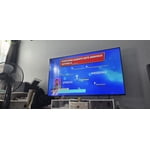
[This review was collected as part of a promotion.] Bought this television to replace my bedroom tv. I must say, its very easy to assemble and connect to my account. I used my phone to set it up. The tv shows very clearly and the sound is very crisp as well. I made the best choice. I love my samsungs.

Review from Samsung US
Helpful?519VMKO7QPOP17358505999
Oct 19, 2025
1SADSUNG
2 out of 5 stars review

THIS PRODUCT SHOULD BE SADSUNG

[This review was collected as part of a promotion.] it is quite frustrating with the use of such a small remote. the buttons dont light up and since my fios remote is not properly paired to the tv i am stuck having to use the small remote that came with the tv. i do not like how the tiles are all over the place which just makes things more difficult to find. the remote is not voice activated like most of the other newer ones i have seen and the volume is very awkwardly set up as well. to change channels and use the volume the buttons must be toggled a certain way which is also annoying. it makes the experience a lot more stressful than necessary. the tv also is constantly freezing and pixelating. it seems more blurry on multiple channels. it is not good for visually impaired or neurodivergent people who have disabilities.

Review from Samsung US
Helpful?519VMKO7QPOP17358505999
reply from Samsung Advisor

Hi 1SADSUNG, We appreciate your feedback on the U7900 TV. To ensure performance is optimized on your TV, please check the Firmware is up to date. Go to Settings> Support> Software Update. To further optimize performance, try running Device Care, which checks memory, clears unused cached data, and closes background apps: Home > left directional key > Settings > Support > Device Care > Start Device Care. If you still notice blurring or pixelating on your channels, the issue you’re encountering may be related to network strength or stability. We recommend the following steps: 1. Connect to a 5GHz Wi-Fi network, if available 2. Use a wired LAN connection for increased stability 3. Reposition your router to reduce obstacles between the TV and the router Finally, if you need help setting up a third-party remote or have any questions, please do not hesitate to reach out to us. Reach out by calling 1-800-SAMSUNG between 8AM - 12AM EST, any day of the week. You can also chat with us online by visiting the ‘Support’ section of our website. ~ Samsung Advisor

Jun 23, 2025
Nachopappi
5 out of 5 stars review

Awesome product

[This review was collected as part of a promotion.] This tv is extremely better than all the reviews that I've seen. The picture is fantastic, the apps are great and cloud gaming has me hooked. Dont think twice, go ahead and purchase this product. You won't be disappointed!

Review from Samsung US
Helpful?519VMKO7QPOP17358505999
Aug 27, 2025
seppelreviewssamsung
5 out of 5 stars review

A great TV

[This review was collected as part of a promotion.] My fiancée and I use this TV all the time to watch movies and it is great. The image is fantastic quality and the size is perfect. Setup was super easy, so we could just get right to watching which was great.

Review from Samsung US
Helpful?519VMKO7QPOP17358505999
Oct 15, 2025
Robert
4 out of 5 stars review

Great hardware

[This review was collected as part of a promotion.] I love this tv. crystal clear picture and sound. The only thing I didn’t like was how slow the software is. I got it because it was loaded with smart tizen which would allow me to stream and download streaming apps but unfortunately the software is slow to switch between apps and the only way to use voice control which isn’t as intuitive as Roku is through the phone app. If it wasn’t for the software I would’ve given this tv a 10 star.

Review from Samsung US
Helpful?519VMKO7QPOP17358505999