Skip to Main Content
Sam's Club
Sam's Club
Customer reviews for SAMSUNG 70" Class U7900F Series 4K Crystal UHD Smart TV for
SAMSUNG 70" Class U7900F Series 4K Crystal UHD Smart TV
4.6 out of 5 stars
stars2,327 ratings2,320 reviews
  1. 5 stars76% (1,771)
  2. 4 stars15% (340)
  3. 3 stars5% (116)
  4. 2 stars2% (41)
  5. 1 star3% (59)

Member photos

  • +910 images
Sort by |
Showing 1,651-1,660 of 2,320 reviews
Oct 14, 2025
Gamalot
3 out of 5 stars review

Great picture and sound but tough to program
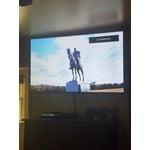
[This review was collected as part of a promotion.] We use this TV in our bedroom and want to leave it on with low volume while we sleep. We have not been able to turn off the auto off function and we wake up as soon as it shuts itself off. There seems to be no way to set it to manual always on.

Review from Samsung US
Helpful?519VMKO7QPOP17358505999
reply from Samsung Brand Ambassador

Gamalot, We’re sorry to hear your TV is turning off on its own. Please try the following troubleshooting steps which may help resolve the issue: 1. Unplug the TV from the wall outlet or surge protector for at least 30 seconds. 2. Inspect the power cord for any visible damage. If damaged, the cord may need to be replaced. 3. Plug the TV directly into a wall outlet, bypassing any power strip or surge protector for now. 4. If the TV remains on long enough, try updating the TV’s software: Home > left directional key > Settings > Support > Software Update > Update Now. Note: If your TV powers off during the update, it could result in damage, so only proceed if the TV is stable. Next, check the TV’s Power and Energy Saving settings to ensure no timers or auto-off features are enabled: • Sleep Timer: Settings > All Settings > General & Privacy > Power and Energy Saving > Sleep Timer • Auto Power Off and Off Timer: Settings > All Settings > General & Privacy > Power and Energy Saving > Auto Power Off/Off Timer Also, if you have devices connected via HDMI, check if Anynet+ (HDMI-CEC) is enabled, as this can allow external devices to control the TV and may cause it to turn off: Settings > All Settings > General & Privacy > External Device Manager > Anynet+ (HDMI-CEC) = Off If your TV continues to power off unexpectedly, please call us at 1-800-SAMSUNG, 8AM – 12AM EST, 7 days a week. Our LiveChat agents are also available through the ‘Support’ link on our website. ~ Samsung Pro

Sep 16, 2025
Kamikam211
5 out of 5 stars review

Kamikamnyc

[This review was collected as part of a promotion.] This smart TV is a must buy and Ultra Crystal Clear HD picture that all your streaming service plus Samsung TV for free new services also you can play all your favorite games by just connecting your Xbox at PlayStation controller you can pass the web anything you can imagine you can do on this this Samsung Crystal UHD Smart TV is a must buy.

Review from Samsung US
Helpful?519VMKO7QPOP17358505999
Sep 5, 2025
KBGR8T
5 out of 5 stars review

🔥My Samsung U7900F Crystal UHD TV🔥

[This review was collected as part of a promotion.] The new device has significantly enhanced my entertainment experience. Streaming content from various platforms like YouTube and Paramount+ is seamless and buffer-free. Additionally, the device's capability to access and display personal media, such as Google Photos, is remarkable. Furthermore, the integration with gaming platforms, specifically Xbox, offers immersive gameplay. The device's intuitive interface makes navigation and content discovery incredibly easy. I find myself enjoying hours of uninterrupted entertainment. Moreover, the device's responsiveness makes surfing the web a pleasure. Overall, the new device has exceeded my expectations.

Review from Samsung US
Helpful?519VMKO7QPOP17358505999
Jul 30, 2025
Migueeruu
5 out of 5 stars review

This product has the best quality/price
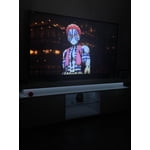
[This review was collected as part of a promotion.] I really enjoy my Samsung TV. Every day is a new experience and with the app on your phone it makes things more easy. I can watch my favorite sports, listen to music While I clean my room and watch a movie every time I’m bored. The quality of this TV makes my experience much better.

Review from Samsung US
Helpful?519VMKO7QPOP17358505999
Sep 22, 2025
Giddle
3 out of 5 stars review

Jury is still out

[This review was collected as part of a promotion.] 1500 Character Maximum I have had the television for almost 1 month and debating whether to call and report a problem. Periodically, when I put on the television, the screen flickers. Have to shut off the television and restart it. Also, sometimes when I first put on the television, there is no sound / volume. Similarly, I have to shut down and restart it. Lastly, sometimes picture freezes and then reverts to Home Screen.

Review from Samsung US
Helpful?519VMKO7QPOP17358505999
reply from Samsung Advisor

Hi Giddle, Thank you for reaching out to us. Please try the steps below to resolve the flickering and sound issues you mentioned. If you're noticing flickering or unexpected changes in screen brightness, we recommend disabling the following energy-saving features: Settings > General & Privacy > Power and Energy Saving • Brightness Optimization • Motion Lighting • Energy Saving Solution You may also want to turn off Contrast Enhancer, which can cause brightness shifts during certain scenes: Settings > Picture > Expert Settings > Contrast Enhancer Lastly, make sure your TV is running the latest firmware: Settings > Support > Software Update > Update Now. Regarding sound issues: if you're not hearing sound from your TV, please try the following: • Check your volume and mute settings, and confirm external speakers are powered on. • If using HDMI ARC/eARC, make sure you’re using a certified HDMI cable and go to: Settings > All Settings > Sound > Expert Settings > HDMI eARC Mode = Auto. Also enable Anynet+ (HDMI-CEC) under External Device Manager. • For Optical, be sure the external audio device is on before connecting, and set Sound Output = Optical. • For Bluetooth, try unpairing and reconnecting: Settings > Sound > Sound Output > Bluetooth Speaker List • For Wi-Fi speakers, use: Sound Output > Wi-Fi Speaker Surround Setup and make sure both devices are on the same network. You can also try running a Sound Test: Settings > Support > Device Care > Self Diagnosis > Sound Test If your issue continues, we’re happy to help at 1-800-SAMSUNG, 8AM – 12AM EST, 7 days a week. Our LiveChat agents are also available by clicking the ‘Support’ link at Samsung.com. ~ Samsung Advisor

Jun 23, 2025
Nachopappi
5 out of 5 stars review

Awesome product

[This review was collected as part of a promotion.] This tv is extremely better than all the reviews that I've seen. The picture is fantastic, the apps are great and cloud gaming has me hooked. Dont think twice, go ahead and purchase this product. You won't be disappointed!

Review from Samsung US
Helpful?519VMKO7QPOP17358505999
Aug 22, 2025
Coble15
5 out of 5 stars review

Simple user interface, very clear picture.

[This review was collected as part of a promotion.] Tv is awesome for my everyday usage. Great sound quality, great picture quality, out performs any other TV I've ever owned. My ps5 plays super smooth on it, the movies I've watched have never looked better. I've used Samsung products my entire adult life from phones (my current model is the Samsung galaxy 24+) and ear buds (galaxy pro 3), smartwatch (galaxy pro 5) and now computer monitors and tvs. Excellent products everytime.

Review from Samsung US
Helpful?519VMKO7QPOP17358505999
Aug 23, 2025
Lalford73
5 out of 5 stars review

This product is great has several features.

[This review was collected as part of a promotion.] We usue our Samsung smart TV primarily for streaming TV shows and movies. We watch both new and old content. The features on this TV make it very easy to locate whatever We are looking for. There is plenty of space to add all the apps we use to the home screen.

Review from Samsung US
Helpful?519VMKO7QPOP17358505999
Aug 19, 2025
Anonymous
5 out of 5 stars review

Worth the buy!

[This review was collected as part of a promotion.] The TV is amazing! It's even better since i purchased it while it went on sale. The picture quality is AMAZING with fully controllable settings such as the brightness, audio, and picture mode. It's also a lot lighter than I thought, only being 21-22lbs.

Review from Samsung US
Helpful?519VMKO7QPOP17358505999
Oct 14, 2025
minnesotaguy
4 out of 5 stars review

Great TV and features except closed captioning

[This review was collected as part of a promotion.] We primarily use this for over the air television broadcasts. Also for streaming on a number of streaming services. We have been able to eliminate a separate Roku since Samsung supports all the streaming services we use. This makes it much easier. The one continuing problem is the closed captioning on broadcasts. There is no simple way to turn closed captioning on and off. You are required to go through a number of menus to do this. Why can't there be a SINGLE button on the remote like other manufacturers provide to simply turn it on and off? And what are the color buttons for? I have never seen any use for them. maybe allow them to be programmed?

Review from Samsung US
Helpful?519VMKO7QPOP17358505999