Skip to Main Content
Sam's Club
Sam's Club
Customer reviews for SAMSUNG 70" Class U7900F Series 4K Crystal UHD Smart TV for
SAMSUNG 70" Class U7900F Series 4K Crystal UHD Smart TV
4.6 out of 5 stars
stars2,325 ratings2,318 reviews
  1. 5 stars76% (1,768)
  2. 4 stars15% (339)
  3. 3 stars5% (117)
  4. 2 stars2% (41)
  5. 1 star3% (60)

Member photos

  • +915 images
Sort by |
Showing 141-150 of 2,318 reviews
Jun 1, 2026
SphinxOneSon
5 out of 5 stars review

Excellent for the price, short on a few features

[This review was collected as part of a promotion.] I am having a great experience with this new smart TV! It only comes with two HDMI ports (and one of them is being used for eARC for my subwoofer and there is no optical port for sound either) so you may run into issues if you have multiple gaming systems to plug in. I only have one so it isn't a problem for me. I works well for streaming video when connected to cellular internet solutions over wireless, but I still use the ethernet port just in case. It was easy to set up and most popular video apps are supported.

Review from Samsung US
Helpful?519VMKO7QPOP17358505999
Jun 5, 2026
Happy4me
4 out of 5 stars review

Great apps offered.

[This review was collected as part of a promotion.] When turned on I would like to go straight to the channel I want to watch, instead it takes me to the three options listed ( For you - Live - APPS ) I just want to go to "Live" and continue from there. Let all the other choices be at the bottom or top of the screen.

Review from Samsung US
Helpful?519VMKO7QPOP17358505999
Jun 8, 2026
NOLA
2 out of 5 stars review

Meets the bare minimum

[This review was collected as part of a promotion.] The remote doesn't work well. I've already had to replace it twice. And there are no input ports to hook up additional speakers. The picture is decent, but the sound quality is low and without the ability to hook up a better sound bar, this TV barely meets the bare minimum of quality. Will be getting a different TV within the year

Review from Samsung US
Helpful?519VMKO7QPOP17358505999
reply from Samsung Specialist

NOLA, Thank you for purchasing Samsung’s U7900FD TV and for sharing your feedback on the sound quality. To ensure you’re experiencing the best possible audio, we first recommend checking that your TV is running the latest firmware. To do this, navigate to: Home > left directional key > Settings > Support > Software Update If the sound still doesn’t meet your expectations, there are a few settings you can try adjusting: Go to: Settings > All Settings > Sound > Sound Mode • Standard: Balanced sound without emphasis on any one range • Optimized: Enhanced effects and spacious sound • Amplify: Boosts mid and high tones to make dialogue clearer You can also explore Expert Settings to fine-tune options such as Balance, Equalizer, Auto Volume, and more to match your personal preferences. If you're considering expanding your setup, Samsung’s Q- and S-Series Soundbars (like the HW-Q600F) support Q-Symphony, a feature that synchronizes your TV and soundbar speakers for an immersive 3D audio experience. For further help adjusting your sound settings or finding the right soundbar for your space, feel free to reach Samsung Support at 1-800-SAMSUNG (8AM – 9PM EST Mon – Fri, 8AM – 6PM Sat – Sun) or visit the Support link on our website for: • LiveChat • Manuals, Software, & Warranty Info ~ Samsung Specialist

Jun 5, 2026
CymtuCorgi59
3 out of 5 stars review

Senior frustration for our viewing pleasure

[This review was collected as part of a promotion.] The screen size is great, colors are vibrant. For those older in age, having to go through all the SPPS is tedious and frustrating. Personally, we don't like how to keep updating and the apps keep getting moved.

Review from Samsung US
Helpful?519VMKO7QPOP17358505999
reply from Samsung Advisor

Hi CymtuCorgi59, Thank you for your feedback. If you have any questions or need help with your TV, please do not hesitate to reach out to us at 1-800-SAMSUNG (8AM – 9PM EST Mon – Fri, 8AM –6 PM Sat – Sun), or reach us via text 24/7. You can also visit ‘Support’ on our website for: • Live Chat • Manuals, Software, & Warranty Info ~ Samsung Advisor

May 20, 2026
tvwatcher
3 out of 5 stars review

ok for the price

[This review was collected as part of a promotion.] Ok TV for the price- I have a similar price smart TV from a different brand, and in comparison, the Samsung TV is harder to navigate, bloated software is laggy, and just not impressed with the user experience at all. That being said, the picture is what I expected for a lower priced TV, the sound is decent and it works for what I need it to do.

Review from Samsung US
Helpful?519VMKO7QPOP17358505999
reply from Samsung Advisor

Hi tvwatcher, We appreciate your feedback regarding response time. For optimal performance, please ensure your TV is running the latest firmware. You can check this by going to: Home > left directional key > Settings > Support > Software Update To further optimize performance, try running Device Care, which checks memory, clears unused cached data, and closes background apps: Home > left directional key > Settings > Support > Device Care > Start Device Care If issues continue, please reach Samsung Support at 1-800-SAMSUNG (8AM – 9PM EST Mon – Fri, 8AM – 6PM Sat – Sun). LiveChat is also available via the ‘Support’ link on our website. ~Samsung Advisor

Jun 5, 2026
Yessi
5 out of 5 stars review

Great features

[This review was collected as part of a promotion.] ⭐️⭐️⭐️⭐️⭐️ Love This TV – Highly Recommend! "I've been using my Samsung Smart TV for a month and I am absolutely thrilled with it. What I love most: Amazing Picture Quality: The colors are incredibly vibrant, and the picture is crystal clear whether I'm watching movies, sports, or regular shows. Super Smart & Easy to Use: Setting it up was a breeze. I love the built-in interface because all of my favorite apps (like Netflix, YouTube, and Disney+) are right there and load instantly. Sleek Design: It looks beautiful and modern in my living room, with a very slim border around the screen. Any minor downsides? The sound from the TV speakers is decent, but I ended up pairing it with a soundbar to get that true movie-theater feel. Overall, Samsung made a fantastic TV. If you are looking for great quality and a smooth smart TV experience, this is definitely worth every penny!"

Review from Samsung US
Helpful?519VMKO7QPOP17358505999
May 31, 2026
Shellybell
5 out of 5 stars review

Amazingly perfect!
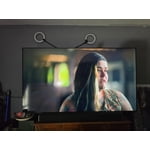
[This review was collected as part of a promotion.] First off this television is extremely esthetically pleasing to the eyes, the brightness and resolution is impeccable. It's very vibrant with anything that is being watched. Lastly it is very easy to mount on the wall if that's what is preferred and it's very lightweight and looks amazing standing on an entertainment center. I love this television so much, it is my favorite model so far.

Review from Samsung US
Helpful?519VMKO7QPOP17358505999
May 18, 2026
Tv Samsung
5 out of 5 stars review

Excellent purchase

[This review was collected as part of a promotion.] The image quality is excellent; the colors and brightness are very good. My favorite movies and games look fantastic, with high-quality visuals and high resolution. I feel the sound could be improved—I use a soundbar—but the menu is very easy to use. I think I would buy another one just like it to put in my bedroom.

  • +1 image
Review from Samsung US
Helpful?519VMKO7QPOP17358505999
May 20, 2026
caesarc6
3 out of 5 stars review

Terrible response remote to TV

[This review was collected as part of a promotion.] The remote is not responding fast enough/ I have to tap on the remote 3-5 times before it responds / ALSO I can be in the middle of a show and the TV blacks out and reboots and these 2 problems are daily ALSO I have other type TVs and no problems si it's not the service or the internet

Review from Samsung US
Helpful?519VMKO7QPOP17358505999
reply from Samsung Advisor

Hi caesarc6, Thank you for reaching out to us. If your remote isn’t responding, here are a few quick steps to help determine if it’s working correctly: 1. Check the batteries: Remove the back cover of your remote and replace the batteries with a fresh set, ensuring they are inserted in the correct direction. 2. Test for infrared signal: Point the front of the remote at your smartphone camera. While holding down any button, you should see a flashing light through the camera screen. (For iPhone users, the front-facing camera works best.) If you see the light, your remote is working and may need to be re-paired with your TV. 3. Point the remote correctly: Try pointing the remote directly at the TV from about 5-6 feet away. This can help ensure a clearer signal between the remote and the TV. Finally, please ensure your TV is running the latest Firmware. Go to Home > left directional key > Settings > Support > Software Update > Update Now. Should you need more help, we're here for you. You can reach us at 1-800-SAMSUNG (8AM – 9PM EST Mon – Fri, 8AM – 6PM Sat – Sun), or connect with a LiveChat agent by selecting ‘Support’ on our website. ~ Samsung Advisor

May 20, 2026
LibLob
5 out of 5 stars review

Perfect Size and Price

[This review was collected as part of a promotion.] We thought we wanted a bigger TV to follow the trend, but getting a 50 inch has the same picture and sound as the bigger TVs. We also loved the price compared to other brands with the same abilities.

Review from Samsung US
Helpful?519VMKO7QPOP17358505999