Skip to Main Content
Sam's Club
Sam's Club
Customer reviews for SAMSUNG 70" Class U7900F Series 4K Crystal UHD Smart TV for
SAMSUNG 70" Class U7900F Series 4K Crystal UHD Smart TV
4.6 out of 5 stars
stars2,403 ratings2,396 reviews
  1. 5 stars76% (1,821)
  2. 4 stars15% (356)
  3. 3 stars5% (121)
  4. 2 stars2% (46)
  5. 1 star2% (59)

Member photos

  • +905 images
Sort by |
Showing 1,221-1,230 of 2,396 reviews
Apr 20, 2026
Leon
5 out of 5 stars review

Great product

[This review was collected as part of a promotion.] It's very light, heavy duty, black and hd resolution is great. Alo love it for updating with security and th gaming and streaming capabilities.

Review from Samsung US
Helpful?519VMKO7QPOP17358505999
Mar 8, 2026
Amber G
5 out of 5 stars review

Excellent TV
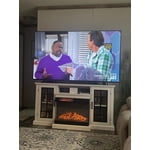
[This review was collected as part of a promotion.] This TV is excellent!! Samsung TV Plus has so much content that you will never run out of anything to watch. Highly recommend this TV!!

Review from Samsung US
Helpful?519VMKO7QPOP17358505999
Apr 20, 2026
GUNNY
5 out of 5 stars review

Everything works great!

[This review was collected as part of a promotion.] I have two of them and works great with smart things as I have over 10 samsung products. Couldn't be happier!

Review from Samsung US
Helpful?519VMKO7QPOP17358505999
Apr 6, 2026
Alback
3 out of 5 stars review

Beautiful picture

[This review was collected as part of a promotion.] Beautiful 4k picture makes everything look realistic. The colors are bright and rich and smart tv features all the apps needed such as netflix

Review from Samsung US
Helpful?519VMKO7QPOP17358505999
reply from Samsung Advisor

Hi Alback, It's great to hear you are enjoying your Crystal UHD TV. If you ever have questions or need support, we’re here to help. Call us at 1-800-SAMSUNG, available from 8AM – 9PM EST Mon – Fri, 8AM – 6PM Sat – Sun seven days a week. You can also connect with a LiveChat agent by clicking the ‘Support’ link on our website. ~ Samsung Advisor

Apr 20, 2026
Our TV
4 out of 5 stars review

Best in the market TV

[This review was collected as part of a promotion.] Overall we use it everyday only. Complaint is sometimes the wifi doesnt connect and it takes longer to get started. Otherwise we love it

Review from Samsung US
Helpful?519VMKO7QPOP17358505999
Apr 20, 2026
Krista
5 out of 5 stars review

Excellent for the price!
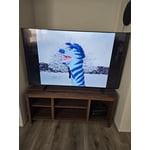
[This review was collected as part of a promotion.] The Samsung Crystal UHD TV is a great product and a great value! It has an excellent picture, both quality and color! Couldn't ask for a better product!

Review from Samsung US
Helpful?519VMKO7QPOP17358505999
Mar 23, 2026
Nana
5 out of 5 stars review

Best in series

[This review was collected as part of a promotion.] Solid product and High quality. Fantastic contrast, vivid colors, and superior anti-glare, making it perfect for bright rooms

Review from Samsung US
Helpful?519VMKO7QPOP17358505999
Mar 5, 2026
Car15
5 out of 5 stars review

Good features

[This review was collected as part of a promotion.] The tv overall has some good features. The interface is real good, it has good navigation. I like the size of the tv as well

Review from Samsung US
Helpful?519VMKO7QPOP17358505999
Mar 23, 2026
GMan
3 out of 5 stars review

Remote is hard to work when pushing buttons.

[This review was collected as part of a promotion.] the legs on my TV is not sturdy and the remote is hard to work when pushing buttons and the sound is not very loud, you have to turn the volume up too 24 +.

Review from Samsung US
Helpful?519VMKO7QPOP17358505999
reply from Samsung Advisor

Hi GMan, Thank you for sharing your concerns. Please know that the TV stand was solidly designed and extensively tested for stability. If your stand seems wobbly or looks crooked, please ensure the legs are installed correctly: “R” on the right, “L” on the left. The legs should slant outward toward the edges of the TV, and you should hear a “click” once they’re fully inserted. Also, make sure the TV is placed on a flat, level surface to avoid tilt or instability. For step-by-step setup, refer to the Installation Guide included in the box, or download it at: https://www.samsung.com/us/support/downloads/ If your TV volume is too low, please review the below troubleshooting steps. To start, we recommend making sure your TV is running the latest firmware, as updates can include improvements to sound performance: Home > left directional key > Settings > Support > Software Update If volume levels still seem too low, you can improve sound performance by adjusting a few key settings: Sound Mode: Navigate to: Settings > All Settings > Sound > Sound Mode Auto Volume: This feature helps maintain consistent volume levels across content and input sources. Turn it on under: Settings > All Settings > Sound > Expert Settings > Auto Volume = On You can also explore Expert Settings to fine-tune sound output with adjustments for Balance, Equalizer, and more. For personalized support with these settings or selecting a soundbar to complement your setup, contact Samsung Support at 1-800-SAMSUNG (8AM – 12AM EST, 7 days a week) or use LiveChat via the ‘Support’ link on our website. ~Samsung Advisor

Apr 20, 2026
Bdanec1
5 out of 5 stars review

Great tv

[This review was collected as part of a promotion.] Everything about this TV is amazing picture colors resolution everything I use mine mainly for streaming purposes.

Review from Samsung US
Helpful?519VMKO7QPOP17358505999