
 Customer reviews for SAMSUNG 75” Class Q6FD Series 4K QLED Smart TV for
Member photos
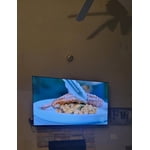
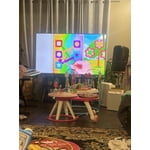


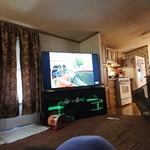

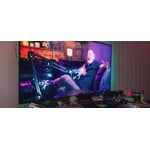
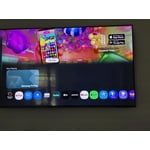

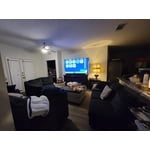 +248 images
Terrible Controls
[This review was collected as part of a promotion.] Regrettably, my purchase of a 75" QLED Q6F 4K Smart TV is one of the worst consumer product decisions I have ever made. It is enormously complicated to operate the controls. Simply checking the listings requires one to reach out and up three buttons from selection ("enter") control. Paging through the listing requires a button push for every station on the list, as there is no option to page up or down the list. The basic keys are are widely spaced. The buttons on the remote control are poorly laid out with almost tactile clues on the buttons that would enable making basic controls accessible by touch. Since the controls are not illuminated, it is not possible to make basic selections without brightly lighting the room, which is not desirable when watching tv. My cable provider furnishes a remote that is illuminated and easily operated in the dark by placing nibs and different shaped keys that can be recognized by touch alone. Then there is the Samsung interface with the cable service that requires at least 10 strokes to access the cable system within a large array of other services that I do not use. If the tight key spacing leads one to erroneously hit another key, the entire process must begin again. When operating the unit through the Samsung software, the information on a program is a truncated version of the cable system's information. One must scroll down to a more detailed description. That will not work If a program is an episode of a series, as scrolling down will produce a brief description of the series, but nothing further on the episode. There is no day/date/time indicator on the system, but if you pull up the tv listings and scroll to the right, the current time will appear at the top right of the listings. This control system drives me nuts, and I feel like an idiot trying to work with it even though I have a university degree and years of experience with data systems. I take some comfort in knowing that I am at least smarter than the person that designed this terrible user interface.
ezharleyman, We appreciate you sharing your experience. To help you get the most from your TV and remote functions, you can download the full e-Manual and more by visiting Samsung’s website then navigating to: Support > Manual & Software > TVs & Home Theater. From there, you can search for and select your Q6F TV model to view or download the available guides. The e-Manual & Remote Control Guide are also conveniently built into your TV: Settings > Support > Tips and User Guides. For additional guidance, your TV also includes Accessibility features designed to assist with navigation and remote use. • Learn Menu Screen provides audio guidance for on-screen menus by announcing the name and function of each item as you scroll – without making any changes. This is especially helpful for users who are visually impaired or new to Smart TV menus. Enable via: Settings > All Settings > General & Privacy > Accessibility > Learn Menu Screen. To exit, press the Return key twice. • Learn TV Remote helps users become familiar with the layout and function of each button on the Samsung remote. Pressing a button (other than Power) will prompt the TV to announce its name and purpose, again without affecting TV operation. Enable via: Settings > All Settings > General & Privacy > Accessibility > Learn TV Remote. To exit, press the Return key twice. If you’d like more assistance with these features, please reach Samsung Support at 1-800-SAMSUNG, available 8AM – 12AM EST, 7 days a week. LiveChat agents are also available through the ‘Support’ link on our website. ~ Samsung Specialist
Very good resolution 👌
[This review was collected as part of a promotion.] The setup was very easy and I do not think that it is even 4k. I think that it is even higher then 8k which i do not know what type of level is that. The brightness is very bright and when I turn it on in the middle of the night it is sooooooooo bright. The color is real good it's just that sometimes when I plug in a weird hdmi wire sometimes it's not very good but this has nothing to do with the TV. The security is great because sometimes we visit these websites that may have some malware and the TV is still fine. The upscale is good and that is all I need to say. Byeeeee!
I loved it
[This review was collected as part of a promotion.] From being able to interact with the interface to manually adjustments all of it was easily done. The remote can do everything you need. Plus more. Pictures contrast was crisp and clear. You can set your resolution as you want really nice it was bright enough that you felt like you were staring out a window into another world more than a TV. Color was good and rich. Satisfaction was there.
Great picture !
[This review was collected as part of a promotion.] color is fantastic brightness is very good contrast is out of sight and the interface is all right is okay is a resolution really brings out the picture and on the TV very satisfied with the television in Michigan City Indiana thank you .
Clean Power, Serious Picture
[This review was collected as part of a promotion.] I've owned a lot of TVs over the years, and this one stands out immediately. The brightness is impressive without being harsh, and the contrast makes dark scenes actually look dark instead of washed out. Colors feel natural but still pop when they're supposed to — especially during sports and action movies. The 4K resolution is razor sharp. Streaming shows, live games, and even older content upscale really well. Motion handling is smooth, and I haven't noticed blur during fast scenes. For someone who watches a lot of sports and late-night movies, that matters. The interface is clean and responsive. Apps load fast, navigation is simple, and switching between inputs is seamless. I appreciate that it just works without me having to mess with a bunch of settings. Sound is solid for built-in speakers, but paired with a soundbar it really elevates the experience. The overall design is sleek and modern — looks great mounted on the wall. Bottom line: strong performance, great clarity, and reliable day-to-day use. It feels like a premium TV without the premium hassle.
dissaisfied with the new tv setup
[This review was collected as part of a promotion.] I am not happy with the way i have to hook up my new samsung tv Tried several time but to no avail was intending to replace a 2011 samsung, hooked it up and tried to do as the instructions said then i had to used a QR code on tv. NO GO tried several times didnt connect. no codes appears on TV to finish the project fustrated I reconnected my old tv and and got a code on that to re pair the xfinity remote. Why do you make so hard to it> And i thought Samsungsd were great tvs that why i bought anoth
pmac, We appreciate your review of Samsung’s Q6FD TV. So we can better understand the issues you’re experiencing and provide you with troubleshooting assistance, please reach out to Samsung Customer Support at 1-800-SAMSUNG, available daily from 8AM - 12AM EST. You can also chat with a LiveChat agent by clicking the ‘Support’ link on our website for: • Live Chat • Manuals, Software, & Warranty Info • Creating a Service ticket ~ Samsung Specialist
Super picture quality.
[This review was collected as part of a promotion.] We just got our Samsung 55in QLED 4K TV and we are loving it. The picture quality is perfect. Colors have never been so vivid on a TV before. I love the adaptive brightness controls. The interfere is easy to use and almost works itself.
So nice I bought it twice.
[This review was collected as part of a promotion.] Got this for my parents for Christmas. I have a similar one and liked it so much I got another for them. The picture is great the sound is good. I love the smart interface on the Samsung TVs I think its as user friendly as any I've used. I've never had issues with getting apps I want and they all seem to work well. Its really a great TV I dont know wq hat else I could ask for.
Detailed and exquisite color TV review!
[This review was collected as part of a promotion.] My TV has brilliant color. There is so much definition and clarity that watching TV is now a joy. My eyes hurt when I view a lessor TV. I have astigmatism so the televisions of yesteryear are more difficult to watch. I highly recommend this TV.
Easy to use, great picture.
[This review was collected as part of a promotion.] My wife and I really enjoy watching the TV. It is all we expected and more. It is easy to control and we can watch the channels we want without using several remotes. Also being able to play games without a separate console is a plus. I would recommend this TV hands down.