Skip to Main Content
Sam's Club
Sam's Club
Customer reviews for SAMSUNG 70” Class U8000F Series 4K Crystal UHD Smart TV for
SAMSUNG 70” Class U8000F Series 4K Crystal UHD Smart TV
4.6 out of 5 stars
stars1,565 ratings1,559 reviews
  1. 5 stars74% (1,165)
  2. 4 stars15% (235)
  3. 3 stars5% (77)
  4. 2 stars3% (43)
  5. 1 star3% (45)

Member photos

  • +456 images
Sort by |
Showing 841-850 of 1,559 reviews
Mar 23, 2026
Navin
5 out of 5 stars review

Good quality and features
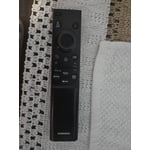
[This review was collected as part of a promotion.] TV working perfect and I love the features. Only issue is prefer a proper remote controller instead of this new version.

Review from Samsung US
Helpful?340LGBQNMBLF16007967994
Mar 5, 2026
Jens
1 out of 5 stars review

Disappointing

[This review was collected as part of a promotion.] I haven't responded because I cannot recommend the TV. It only worked for 4 days and we returned it

Review from Samsung US
Helpful?340LGBQNMBLF16007967994
reply from Samsung Advisor

Hi Jens, We appreciate your feedback and patience in having to deal with a return. If you choose to try another Samsung TV down the road, we’re ready to help with setup and support every step of the way. Call 1-800-SAMSUNG (8AM – 12AM EST, 7 days), or visit our website and click ‘Support’ to connect with a LiveChat agent. ~ Samsung Advisor

Mar 23, 2026
Spartysmom
5 out of 5 stars review

Great TV
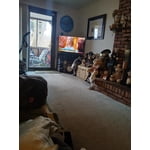
[This review was collected as part of a promotion.] nice resolution and brightness . like the TV very much . seems to be of good quality as is all Samsung products .

Review from Samsung US
Helpful?340LGBQNMBLF16007967994
Mar 20, 2026
Lizzy1424
4 out of 5 stars review

Mostly happy

[This review was collected as part of a promotion.] The TV is fine. I wish there was a hard copy of the manual. It's hard to read on the tablet. There are buttons on the remote -I'm not sure what they do

Review from Samsung US
Helpful?340LGBQNMBLF16007967994
Mar 23, 2026
Living room
5 out of 5 stars review

Samsung 75 " tv

[This review was collected as part of a promotion.] Great TV. It works great. The picture and sound is very good also. It is an awesome TV. I have no complaints.

Review from Samsung US
Helpful?340LGBQNMBLF16007967994
Feb 25, 2026
Finn2021
4 out of 5 stars review

Good features

[This review was collected as part of a promotion.] I appreciate the features, clear picture and ease of use, however I am not a fan of the low quality remote and its configuration.

Review from Samsung US
Helpful?340LGBQNMBLF16007967994
Mar 3, 2026
Keith
5 out of 5 stars review

Great Picture and Features

[This review was collected as part of a promotion.] great picture, features, sound and easy to set up even with your fire stick. I like how it so updates itself.

Review from Samsung US
Helpful?340LGBQNMBLF16007967994
Mar 23, 2026
Anonymous
5 out of 5 stars review

amazing features and picture frames
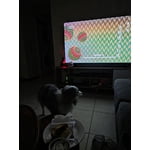
[This review was collected as part of a promotion.] the brightness is perfect, it can dim or adjust according to sun brightness. the resolution is 4k amazing and good features

Review from Samsung US
Helpful?340LGBQNMBLF16007967994
Feb 20, 2026
Darkchiem
5 out of 5 stars review

Samsung plus changed my life
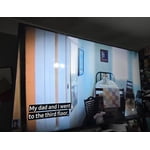
[This review was collected as part of a promotion.] I love samsung tvs. I only purchase Samsung television for over 20 years. Started with a 32in and now im up to 85in. Samsung plus!!! Can't keep it seriously

Review from Samsung US
Helpful?340LGBQNMBLF16007967994
Apr 9, 2026
Big Nate
3 out of 5 stars review

Ok tv

[This review was collected as part of a promotion.] The brightness is not as good as it should be, and the blacks are not very crisp. Dark scenes and movies are very muddled.

Review from Samsung US
Helpful?340LGBQNMBLF16007967994
reply from Samsung Advisor

Hi Big Nate, We’re sorry to hear you’re not fully satisfied with the picture quality on your Samsung U8000F TV. If the image appears too dark, we suggest disabling certain energy-saving features, which can automatically adjust brightness and affect how the screen looks. Go to: Settings > All Settings > General & Privacy > Power and Energy Saving, then turn off Brightness Optimization, Energy Saving Solution, Motion Lighting, and/or Contrast Enhancer. You can also adjust the Picture Mode to better suit your environment: Settings > All Settings > Picture > Picture Mode • Standard – Default mode for general viewing • Dynamic – Brighter and clearer, ideal for well-lit rooms • Movie – Best for dark room viewing • Eco – Energy-saving mode • Filmmaker Mode – Preserves content as intended by creators To fine-tune brightness, go to: Home > left directional key > Settings > All Settings > Picture > Expert Settings, then adjust the Brightness level (0–50) to your preference. Lastly, please make sure your TV is running the latest firmware: Home > Home > left directional key > Settings > Support > Software Update > Update Now We hope these tips help improve your viewing experience. If you need further support, feel free to contact us at 1-800-SAMSUNG, 8AM – 9PM EST Mon – Fri, 8AM – 6PM Sat – Sun. LiveChat is also available via the ‘Support’ link on our website. ~Samsung Advisor