Skip to Main Content
Sam's Club
Sam's Club
Customer reviews for SAMSUNG 70” Class U8000F Series 4K Crystal UHD Smart TV for
SAMSUNG 70” Class U8000F Series 4K Crystal UHD Smart TV
4.6 out of 5 stars
stars1,565 ratings1,559 reviews
  1. 5 stars74% (1,165)
  2. 4 stars15% (235)
  3. 3 stars5% (77)
  4. 2 stars3% (43)
  5. 1 star3% (45)

Member photos

  • +456 images
Sort by |
Showing 761-770 of 1,559 reviews
May 21, 2026
Speaker J
5 out of 5 stars review

Nice picture even during the daylight hours

[This review was collected as part of a promotion.] This tv is installed outside on the patio. The screen is very clear and the sound is very good.

Review from Samsung US
Helpful?340LGBQNMBLF16007967994
Jun 16, 2026
Vegasnick
2 out of 5 stars review

Problems

[This review was collected as part of a promotion.] Having problems!! Tv changes channels and adjusts the volume BY ITSELF!!!

Review from Samsung US
Helpful?340LGBQNMBLF16007967994
reply from Samsung Advisor

Hi Vegasnick, Thank you for reaching out to us. Please try the following steps to resolve your issue: 1. Reset Smart Hub – Home > left directional key > Settings > Support > Device Care > Self Diagnosis > Reset Smart Hub (This will sign you out of apps and reset Smart Hub to factory default.) 2. Update firmware – Home > left directional key > Settings > Support > Software Update > Update Now 3. Run Device Care – Home > left directional key > Settings > Support > Device Care > Start Device Care If the issue persists, contact Samsung Support at 1-800-SAMSUNG (8AM – 9PM EST Mon – Fri, 8AM – 6PM Sat – Sun). LiveChat is available under the ‘Support’ link on our website. ~ Samsung Advisor

Jun 1, 2026
Terryj
4 out of 5 stars review

Great TV for the price

[This review was collected as part of a promotion.] This tv has many features for the price.Live this remote,small and simple

Review from Samsung US
Helpful?340LGBQNMBLF16007967994
Jun 1, 2026
Ramon
5 out of 5 stars review

Blown pixle
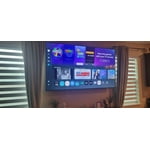
[This review was collected as part of a promotion.] Picture is great however one of the pixels has gone black

Review from Samsung US
Helpful?340LGBQNMBLF16007967994
Jun 1, 2026
lotto
5 out of 5 stars review

great t.v

[This review was collected as part of a promotion.] very nice t.v great picture and reslolution..the colors and contrast and brightness are very good

Review from Samsung US
Helpful?340LGBQNMBLF16007967994
Jun 2, 2026
Nene
5 out of 5 stars review

Great TV , much better value
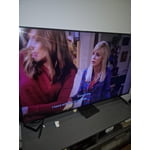
[This review was collected as part of a promotion.] this is a great TV for the value . the contrast, refresh rate and resolution are incredible

Review from Samsung US
Helpful?340LGBQNMBLF16007967994
Jun 1, 2026
BYTOR 440
5 out of 5 stars review

All around great T.V.

[This review was collected as part of a promotion.] all around really great television set great color contrast and picture quality...

Review from Samsung US
Helpful?340LGBQNMBLF16007967994
May 20, 2026
AnneMarie
5 out of 5 stars review

Great picture

[This review was collected as part of a promotion.] I won this for Christmas, its been great! Love the picture. Very sharp resolution by

Review from Samsung US
Helpful?340LGBQNMBLF16007967994
May 20, 2026
Crystal
5 out of 5 stars review

Great

[This review was collected as part of a promotion.] It is Better then my old tv im very happy with it.

Review from Samsung US
Helpful?340LGBQNMBLF16007967994
Jun 5, 2026
Daniel
3 out of 5 stars review

Screen freezes quite a bit

[This review was collected as part of a promotion.] Screen freezes quite a bit Need to turn the tv off to clear it

Review from Samsung US
Helpful?340LGBQNMBLF16007967994
reply from Samsung Advisor

Hi Daniel, We appreciate your feedback. For optimal performance, please ensure your TV is running the latest firmware. You can check this by going to: Home > left directional key > Settings > Support > Software Update To further optimize performance, try running Device Care, which checks memory, clears unused cached data, and closes background apps: Home > left directional key > Settings > Support > Device Care > Start Device Care If issues continue, please reach Samsung Support at 1-800-SAMSUNG (8AM – 9PM EST Mon – Fri, 8AM – 6PM Sat – Sun). LiveChat is also available via the ‘Support’ link on our website. ~ Samsung Advisor