Skip to Main Content
Sam's Club
Sam's Club
Customer reviews for SAMSUNG 70” Class U8000F Series 4K Crystal UHD Smart TV for
SAMSUNG 70” Class U8000F Series 4K Crystal UHD Smart TV
4.6 out of 5 stars
stars1,565 ratings1,559 reviews
  1. 5 stars74% (1,165)
  2. 4 stars15% (235)
  3. 3 stars5% (77)
  4. 2 stars3% (43)
  5. 1 star3% (45)

Member photos

  • +456 images
Sort by |
Showing 721-730 of 1,559 reviews
May 30, 2026
Gbhoy
5 out of 5 stars review

Great picture
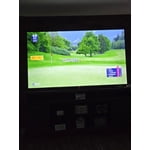
[This review was collected as part of a promotion.] Love the contrast and the picture pops. Great for watching sports and movies

Review from Samsung US
Helpful?340LGBQNMBLF16007967994
May 20, 2026
Path
2 out of 5 stars review

Screen flickering

[This review was collected as part of a promotion.] Not even a year old and there is a vertical flicker on the right side of the screen.

Review from Samsung US
Helpful?340LGBQNMBLF16007967994
reply from Samsung Advisor

Hi Path, Thank you for your feedback regarding the screen abnormalities you're seeing on your TV. To help determine if the issue is related to the panel itself, we recommend starting with a Picture Test, which displays a high-definition image you can examine for flaws: Settings > Support > Device Care > Self Diagnosis > Picture Test If the issue appears during the test and across all sources (built-in apps, HDMI devices, etc.), it may indicate a panel-related concern. You can also try displaying solid-color test videos (red, green, blue, black, white) from a USB drive or YouTube. This can help you identify whether any pixels are stuck or not functioning properly. In some cases, unplugging the TV for a few minutes and rebooting it can help resolve stuck pixels caused by temporary display behavior. If the problem persists after these steps, the TV may require service. To set up a service appointment, please contact Samsung Support at 1-800-SAMSUNG, 8AM – 9PM EST Mon – Fri, 8AM – 6PM Sat – Sun. LiveChat and additional support resources are also available through the Support link on our website. ~ Samsung Advisor

Jun 7, 2026
Sox Steeler
3 out of 5 stars review

Slow To Boot-up

[This review was collected as part of a promotion.] The TV takes a lot of time to boot-up and sometimes the apps don't come on unless I unplug it.

Review from Samsung US
Helpful?340LGBQNMBLF16007967994
reply from Samsung Advisor

Hi Sox Steeler, We appreciate your feedback regarding your U8000F TV’s performance. If you're experiencing freezing or lag in general response time, please try the following steps: 1. Check for firmware updates – Keeping your TV up to date can resolve many performance issues: Home > left directional key > Settings > Support > Software Update > Update Now 2. Run Device Care – This tool checks system memory, frees up cached data, and closes background apps that could be slowing things down: Home > left directional key > Settings > Support > Device Care > Start Device Care 3. Cold boot your TV – With the TV powered on, press and hold the Power button on your remote for 5+ seconds until the TV restarts. This helps refresh the system. If you're still noticing performance snags after these steps, please contact Samsung Support at 1-800-SAMSUNG (8AM – 9PM EST Mon – Fri, 8AM – 6PM Sat – Sun). You can also connect with a LiveChat agent via the ‘Support’ link on our website. ~ Samsung Advisor

Jun 5, 2026
Joey M
5 out of 5 stars review

Love My TV

[This review was collected as part of a promotion.] The TV is awesome Samsung is the best. I will not buy any other brand

Review from Samsung US
Helpful?340LGBQNMBLF16007967994
Jun 5, 2026
Laya
5 out of 5 stars review

Great TV would buy again

[This review was collected as part of a promotion.] Great TV there is nothing I wouldn’t change, picture and sound are great . Channels wonderful

Review from Samsung US
Helpful?340LGBQNMBLF16007967994
Jun 5, 2026
Rosy
5 out of 5 stars review

Great tv

[This review was collected as part of a promotion.] Super nice resolution and brightness. Got tis a few months ago and super happy with this tv.

Review from Samsung US
Helpful?340LGBQNMBLF16007967994
Jun 5, 2026
Sunowa
2 out of 5 stars review

Complicated

[This review was collected as part of a promotion.] Not happy with the TV actually. Always having issues, shutting off and such.

Review from Samsung US
Helpful?340LGBQNMBLF16007967994
reply from Samsung Advisor

Hi Sunowa, It’s unfortunate to hear your U8000F TV is turning off by itself while you're streaming apps. Please try resetting your TV's Smart Hub, as this should resolve the power off issue. Go to: Home > Settings > Support > Device Care > Self Diagnosis > Reset Smart Hub. Should you need more help, we're here for you. You can reach us at 1-800-SAMSUNG (8AM – 9PM EST Mon – Fri, 8AM – 6 PM Sat – Sun) or reach us via text 24/7. You can also visit ‘Support’ on our website for: • Live Chat • Manuals, Software, & Warranty Info ~ Samsung Advisor

May 21, 2026
Sasha
5 out of 5 stars review

S h how's amazing

[This review was collected as part of a promotion.] I just love how the volume is the picture everything

Review from Samsung US
Helpful?340LGBQNMBLF16007967994
Jun 5, 2026
Daniel
3 out of 5 stars review

Screen freezes quite a bit

[This review was collected as part of a promotion.] Screen freezes quite a bit Need to turn the tv off to clear it

Review from Samsung US
Helpful?340LGBQNMBLF16007967994
reply from Samsung Advisor

Hi Daniel, We appreciate your feedback. For optimal performance, please ensure your TV is running the latest firmware. You can check this by going to: Home > left directional key > Settings > Support > Software Update To further optimize performance, try running Device Care, which checks memory, clears unused cached data, and closes background apps: Home > left directional key > Settings > Support > Device Care > Start Device Care If issues continue, please reach Samsung Support at 1-800-SAMSUNG (8AM – 9PM EST Mon – Fri, 8AM – 6PM Sat – Sun). LiveChat is also available via the ‘Support’ link on our website. ~ Samsung Advisor

Jun 5, 2026
Mike
4 out of 5 stars review

Great tv

[This review was collected as part of a promotion.] Doesn't have a screen saver l8ke some others. No aquarium. Awe. Otherwise AWESOME.

Review from Samsung US
Helpful?340LGBQNMBLF16007967994