Skip to Main Content
Sam's Club
Sam's Club
Customer reviews for SAMSUNG 70” Class U8000F Series 4K Crystal UHD Smart TV for
SAMSUNG 70” Class U8000F Series 4K Crystal UHD Smart TV
4.6 out of 5 stars
stars1,559 ratings1,553 reviews
  1. 5 stars75% (1,162)
  2. 4 stars15% (234)
  3. 3 stars5% (77)
  4. 2 stars3% (42)
  5. 1 star3% (44)

Member photos

  • +456 images
Sort by |
Showing 301-310 of 1,553 reviews
May 11, 2026
LizzeteA
4 out of 5 stars review

​Great 4K TV

[This review was collected as part of a promotion.] Good picture, easy to use, and looks nice. I was worried it wouldn't be bright enough for my living room since I have big windows, but it’s been perfectly fine. The remote is a little small and takes a second to learn, but once you get it, it’s fine. For a 2025 model, it feels very modern and fast. No complaints so far.

Review from Samsung US
Helpful?340LGBQNMBLF16007967994
May 13, 2026
Rmoore
5 out of 5 stars review

Great TV

[This review was collected as part of a promotion.] This tv is fabulous, the last Samsung I had lasted around 10 years before it went bad, and that’s ample time for me considering the price I paid. With that being said the new 85” Samsung has a great picture, features keep me busy trying to use them all, or at least try them out, the brightness is perfect, along with the contrast, great color, and no matter where I’m sitting or standing in my living room I can view the screen from all angles and see a super picture! Thanks Samsung

Review from Samsung US
Helpful?340LGBQNMBLF16007967994
May 11, 2026
Ellyelly
5 out of 5 stars review

Awesome tv
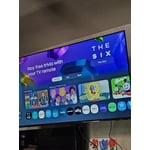
[This review was collected as part of a promotion.] Great great sound, great picture. Perfect for when I'm gaming. I love it! compatible with my phone so it's so much easier to use. best TV I've ever had. the picture quality is amazing. I have my account signed in which is great.

Review from Samsung US
Helpful?340LGBQNMBLF16007967994
Apr 20, 2026
Darthjamin
5 out of 5 stars review

Great tv

[This review was collected as part of a promotion.] Everything about this tv is amazing. I love the clarity the quick start time the auto features it's has. Automatically detects my other Samsung products.(soundboard and rear speakers) the live TV is amazing too so many choices. And the way it turns off reminds me of tv from the 90s and I just love it.

Review from Samsung US
Helpful?340LGBQNMBLF16007967994
Apr 22, 2026
Faby1w
5 out of 5 stars review

Great TV for all

[This review was collected as part of a promotion.] it's a great TV it has nice bright level it has a good quality image also goes good while PC gaming performs perfect on movies has a nice quality of sound the thing that I love about his TV smart things that can connect with my smartphone Samsung

Review from Samsung US
Helpful?340LGBQNMBLF16007967994
May 11, 2026
PinoyinTX
5 out of 5 stars review

Great Features and Affordable!
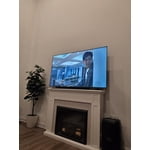
[This review was collected as part of a promotion.] Samsung is our Go to appliances wether if it's washer, dryer, fridge especially our tv. It lasts for more than 5-10years! The colors and resolution of the TV is really nice. Very easy to connect in smart things so very secure. I'm enjoying watching in this TV plus It's bright!

Review from Samsung US
Helpful?340LGBQNMBLF16007967994
May 11, 2026
Beeps
5 out of 5 stars review

My TV upgrade

[This review was collected as part of a promotion.] I recently purchased this new 50" Samsung TV to upgrade from my 32" Samsung from 2009! My good old TV still works, but I just wanted something bigger and prettier. All my digital movies are looking like brand new movies. I'm still learning about all the apps and games and endless activities I can do, but overall I'm extremely happy with this purchase!

Review from Samsung US
Helpful?340LGBQNMBLF16007967994
Jun 5, 2026
Kelly
5 out of 5 stars review

Great TV

[This review was collected as part of a promotion.] This is a great TV. It hooked up real easily. It sounds great. The picture is awesome and vibrant. Resolution looks great too. I would recommend buying this tv.

Review from Samsung US
Helpful?340LGBQNMBLF16007967994
May 20, 2026
Pakat
3 out of 5 stars review

No Voice Commands

[This review was collected as part of a promotion.] The TV clarity is superb. I would not have purchased it if I knew it did not have voice command options.

Review from Samsung US
Helpful?340LGBQNMBLF16007967994
reply from Samsung Advisor

Hi Pakat, Thank you for sharing your review. Your TV does not have a built-in voice assistant, but it does work with Alexa, meaning you’ll need to connect a standalone Alexa device, such as an Echo speaker, to control compatible smart home devices and some experiences on your TV. Here are the steps: 1. Download both the Amazon Alexa and Samsung SmartThings apps, if you don't already have them. Both are available for iOS or Android devices. 2. Make sure your Alexa device and TV are both connected to the same Wi-Fi network. 3. Your TV must be enabled within the SmartThings app. If not, make sure you are signed in with your Samsung account on the TV: Settings > All Settings > Samsung Account 4. Log in to the SmartThings app with the same Samsung account. Tap Devices, and if your TV isn’t already shown, tap + to add it to the app. 5. In the Alexa app, enable the SmartThings skill and sign into your Samsung account. This will automatically connect your Samsung TV to Alexa and let you use voice commands to control your television. If you need more help, we’re here. Give us a call at 1-800-SAMSUNG (8AM – 9PM EST Mon – Fri, 8AM – 6PM Sat – Sun). You can also connect with a LiveChat agent through the Support link on our website. ~ Samsung Advisor

Jun 5, 2026
Mike
2 out of 5 stars review

Slow response

[This review was collected as part of a promotion.] Compared to my older Samsung 65” this interface is horrible totally inconsistent with the other and slower than a Intel 286 processor

Review from Samsung US
Helpful?340LGBQNMBLF16007967994
reply from Samsung Advisor

Hi Mike, We appreciate your feedback regarding your U8000FD TV’s performance. If you're experiencing freezing or lag in general response time, please try the following steps: 1. Check for firmware updates – Keeping your TV up to date can resolve many performance issues: Home > left directional key > Settings > Support > Software Update > Update Now 2. Run Device Care – This tool checks system memory, frees up cached data, and closes background apps that could be slowing things down: Home > left directional key > Settings > Support > Device Care > Start Device Care 3. Cold boot your TV – With the TV powered on, press and hold the Power button on your remote for 5+ seconds until the TV restarts. This helps refresh the system. If you're still noticing performance snags after these steps, please contact Samsung Support at 1-800-SAMSUNG (8AM – 9PM EST Mon – Fri, 8AM – 6PM Sat – Sun). You can also connect with a LiveChat agent via the ‘Support’ link on our website. ~ Samsung Advisor