Skip to Main Content
Sam's Club
Sam's Club
Customer reviews for SAMSUNG 70” Class U8000F Series 4K Crystal UHD Smart TV for
SAMSUNG 70” Class U8000F Series 4K Crystal UHD Smart TV
4.6 out of 5 stars
stars1,559 ratings1,553 reviews
  1. 5 stars75% (1,162)
  2. 4 stars15% (234)
  3. 3 stars5% (77)
  4. 2 stars3% (42)
  5. 1 star3% (44)

Member photos

  • +456 images
Sort by |
Showing 291-300 of 1,553 reviews
Feb 17, 2026
Galosimbala
5 out of 5 stars review

Good definition

[This review was collected as part of a promotion.] It has a big screen with bright colors and so real, better than other brands.

Review from Samsung US
Helpful?340LGBQNMBLF16007967994
Feb 27, 2026
Business Man
3 out of 5 stars review

Good visual TV, Not So Good Audio
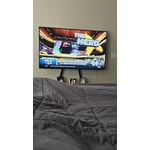
[This review was collected as part of a promotion.] The audio is the TV could be improved. Not a fan of it but the TV visuals are brilliant.

Review from Samsung US
Helpful?340LGBQNMBLF16007967994
reply from Samsung Advisor

Hi Business Man, Thank you for purchasing Samsung’s U8000F TV and for sharing your feedback regarding low volume. To start, we recommend making sure your TV is running the latest firmware, as updates can include improvements to sound performance: Home > left directional key > Settings > Support > Software Update If volume levels still seem too low, you can improve sound performance by adjusting a few key settings: Sound Mode: Navigate to: Settings > All Settings > Sound > Sound Mode Auto Volume: This feature helps maintain consistent volume levels across content and input sources. Turn it on under: Settings > All Settings > Sound > Expert Settings > Auto Volume = On You can also explore Expert Settings to fine-tune sound output with adjustments for Balance, Equalizer, and more. For personalized support with these settings or selecting a soundbar to complement your setup, contact Samsung Support at 1-800-SAMSUNG (8AM – 12AM EST, 7 days a week) or use LiveChat via the ‘Support’ link on our website. ~ Samsung Advisor

Mar 25, 2026
brian
5 out of 5 stars review

great tv love the size clarity

[This review was collected as part of a promotion.] size, bright and resolution and color, refresh is freat

Review from Samsung US
Helpful?340LGBQNMBLF16007967994
Mar 23, 2026
Anonymous
5 out of 5 stars review

Great way to stay connected
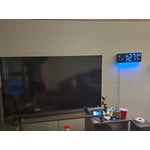
[This review was collected as part of a promotion.] Great TV for the bedroom, can also use as a monitor with ease. Great buy

Review from Samsung US
Helpful?340LGBQNMBLF16007967994
Mar 24, 2026
Benno
4 out of 5 stars review

Excellent picture
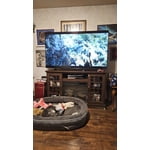
[This review was collected as part of a promotion.] The price was good and good resolution but needs more hdmi ports

Review from Samsung US
Helpful?340LGBQNMBLF16007967994
Feb 27, 2026
Nico98
5 out of 5 stars review

Great features easy to use

[This review was collected as part of a promotion.] I like the samsung tv because it is easy to use and a whole bunch of features.Thank you so much

Review from Samsung US
Helpful?340LGBQNMBLF16007967994
Feb 17, 2026
Zinzoid
3 out of 5 stars review

Tv
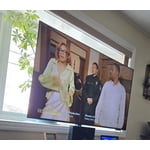
[This review was collected as part of a promotion.] Tv is ok picture not clear could be better and sound could be better

Review from Samsung US
Helpful?340LGBQNMBLF16007967994
reply from Samsung Advisor

Hi Zinzoid, Thank you for your feedback on the sound quality of your Samsung U8000F TV. First, ensure your TV is running the latest firmware: Home > Settings > Support > Software Update To improve your sound, try different Sound Modes (Standard, Optimized, Amplify), or fine-tune your setup in Expert Settings under: Settings > All Settings > Sound. To explore picture mode options, navigate to: Home > Left directional button > Settings > All Settings > Picture > Picture Mode. Options include: • Standard – Ideal for general viewing • Dynamic – Brighter and more vibrant for well-lit spaces • Eco – Optimized for energy efficiency • Movie – Best for viewing in low light • Filmmaker Mode – Preserves the content creator’s intent and disables motion smoothing for supported content You can further customize your image by going to: Settings > All Settings > Picture > Expert Settings, where you can adjust Brightness, Contrast, Color Tone, Sharpness, Contrast Enhancer and more. If you’d like help finding the best settings for your preferences, please don’t hesitate to contact Samsung Support at 1-800-SAMSUNG, available 8AM – 12AM EST, 7 days a week. You can also LiveChat with an agent or explore additional resources on our website by clicking the ‘Support’ link. ~ Samsung Advisor

Feb 17, 2026
Maamap
5 out of 5 stars review

Amazing picture
[This review was collected as part of a promotion.] This tv is affordable and has the best picture and many other amazing things

Review from Samsung US
Helpful?340LGBQNMBLF16007967994
Feb 26, 2026
Cristian1989
5 out of 5 stars review

Good Samsung

[This review was collected as part of a promotion.] nothing is very good product i like the Samsung smartv

Review from Samsung US
Helpful?340LGBQNMBLF16007967994
Dec 5, 2025
Liliy1210
5 out of 5 stars review

This Tv is budget friendly but so good

[This review was collected as part of a promotion.] This tv has definitely surpassed my expectations. It’s a really good tv for a great price!

Review from Samsung US
Helpful?340LGBQNMBLF16007967994