
 Member ratings & reviews for
Member photos

Decent Printer!
This printer does pretty well, but when printing many pages, the paper seems to get caught up and jams or prints the edge on several pages (mostly on 11x17). When that happens it also randomly prints multiple copies. I am not sure if this is a fault of the paper installation or printer, but I suspect both. Occasionally a few images will print blacked out, but that may be a function of the wireless. Images seem crisp and clear, and for the most part, there are only normal printer headaches. :)
Thanks for saving us from the dinosaur!
[This review was collected as part of a promotion.] I received this product for free from Brother in exchange for my honest opinion/review of the product. I am the director of a daycare with 6 classrooms and 49 children. We run several copies of multiple documents daily. Not only worksheets several times a day, we are also required to document and photocopy several state required forms. We were utilizing a huge "space hogging" dinosaur of a machine (the kids named it that because of the noise it makes lol). Aside from being easy to assemble ( it took all of 10 minutes) the Brother printer sits on top of my desk. With the big dinosaur, everytime it had a issue we had to call someone in to fix it, even so much as an inside paper jam. While i have undid a paper jam on the Brother myself ( and I`m not technically inclined) with the simple step by step instructions that appear on the screen. Also the wifi abilities are so easy to use I`m able to send worksheets to the printer without leaving the playground or the kitchen. Our old printer said it had these capabilities but we could never figure out how to use them. The printer is very user friendly and has definitely been a saving grace. Love this machine and it makes my job much easier!
Disappointed
Based on early reviews, I paid a premium price for what was thought would be a premium printer. I am disappointed. Almost every time I try to print, I get a warning that my MFC-J6935DW "Cannot print to the networked printer Please check the following:" I then have to shut down the machine and restart it, wait until it reestablishes a connection to my network, and then continue to wait unit it shows "Receiving data." Print quality is mediocre at best. I print a lot of CAD images and I cannot get consistent line quality no matter how many times I run the alignment utility. Every print contains jagged lines that should be straight. One of the big selling points of this series of printers was low ink cost. That has not been my experience. My MFC-J6935DW uses a lot more ink than I expected and it uses a lot of colored ink even though at least 95% of my prints are set to "Grayscale print." If there's a black ink only option, I haven't been able to find it. I use the scanner infrequently, but the reflective scanner pad on the underside of the AFD is already badly wrinkled and deformed. If I want to upgrade my software or firmware I have to agree to allow Brother to extract "data" from my machine. What kind of data they're collecting and what they're doing with it isn't clear in their privacy policy. I was loyal to another printer brand for almost thirty years. When their product quality fell off I decided to try Brother. In general, all brands of printers are notorious for poor quality and unreliability. It's possible that the early positive reviews of the MFC-J6935DW created expectations that were too high. I guess I'll have to keep looking.
We are sorry that you are experiencing printing issues with your Brother MFCJ6935DW. We'll be happy to help you. Our Brother Customer Support Team is on stand-by to provide quality products and service to our customers via online, email or live chat: www.brother-usa.com/brother-support
New Office Printer
So far so good. Everything seems to be working flawlessly. I am replacing this Brother printer with an older Brother model. We are interested to see if we save money with the advertised high-capacity ink cartridges. The scanner and copier are working very well. So far, the printer is giving us excellent service. Time will tell!
Brother MFC-J6535DW
This Brother printer price was great. Photos print clearly. I have had other printers that were cheap to buy but used a lot of ink. This Brother printer is prompt with printing. The ink price is heartfelt by me, saves me a lot of money. I use this printer for many task including, family history, church, writing fun letters to family. I have even made labels with this printer with great outcomes.
Brother Business Smart Pro Printer Review
[This review was collected as part of a promotion.] I received this product for free from Brother in exchange for my honest opinion/review of the product. Set up was easy, there were clear directions and screen prompts. I love the wi-fi, I brought the printer into my office so I could test it more robustly as it is a business printer, everyone in the office can access it. If they are on Windows 10, they connected right away, Windows 7 needed the disk. My Mac it came right up on. We have approximately 9 printers in the office and prior to this I could only access one that is on the other side of the building. Again, Love the wifi. The pages come out nice and clear and fast. I downloaded the app and am anxious to try printing from the cloud. I have not experimented with that yet. For a nice compact size it has a document feeder, accommodates paper sizes up to 11x17, scans, faxes. So far I love it and am enjoying learning all the things it can do. When I registered the product I was surprised to learn that Brother also makes sewing products, I love to sew and do crafts and will have to check these items out too.
A truly professional do it all machine
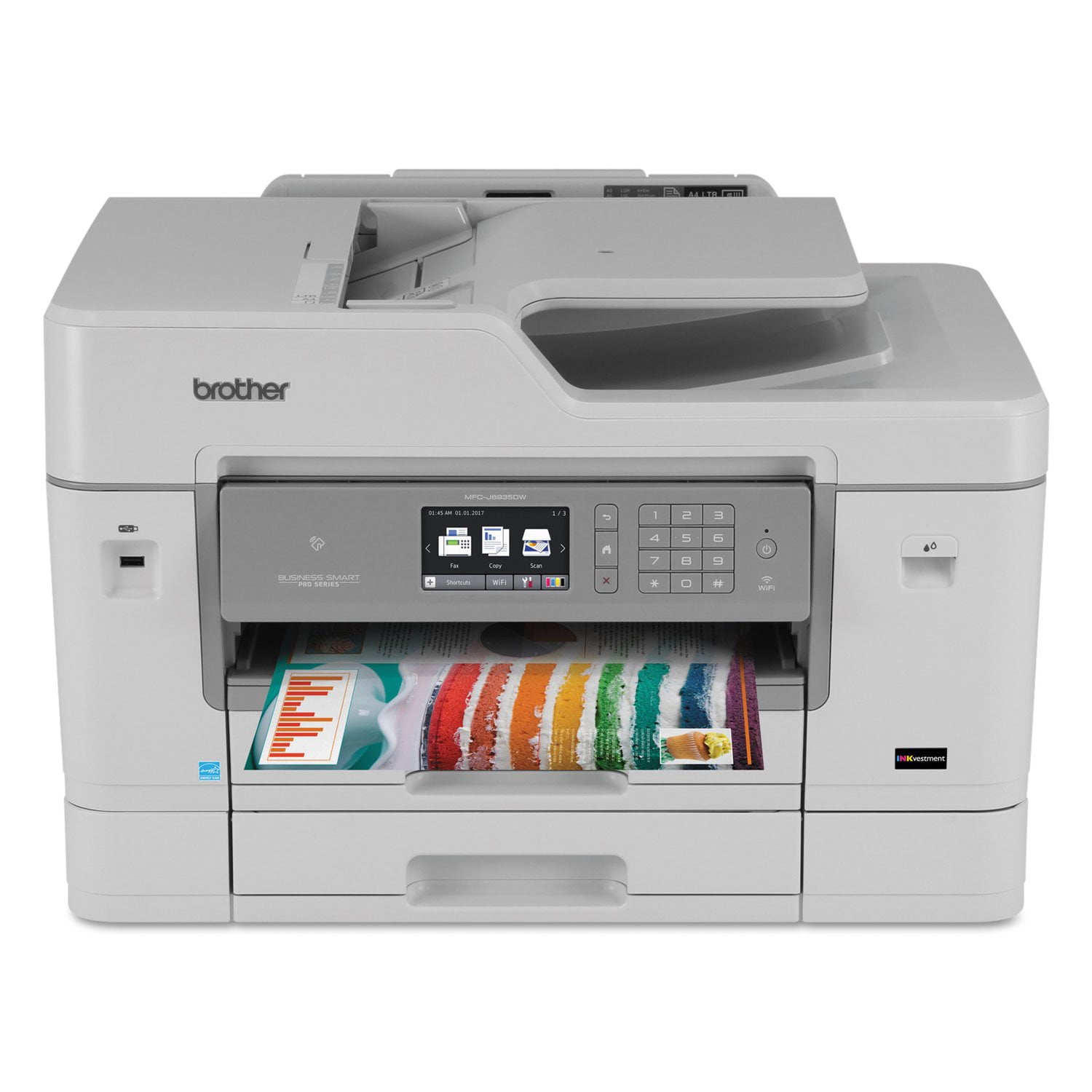
[This review was collected as part of a promotion.] I received this product for free from Brother in exchange for my honest opinion/review of the product. The Brother MFC-J6535DW XL is presented as a do it all device for professional offices, and delivers on all counts. Speed, precision, and clarity highlight this smooth running machine. I have used many variations of all-in-one devices and can say that it didn`t take me long to crown this one the bets of the best. Crisp color, quick data delivery, and an all around flawless performance. Brother has a winner in the MFC-J6535DW XL. I highly recommend this product.
Smart, Capable Office Workhorse
[This review was collected as part of a promotion.] I received this product for free from Brother in exchange for my honest opinion/review of the product. I participated in a market research study and received this product to evaluate. RECEIPT The product arrived promptly and came in a solid crush resistant box. Upon opening the box, the items were all clearly labeled and, with two people, were easy to unpack. ASSEMBLY The printer was pretty easy to assemble. The instructions were clear (although I did struggle a bit with the onscreen instructions on where to store the protective orange case for the ink cartridge.) All other instructions were clear and set up was quite smooth (bluetooth set up was easy as was the fax line and the download of the printer software). It took about 30 minutes to do the basic set up. We were also able to connect all business computers easily to the printer in a very short amount of time. The ink cartridges were easy to install and took only a few minutes to complete. Testing the print and set up was also easy and clear on the instructions. SIZE AND SPACE: The printer is large (you`ll need at least a 2 foot by 3 foot space for the printer when the manual tray is extended and the paper tray is out to be loaded). This is larger than other all in one type printers we`ve had in the past, but I think, if you can handle the space requirements, it is well worth owning this powerhouse. USAGE: Overall, the printer is quite easy to use. Loading the paper is simple and the capacity for the main paper tray allows close to a ream of paper to be loaded without issue. The LCD display which allows you to control whether you are faxing, copying or scanning is a decent size with a bright screen and also easy to use. However, we did need to use a stylus to type in numbers on the screens for accuracy. One of the great features of this printer is that you can connect your Drop Box, One Drive and other accounts directly to the printer. It is easy to find files and print from these accounts directly from the lcd screen. I also like that there is a USB port right on the front of the machine. It makes it very convenient to "plug and print" with just a few taps on the lcd screen. Scanning and faxing worked as expected. Both were easy to operate. There are multiple scan functions and final locations that you can set up for your scans and copies to deliver. All worked well. I also liked the apps that were available directly on the printer. One app allows for enlarging and darkening text on documents which we used several times on light scans and documents with small type. You can also scan documents right into the word application in which you`d like to use the document, very convenient. A major bonus was that the printer came with 4 additional sets of cartridges so we don`t have to run out to buy more if we run out of the initial ink. There is a very clear cartridge indicator level on the screen to help monitor how much ink there is. PRINT QUALITY: The print quality is good with crisp text and relatively sharp photos and artwork. Colors appear to be true. Aside from the large size of the unit, I cannot find any other downside to this unit and would recommend it for any small to medium business.
Great printer
I absolutely love this machine. Installation was perfect, print speed is very respectable, and the output looks great. The only reason I'm giving it 4 stars rather than 5 is that sometimes paper handling is off. The machine picks up from the tray and the doc feeder as expected but I have yet to get it to accept paper from the alternate feed thing at the back. Overall, this printer feels solid and dependable and I'm happy every time it powers up.
Excellent printer.
Good printer good performance. Prints fast. The controls and utilities programs needs to be simplified, more user friendly. When printing A4 envelopes with the MP tray the print is not aligned with the envelope, may have to contact Tech Support. It does print excellent photos even though it is technically a business printer. VERY good on ink usage.