
 Member ratings & reviews for
Member photos

Business Smart Pro- must have!
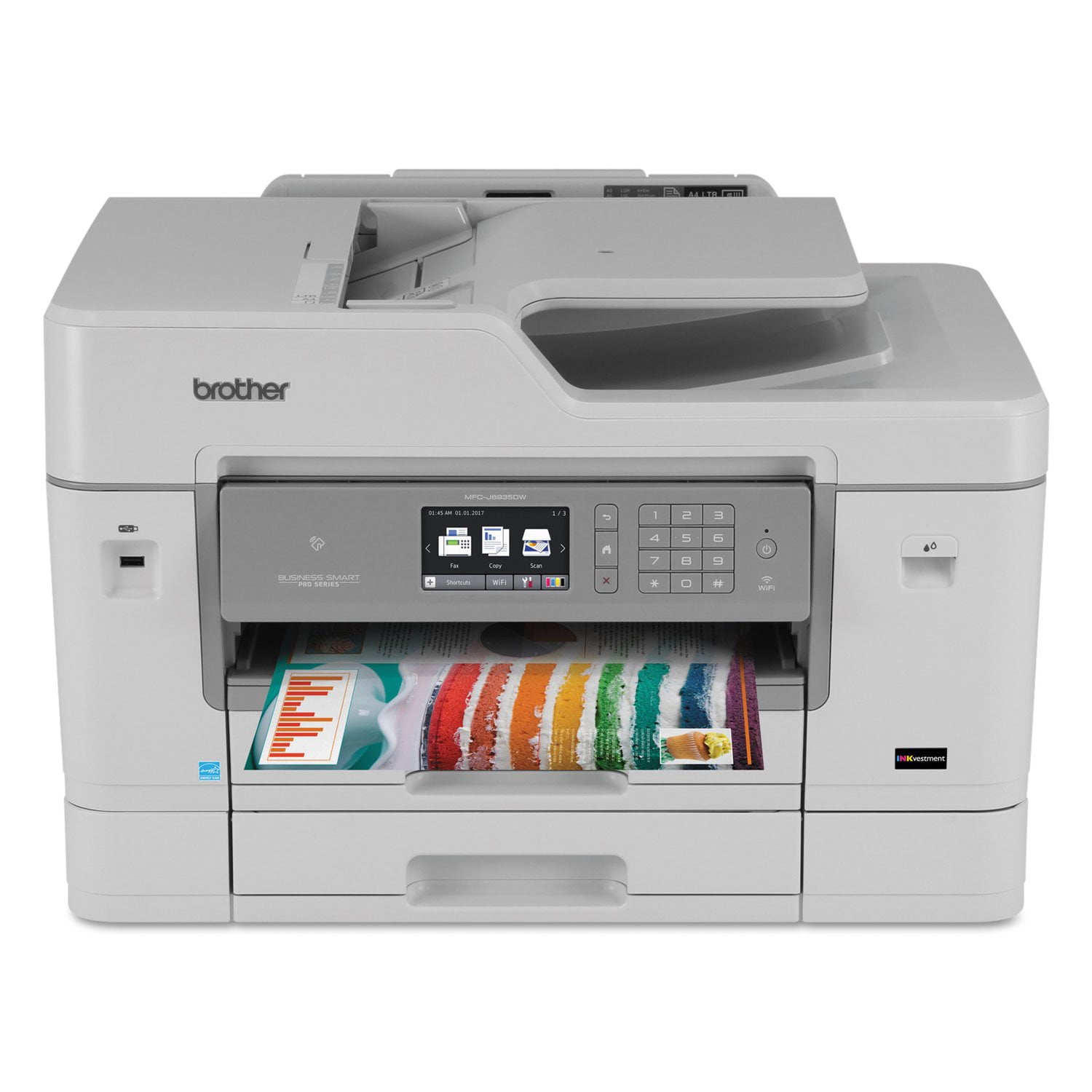
[This review was collected as part of a promotion.] I received this product for free from Brother in exchange for my honest opinion/review of the product. I received this product for free from Brother in exchange for my honest opinion/review of the product. I participated in a market research study and received this product to evaluate and review. My Husband and I both work from home. We share an office and a printer, so our printer gets a lot of use! Once we received this printer it took longer than expected to set it up because I couldn`t figure out how to set it up and I had to wait for someone else to do it. Once it was set up and synced to our computers and my phone we were all set! The color quality of this machine is superior and the speed of multiple sheets is above average. My previous printer was sensitive in the way that there couldn`t be too much or too little paper in the bin. This was not an issue with the Smart Pro. We had zero paper jams with this printer and have printed approximately a whole team of paper in the past two weeks. My favorite feature is the ability to use multiple size sheets of paper easily. The scanner workers as expected without any issues. The only thing that I can say that I didn`t like about the printer is the fact that it takes up a lot of desk space. However this is a business printer and would likely be set up in a commercial office where there may be more space. For my home office it is a bit bulky. My personal preference would be a different color than the clay color but again that`s my preference for my home office. Overall this printer gets the job done with no problem! I highly recommend it for your business or personal use.
Remote printing is outstanding.
I have this printer for approximately 3 months. Remote printing from my iPad pro and iPhone 6 using printer pro is a blast. My prints recipes almost daily from her iPad we have never has a failure to print anything. Haven't used the printer for photographs or faxing.
Best purchase I have made recently!
I was needing a new large format printer and did my research. The MFC-J6535DW was exactly what I needed with the added bonus of being able to scan multiple 11x17 sheets at one time. It has already proven to be a huge time saver for me in my job and the overall quality of the printing and process has been great.
In bad need of accessibility improvements
Given this product's price and Brother's ordinarily excellent reputation, this product is in bad need of improvements to make it more accessible to disabled users. Specifically, I'm totally blind, no light perception or low vision, so my sighted wife has to deal with the touch screen dominant controls. As a software engineer, I know how easy it would be for Brother to provide a software alternative control panel interface which would work with screen reading software to provide full access to manipulating the printer's touch screen dominant controls. This would be a much less expensive fix than the alternative of making the touch screen talk, which would require expensive hardware modifications to the printer. I gave a fair versus poor rating only because the device otherwise seems to do its advertised job. And yes, I know, nothing said it would be accessible, but I expected better from Brother since I can use their brand laser printer with little to no assistance from a sighted person. What software is included clearly hasn't been tested with screen reading software, because I must jump through all sorts of methods to try to figure out what I'm doing, and in some cases I just get so frustrated fighting with it that I just give up and get sighted help. Which doesn't make one feel very self-sufficient (you'd understand if you had to do it as frequently as many blind people do). Lack of accessibility in anything in 2018 is pathetic and utterly inexcusable, given the emphasis on it by so many leading manufacturers of consumer devices. People with vision, hearing and mobility disabilities are consumers too; we need to print, scan and fax things as much or more than sighted consumers, but because we're a minority, we're an afterthought. Again, Brother could resolve this problem very easily and inexpensively in software, but I'm betting they never will.
Good reliable thrifty printer
I love most everything about this printer except one thing. To get to the paper tray to refill paper you have to printer apart and put it back together. There is a feed out tray that you have to take out and put back in and if you do not get it back in right your print job will mess up. Other than that I love this printer. I can get high quality prints at a low per page cost.
Brother MFC Unit Review
[This review was collected as part of a promotion.] I received this product for free from Brother in exchange for my honest opinion/review of the product. We have been so very pleased with this product. The set up was a bit time-consuming but once it was up and running, it was wonderful! We have two printer locations in our office---one was currently another Brother product (which has been fairly reliable the past few years) and the other was a different brand "photo printer" type, so not economical for an office environment. The Brother MFC-J6535DW XL has been a GAME CHANGER! The print speed itself is so fast and it`s a very quiet machine. Again, the set up was time consuming (but not too difficult) but once it was hooked up, we have had zero issues. It prints MUCH faster than our old photo printer, and is much quieter than our older Brother MFC-9970CDW. The print quality has been good and the fact that it includes so much ink seems like it would be a no-brainer if we were in the market for another multi-function unit. The unit is larger and it was a little challenging to find a spot for it but we made it fit in the area we needed to-just hangs off the edge of the filing cabinet a bit. I really don`t have any other suggestions/improvements because we have yet to find a flaw in it. The duplex printing will save so many sheets of paper. We love this unit! Thank you!
A truly professional do it all machine
[This review was collected as part of a promotion.] I received this product for free from Brother in exchange for my honest opinion/review of the product. The Brother MFC-J6535DW XL is presented as a do it all device for professional offices, and delivers on all counts. Speed, precision, and clarity highlight this smooth running machine. I have used many variations of all-in-one devices and can say that it didn`t take me long to crown this one the bets of the best. Crisp color, quick data delivery, and an all around flawless performance. Brother has a winner in the MFC-J6535DW XL. I highly recommend this product.
Setup and usage
[This review was collected as part of a promotion.] I received this product for free from Brother in exchange for my honest opinion/review of the product. The printer is very heavy for customary setup.The setup process was easy and each step was simple to follow if you Have ever set up a printer of this type before.If you never have set up a printer like this in the past this makes it quite difficult toUse this printer in a reasonable amount of time the first day of setupThe printer is fast in printing multiple copies in black and in color.The ink dries fast so no worries about picking up copies immediately The controls are easy to use on the device.The printer should remain on all the time to make it accessible to all type of devices in my office It is a fairly large device compared to other laser printers.It should much cheaper to operate yearly than a laser printer.I thought it did fairly well printing procedure manuals for my businessFor wine event promotions.I would recommend this to any small businesses that needGreat printing for minimal cost that is effective and efficient at the same time.The pros are printing smoothly and quicklyThe cons are the weight of the printer and it is not as quick as laser printingBuy this printer to save office costs but do not buy for large print jobs that require laser printing.Love the printer but not the weight of the printerVery surprised to be this good because my first experience with Brother printers always used HP before
So Far I love it
Time will tell but so far this is a great printer. I've had it about a month. It has decent print and even photos aren't too bad. It was fairly simple to set up and it's really fast! Time will tell if I end up with jams but so far so good. My only complaint is that it's hard to grab the paper when it's done printing. Most printers have a spot where the paper is hanging off the tray so it's easy to grab. This one you take it directly from the tray and sometimes it's hard to grab.and in the process you can wrinkle the page. The price was right and I think the ink is cheap enough so it's a good deal.
MFC-J6535DW XL - Business Smart Pro Printer Rev...
[This review was collected as part of a promotion.] I received this product for free from Brother in exchange for my honest opinion/review of the product. Receipt and Assembly: There was not much assembly required after removing the printer from the box. After removing the tape and plastic on the printer, the next step was the installing the ink cartridges. The instructions state to install the blank ink and then go on to the next step. There wasn`t mention of the color ink. This was a bit confusing, but after installing all the ink cartridges, the printer was ready for printing. The ink installation was an easy process. Syncing the printer to the computers/tablet/phones: Installing the printer to the electronic devices was a simple process and worked easily. Size: The printer is on the large size and needs about a 3 x 3 foot space. Usage:I think this printer is the best I have used. Both the black and white and color quality of the printing is very clear and vibrant. The speed of the printing is extremely quick even when printing two sided documents. It also provides a quiet buzz when the printing is completed, so you don`t have to stand waiting if you have a multipage/two sided document. I was able to easily print from any device (phone, table, computer) with the wireless function. Scanning: The instructions for setting up the scanning function were not as helpful as they could have been. The printer did not set u[ for scanning on the initial install. It required deleting a previous printer/scanner before it would work. Perhaps the instructions could be a bit clearer on setting this up. Once set up, the scanning process is very easy and very efficient. You can scan to multiple locations such as your computer or a cloud drive. Copying: The printer presents copies that look as good as the original document. The buttons and tool screen are very easy to use and user friendly. I haven`t had to look at the instructions since initial setup. The printer has a large screen that will accommodate pages as large as 11 x 17. The apps on the printer are great added features. Some of the features include lightening or darkening the documents. Ink: The printer came with two years of ink which is a great perk. Overall, I couldn`t ask for a better printer.