Skip to Main Content
Sams Club
Sams Club
Customer reviews for SAMSUNG 85” Class DU8000 Series UHD 4K Smart TV for
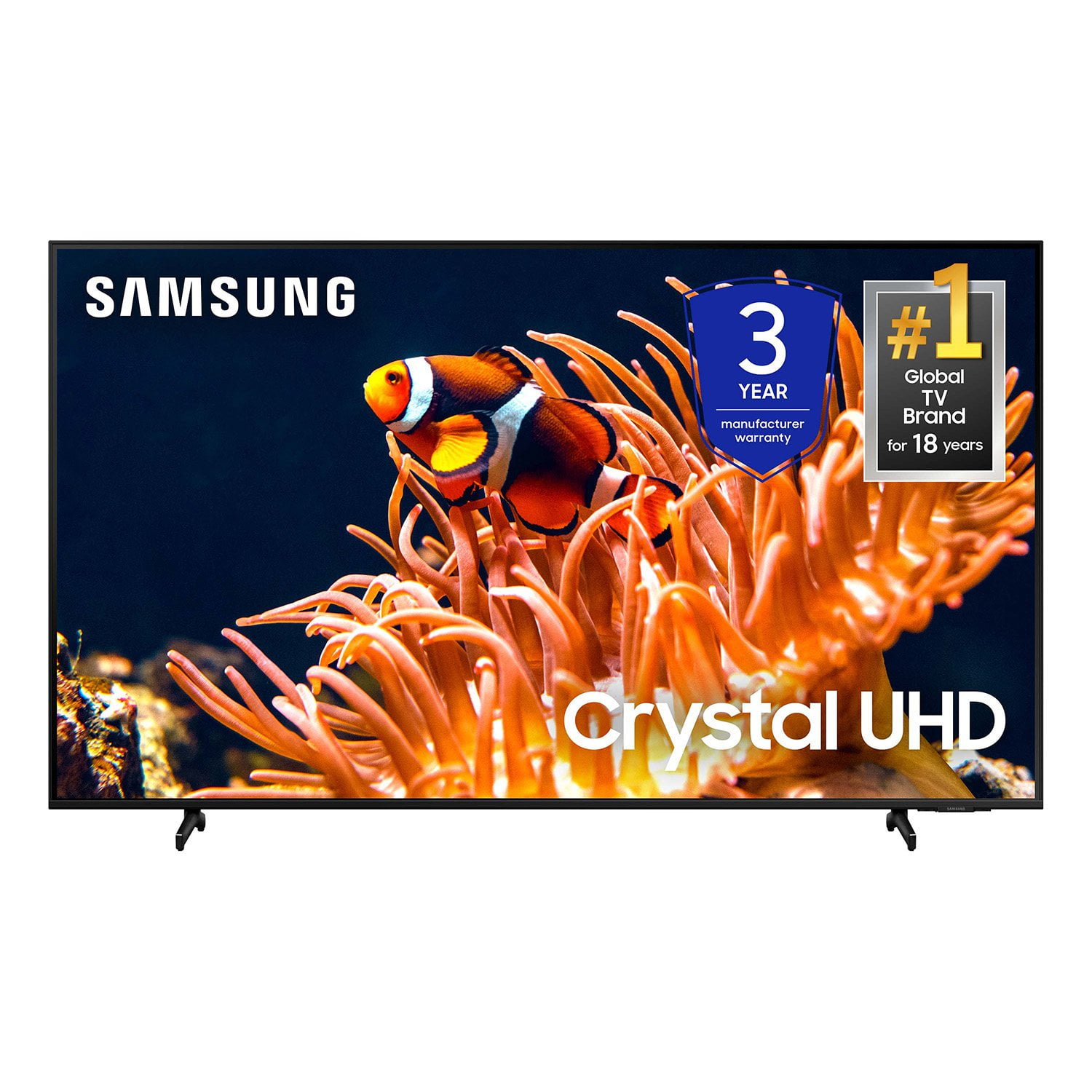
SAMSUNG 85” Class DU8000 Series UHD 4K Smart TV
4.5 out of 5 stars
stars824 ratings801 reviews
  1. 5 stars75% (616)
  2. 4 stars13% (104)
  3. 3 stars5% (41)
  4. 2 stars3% (22)
  5. 1 star5% (41)

Member photos

  • +191 images
Sort by |
Showing 771-780 of 801 reviews
Mar 5, 2025
Rick
3 out of 5 stars review

Not happy

Slow to power up and poor picture quality Would not recommend

Review from Samsung US
Helpful?5VT8YRQ8Z9WM13878967183
reply from Samsung Advisor

Hi Rick, We appreciate your feedback on the response time, and for optimal performance, we ask that you please ensure you've got the latest firmware version installed on your DU8000 TV. You can check this by going to Home > Menu > Settings > Support > Software Update. You may also want to further optimize performance with the self-diagnostic tool, which checks memory, frees up unused cached memory, and closes background apps. Go to: Home > Menu > Settings > Support > Device Care > Start Device Care. Below are some tips to help improve picture clarity: 1) HDMI cables are recommended for optimal HD viewing. 2) If you have an analog cable box or satellite box, upgrade to a digital cable box or satellite box. 3) Change the output resolution of your devices, such as digital broadcast receivers, IPTV, and set-top boxes, to UHD or HD. 4) You can further adjust your sharpness, brightness, contrast, color, and more by going to Settings > All Settings> Picture > Expert Settings 5) Choose a Picture Mode by going to Settings > All Settings> Picture > Picture Mode and choose from Dynamic, Standard, Natural, Movie, or Filmmaker Mode. 6) For optimal motion image performance, you may want to adjust the picture clarity setting by going to Settings > All Settings> Picture > Expert Settings > Picture Clarity Settings. Should you ever have questions or need help with TV features, specs, or operations, we are here to help. You can call us at 1-800-SAMSUNG, 8 AM - 12 AM EST, seven days a week. Our LiveChat agents are also available by clicking on the ‘Support’ link on our website. ~ Samsung Advisor

Mar 1, 2025
Gdeezy
5 out of 5 stars review

Love It

Love this tv. Crystal clear picture and the color is vibrant.

Review from Samsung US
Helpful?5VT8YRQ8Z9WM13878967183
Mar 6, 2025
Jimvickie
5 out of 5 stars review

Samsung TV

Was a gift and is awesome. Best picture easy to use search.

Review from Samsung US
Helpful?5VT8YRQ8Z9WM13878967183
Feb 5, 2025
Cook
5 out of 5 stars review

TV rating

The tv was a replacement, great choice. .Thank you

Review from Samsung US
Helpful?5VT8YRQ8Z9WM13878967183
Apr 21, 2025
TVLADY
2 out of 5 stars review

Disappointed

There is a large black cloudy stripe from top to bottom

Review from Samsung US
Helpful?5VT8YRQ8Z9WM13878967183
reply from Samsung Advisor

Hi TVLADY, We appreciate your feedback regarding the screen abnormalities you’re seeing on your DU7200 TV. Please run a Picture Test to determine if the problem is caused by the TV. Picture Test displays a high-definition picture you can examine for flaws or faults. Go to Settings > Support > Device Care > Self Diagnosis > Picture Test. If this occurs on all sources and the picture test, this may require service. For help with setting up a service appointment, please contact Samsung Support at 1-800-SAMSUNG, 8 AM - 12 AM EST, seven days a week. Our LiveChat agents are also available by clicking on the ‘Support’ link on our website. ~ Samsung Advisor

Feb 5, 2025
Olivera
5 out of 5 stars review

Bus

Thank you goooood than you hhhgagagagagagahagg hhh

Review from Samsung US
Helpful?5VT8YRQ8Z9WM13878967183
Feb 5, 2025
Sandy
5 out of 5 stars review

Great

I love my Samsung TV along with the free channels.

Review from Samsung US
Helpful?5VT8YRQ8Z9WM13878967183
Feb 21, 2025
gtenpin
5 out of 5 stars review

Excellent value

Love everything Samsung! Very dependable products. Great value.

Review from Samsung US
Helpful?5VT8YRQ8Z9WM13878967183
Mar 22, 2024
Dimps
3 out of 5 stars review

Light bleed

The TV is pretty good, but the light bleed is crazy!

Review from Samsung US
Helpful?5VT8YRQ8Z9WM13878967183
reply from Samsung Advisor

Hi Dimps, Thank you for purchasing the new Samsung DU8000 TV and for providing us with feedback on the picture quality. I have a few troubleshooting steps for you to try that may resolve any image issues you are seeing. First, let's run a picture test to ensure it is not a connected device or app you are using that is causing the issue. Go to Home> Left directional button> Settings> Support> Device Care> Self Diagnosis> Picture Test. Next, there are several picture settings available, allowing you to adjust the image, including Picture Mode, Contrast, Brightness, and Sharpness settings. Go to Settings> All Settings> Picture. If you continue to have issues, please call us at 1-800-SAMSUNG, 8 AM - 12 AM EST, seven days a week. LiveChat with an agent, as well as manuals, software, and warranty info, can be found at the ‘Support’ link on our Samsung website. ~ Samsung Advisor

Feb 20, 2025
Ice man
5 out of 5 stars review

This is a great product for your home

Great quality for home entertainment & very good price

Review from Samsung US
Helpful?5VT8YRQ8Z9WM13878967183